
Your plan and billing
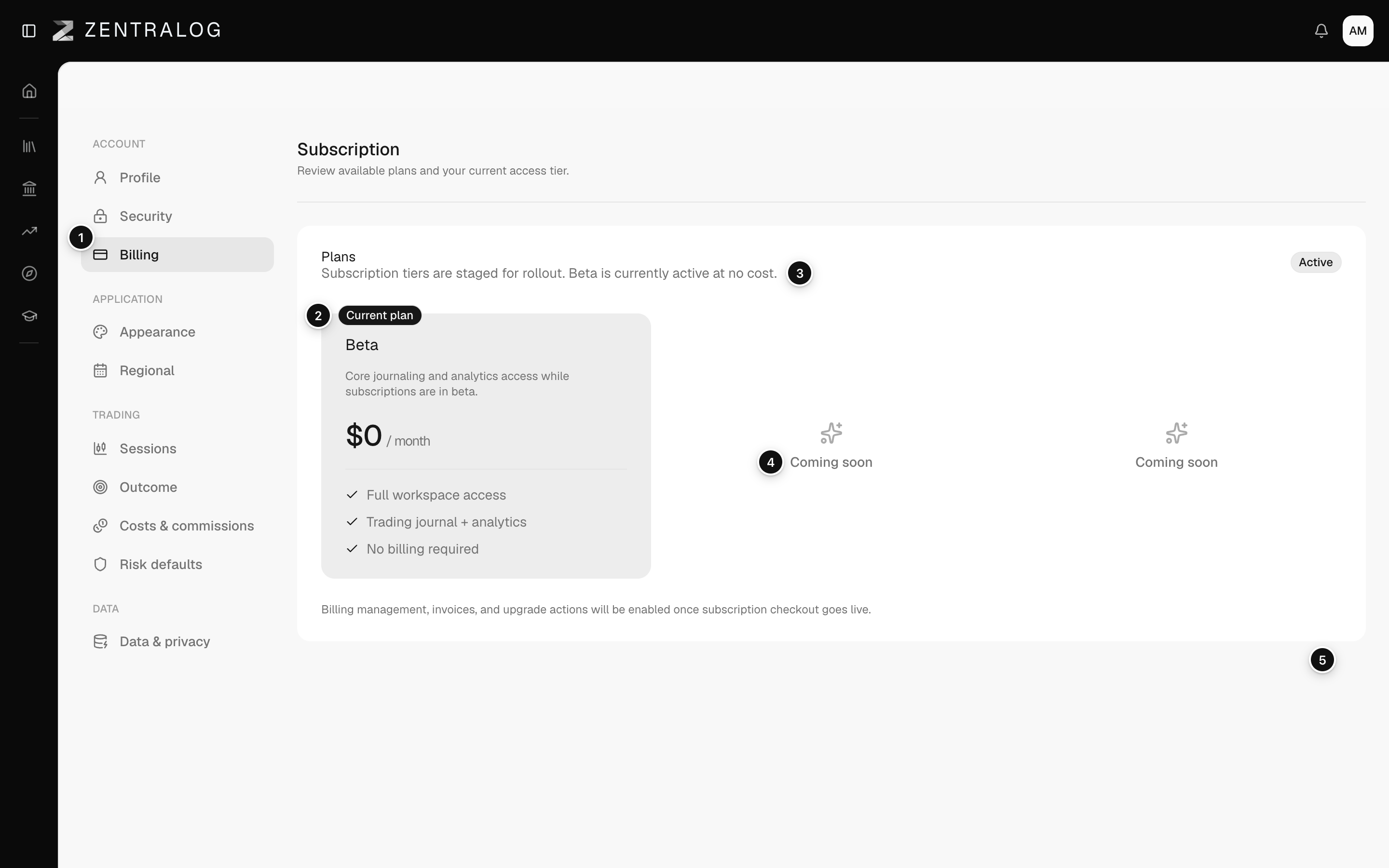
The Billing page, which shows your current plan. During the beta, Zentralog is free.
Updated 1 min read
Where: your avatar → Settings → Billing
Check your plan
- Open Settings from your avatar menu.
- Click Billing in the Account group. The page is titled Subscription.
- Find the card marked Current plan. It shows Beta at $0 per month.
- The badge next to it shows your status, for example Active.
There is nothing to buy yet. You won't find an upgrade button, a card form or invoices.
What's on the screen
- Billing: the plan page lives in Settings.
- Current plan: your plan, Beta, free during the beta.
- Active: the status of your subscription.
- Coming soon: paid plans that are not available yet.
- Billing note: payments and invoices arrive when checkout goes live.
FAQ
Do I need to add a card?
No. The beta needs no payment method and nothing is charged.
How much will the paid plans cost?
Prices are not published yet. The cards stay marked Coming soon until checkout opens. See Pricing.
Related
Did this answer your question?