
Profile and the Settings page
The page where you edit your name, username and sign-in email, and the starting point for every other setting.
Updated 2 min read
Where: your avatar (top right) → Settings → Profile
Open Settings
- Click your avatar in the top-right corner.
- Click Settings. It always opens on Profile.
- Use the left sidebar to move between sections. They are grouped into Account, Application, Trading and Data.
- On a phone, the sidebar becomes a Select section menu at the top.
Edit your profile
- Change First name or Last name.
- Change Username if you want. It needs 3 to 32 characters: letters, numbers, dots, dashes or underscores.
- Change Email only if you want to sign in with a different address.
- Click Save changes. You will see «Account details saved.»
What's on the screen
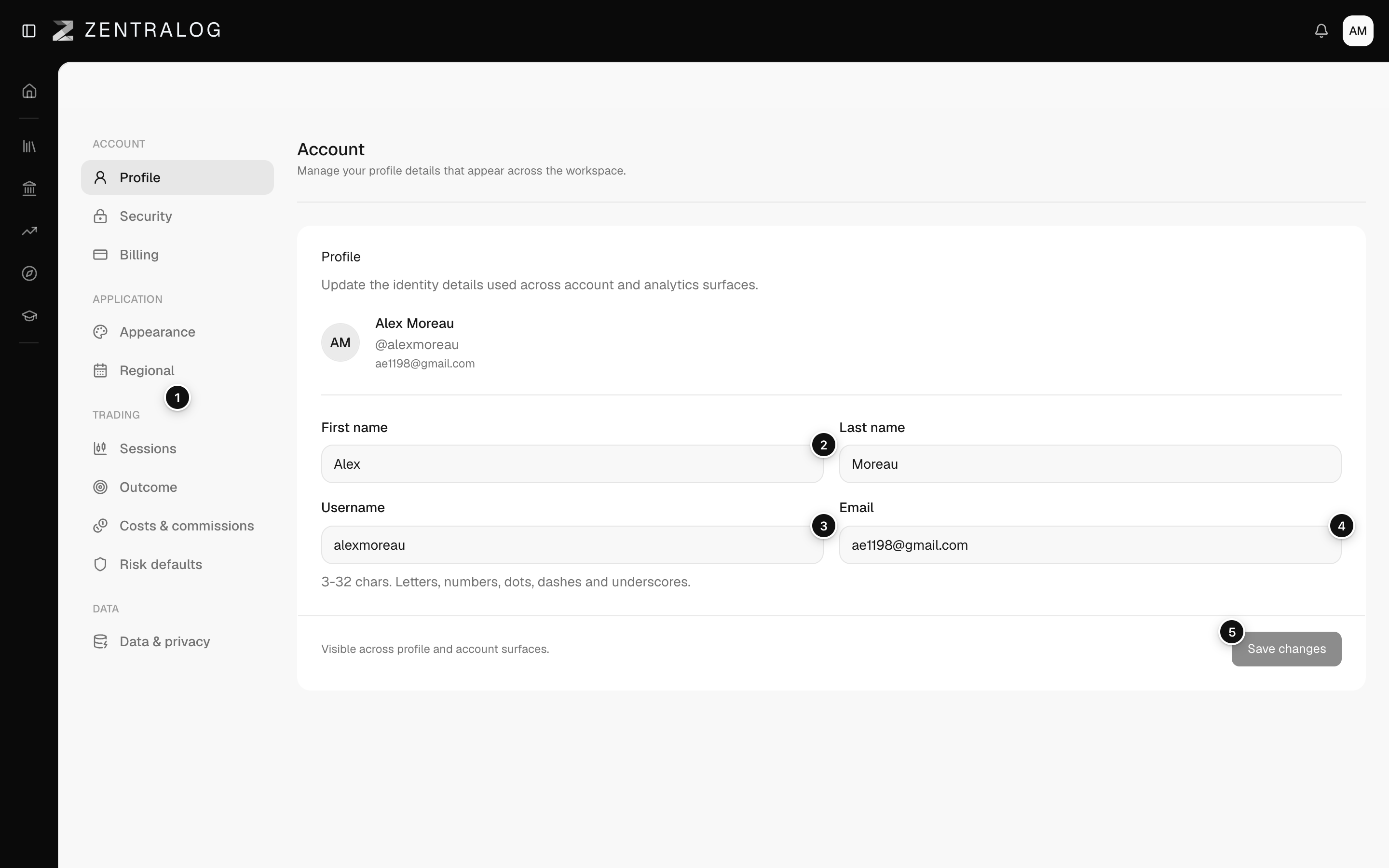
- Settings sidebar: sections grouped into Account, Application, Trading and Data.
- First name: your first and last name.
- Username: your unique username, 3 to 32 characters.
- Email: the address you sign in with.
- Save changes: only active when something changed.
The page title says «Account» while the sidebar says «Profile». They are the same page.
FAQ
Why is Save changes greyed out?
Nothing has changed yet, or the username is not valid. Fix the red message under the field and the button turns on.
It says the username is already taken.
Another person uses it. Add a number or a dot and try again.
Can I change my sign-in email?
Yes, in the Email field. During the private beta, the new address must also have beta access.
Related
Did this answer your question?