
Archive, clear, transfer or delete an account
Four menu actions to retire an account, empty it, move its trades or remove it for good.
Updated 2 min read
Where: Accounts → ⋮
Archive an account
- Click Accounts in the left rail.
- Click ⋮ on the account and choose Archive.
- Read the dialog and click Archive.
An archived account keeps its data but becomes read-only. It stops syncing and no longer counts toward your account limit. You can still fix its balance, clear its trades or delete it. To see it, click Columns → Show archived.
Clear, transfer or delete
- Click ⋮ on the account.
- Choose Clear trades, Transfer data or Delete.
- For Transfer data, pick the Destination account.
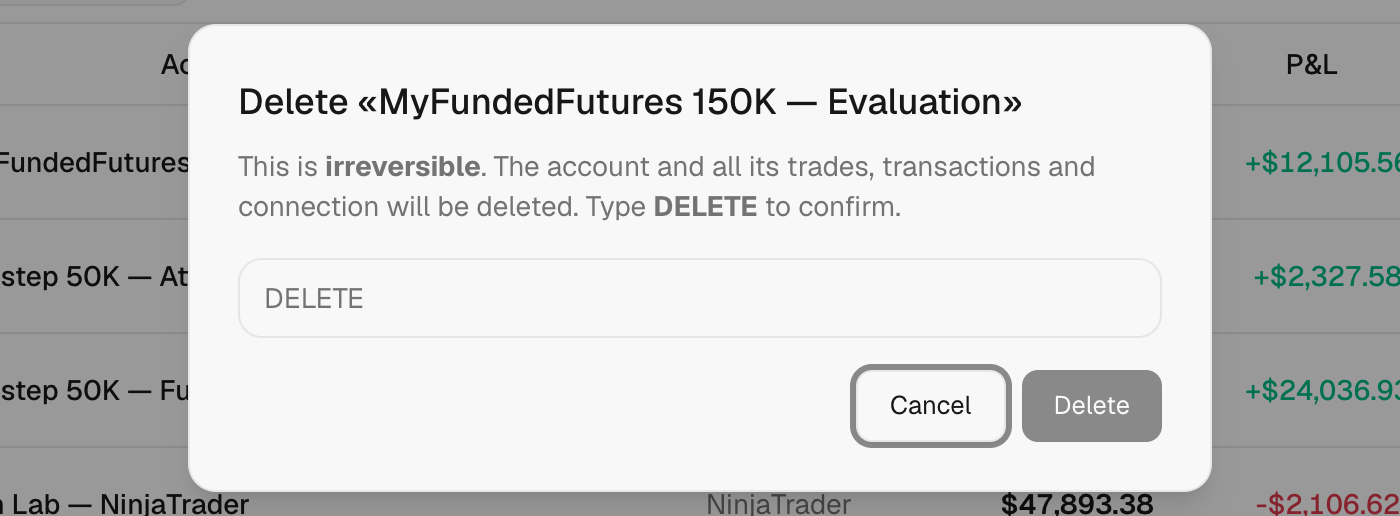
- Type the word the dialog asks for: CLEAR, TRANSFER or DELETE.
- Click the confirm button.
What's on the screen
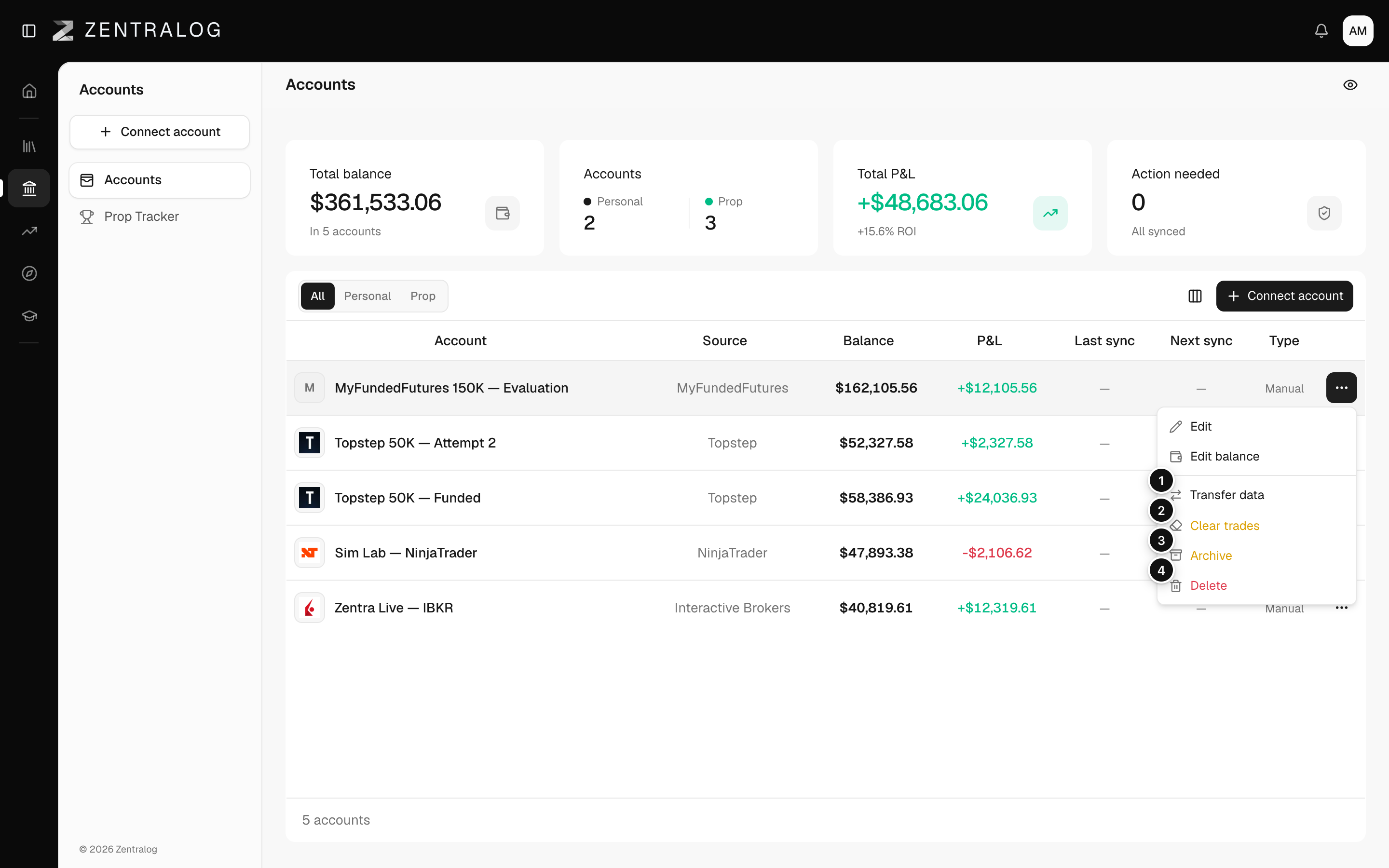
- Transfer data: moves all trades to another account.
- Clear trades: deletes all trades and keeps the account.
- Archive: retires the account; its data is kept, read-only.
- Delete: removes the account, its trades, movements and connection forever.
Archiving can't be undone. And if you clear the trades of a synced account, they come back on the next sync: choose Disconnect sync first if you want them gone.
FAQ
Can I unarchive an account?
No. Archiving is permanent. If you only want to stop syncing, use Disconnect sync instead. See Sync and reconnect.
What's the difference between Archive and Delete?
Archive keeps everything, read-only. Delete removes the account and all its trades, movements and connection.
Related
Did this answer your question?