
The Accounts page
A table of all your trading accounts with their balance, P&L and sync status.
Updated 2 min read
Where: Accounts → Accounts
Filter and sort the table
- Click Accounts in the left rail.
- Click All, Personal or Prop above the table.
- Click a column header to sort. Click it again to flip the order.
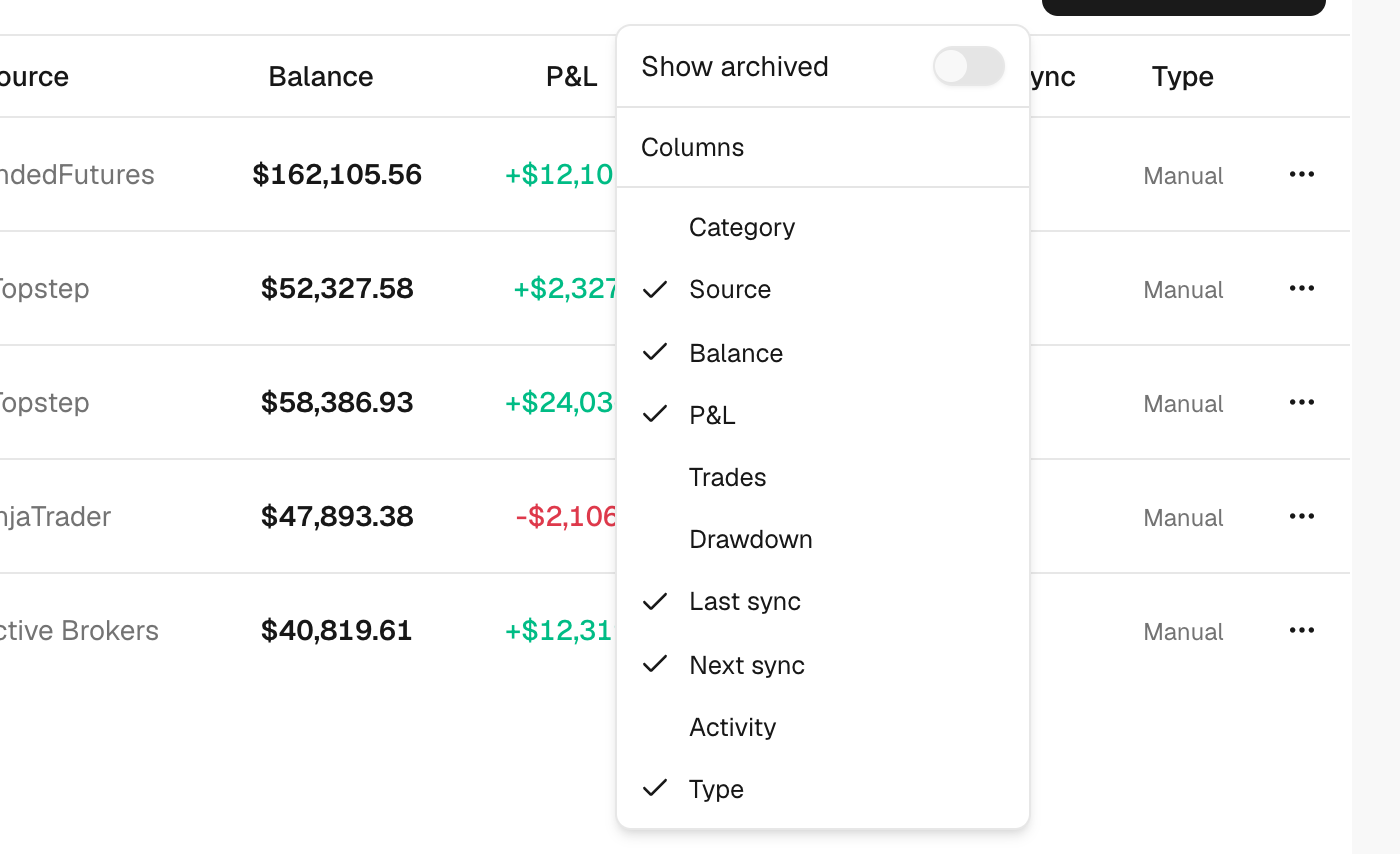
- Click Columns to show or hide columns.
Open an account
- Click a row to see that account in Analytics. See See one account's stats.
- Click ⋮ at the end of a row to edit, sync, archive or delete it.
Balance is the initial balance, plus deposits, minus withdrawals, plus the net P&L of your closed trades. Category says if an account is Live, No program (prop, not in a journey yet), Challenge or Funded.
What's on the screen
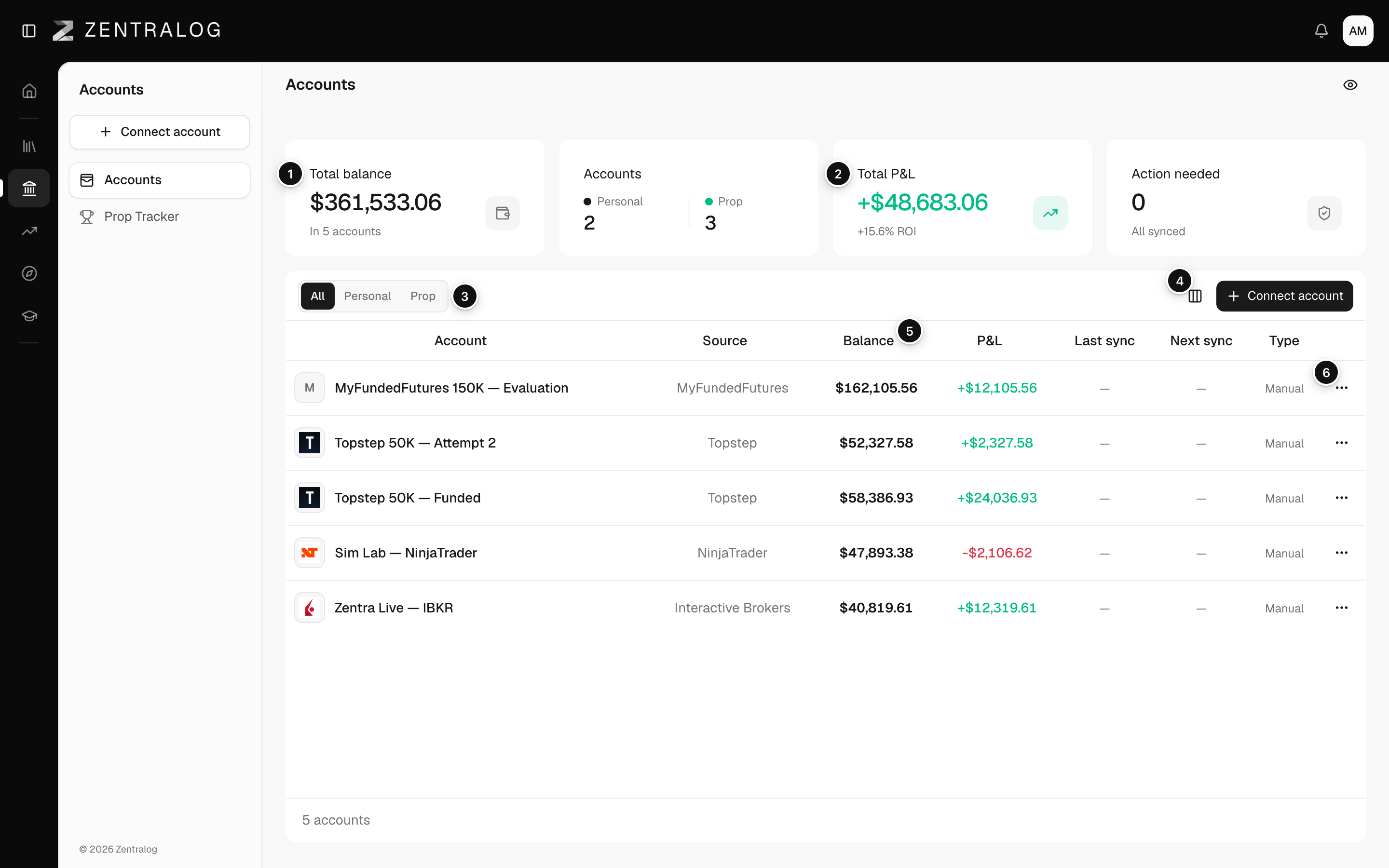
- Total balance: the combined balance of your active accounts.
- Total P&L: net profit or loss, with its ROI (return on your starting money).
- All / Personal / Prop: filter by kind of account.
- Columns: show or hide columns.
- Column header: click to sort.
- ⋮: the account's actions.
A dot next to a balance means Balance not set yet. Click it to enter your real balance.
FAQ
Where are my archived accounts?
Click Columns → Show archived. They appear in grey and don't count in the totals.
The totals show «Waiting for broker P&L». Why?
A Rithmic account hasn't sent its P&L yet. The totals fill in when it arrives.
Related
Did this answer your question?