
Instrument: what you trade
Your results split by symbol, by market and by long or short.
Updated 1 min read
Where: Journal → Analytics → Analytics → Instrument
Compare your symbols
- Click the Analytics tab and pick Instrument in the family selector.
- Click Symbol, Market or Side.
- In the metric bars, pick a metric, such as Expectancy.
- Click a bar to open those trades.
- Symbol: the contract root, so every NQ expiry counts as NQ.
- Market: indices, energy, metals, forex, stocks or crypto.
- Side: long or short.
Cross symbol and weekday
- In Cross, open the second selector and pick Weekday.
- Hover a cell to see its trades, win rate and net.
- Click a cell to open its trades.
What's on the screen
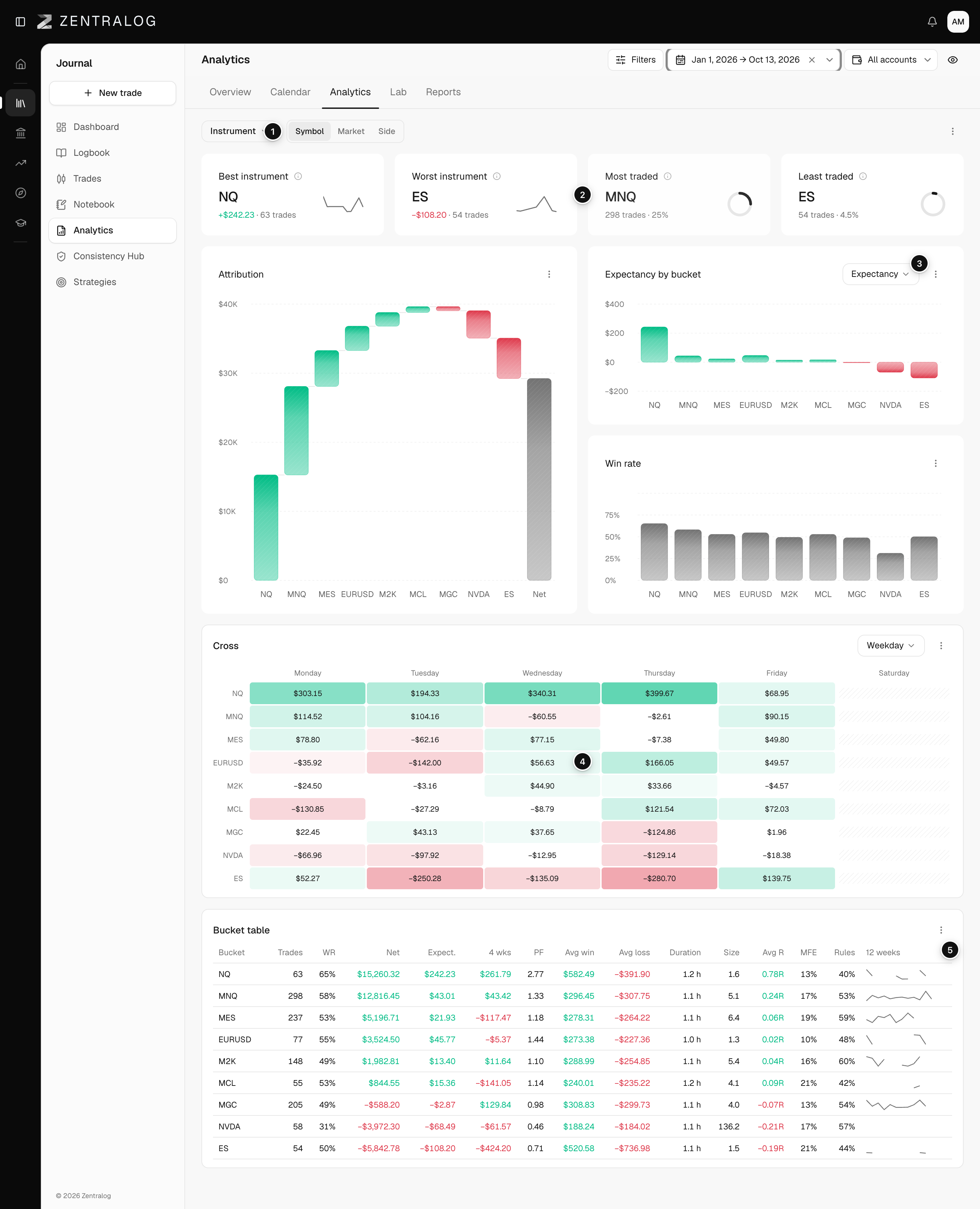
- Chips: Symbol, Market and Side.
- KPIs: best, worst, most and least traded instrument.
- Metric by bucket: one bar per symbol in the metric you pick.
- Cross: each cell is the expectancy of one symbol on one weekday.
- Bucket table: every number per symbol.
Cross cells with fewer than 5 trades are hatched and show not enough sample.
Related
Did this answer your question?