
Glossary of metrics
Every number Zentralog shows you, explained in one line, with the formula behind it.
Where: Journal → Analytics → any card → ⋮ → Explain metric
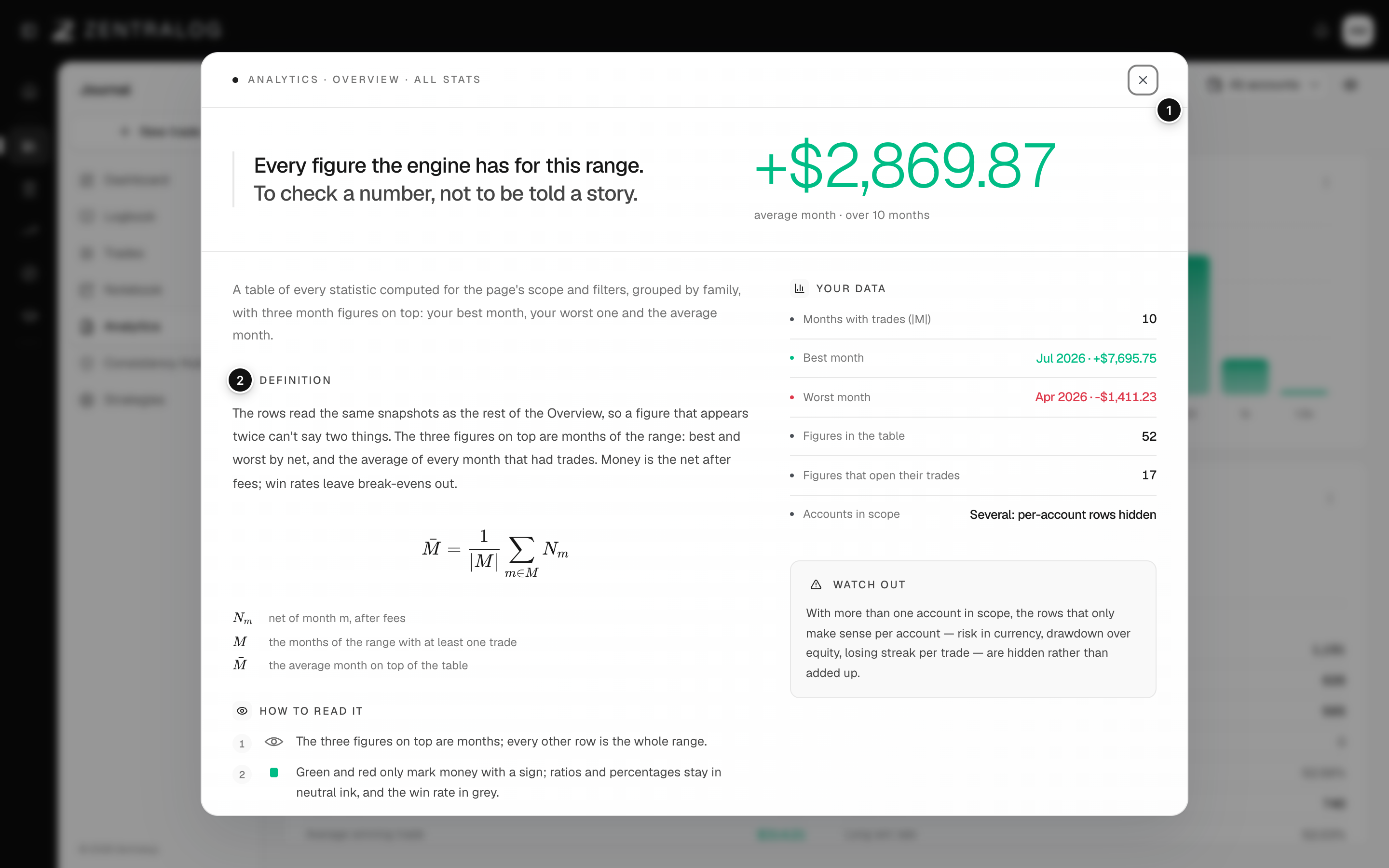
- Metric explainer: opens for the card you picked.
- Definition: what the metric measures.
- Observed: your own value with the current filters.
- Interpretation: how to read your number.
All numbers follow the date range, accounts and filters you pick at the top of the screen.
Results
Net P&L
What you made or lost after fees. Net P&L = the sum of each trade's result after commissions and fees.
Gross P&L
The result before fees. Gross P&L = Net P&L + Fees.
Fees
Broker commissions plus exchange and regulatory charges. They come from your broker, or from your cost rules when the broker didn't send them.
Performance (ROI)
A trade's return on the size of the position. Performance = Net P&L ÷ Adjusted cost × 100.
Adjusted cost
The value of the position. Adjusted cost = average entry price × size × instrument multiplier.
ROI
Return on the money you put in. In Accounts: total P&L ÷ starting capital × 100. In Prop Tracker: (Recovered − Invested) ÷ Invested × 100.
Wins and losses
Outcome
The label of a closed trade: Win if its net result is above your break-even threshold, Loss if it is below minus the threshold, BE in between. Open trades have no outcome yet.
Break-even
A trade that neither really won nor lost. You choose the amount in Settings → Outcome. The default is 0.
Win rate
How often you win. Win rate = wins ÷ (wins + losses) × 100. Break-even trades are left out. The day summaries in My Day and the Logbook divide by all closed trades of that day instead.
Profit factor
How much you win for each unit you lose. Profit factor = gross profit ÷ gross loss. Above 1 means the system made money. With no losing trades it shows ∞.
Expectancy
What a trade is worth on average. Expectancy = Net P&L ÷ number of closed trades. In Strategies it is shown in R: the average R per trade with a defined risk.
Average win and loss
The average result of your winning trades, and of your losing trades.
Payoff ratio
How big your wins are next to your losses. Payoff ratio = average win ÷ average loss.
Avg hold
The average time a trade stays open, from the first fill to the last.
Streak
Days (or trades) in a row with the same result. Green days in a row count up; red days in a row count down.
Trades and executions
Long and short
Long means you bought first and profit if the price rises. Short means you sold first and profit if it falls.
Executions
Each fill your broker reports: a buy or a sell at a price. Zentralog groups the executions of one position, partial exits included, into a single trade.
Session
A time window of the trading day, such as London or New York. You define them in Settings → Sessions, and each trade is tagged with the session it opened in.
Replicas
Copies of a trade on other accounts, for example when you copy-trade several prop accounts. Each copy can have its own size multiplier.
Auto-sync
A connection that imports your trades from the broker by itself, without CSV files. See Connect an account.
Risk
Stop loss
The price where you planned to exit if the trade went against you.
Take profit
The price where you planned to take your profit. Zentralog calls the amount it would pay your Aimed target.
Trade risk
What you would have lost if the stop was hit. Trade risk = |stop − average entry| × size × multiplier.
R multiple
Your result measured in units of risk. Realized R = Net P&L ÷ Trade risk. Winning twice what you risked is +2R. Without a stop there is no R.
Planned R
The reward you aimed for, in R. Planned R = Aimed target ÷ Trade risk.
Drawdown
How far your balance is below its highest point so far.
Max drawdown
The biggest drop from a peak to a later low. The Dashboard measures it on your daily balance; the Risk family of the Analytics tab measures it trade by trade, so the two can differ slightly.
Recovery factor
How well your profit covers your worst drop. Recovery factor = Net P&L ÷ max drawdown in money.
Risk of ruin
The chance of losing as much as your drawdown limit. Zentralog replays your own R results in 4,000 random orders of 100 trades and counts how many hit the limit. Under 5% is Low, under 15% is Moderate, above that is High.
Breach risk
The same calculation as risk of ruin, but against your prop firm's loss rule.
Monte Carlo simulation
Thousands of possible futures built by shuffling your past results. It shows a likely range, not a forecast. Zentralog runs 5,000 paths.
Discipline
Compliance
How well you follow your rules. Compliance = rules kept ÷ rules checked, over the days you traded in the last 30 days.
Clean streak
Days in a row, counting back from today, on which you kept every rule. Days you didn't trade don't break it.
Strategy score
How closely a trade followed its strategy's checklist: the sum of the weights of the criteria you ticked, from 0 to 100%.
Execution drag
How much a strategy loses to mistakes. Execution drag = expectancy of clean trades − expectancy of trades with errors.
Zen Score
One grade from 0 to 100 that sums up your trading. It weighs profit factor (20%), average win vs loss (15%), max drawdown (15%), consistency (15%), discipline (15%), win rate (10%) and recovery factor (10%). See Zen Score.
Analytics and the Lab
Explains X% of your result
How much a dimension (hour, symbol, setup…) separates your result. Explains = (net of the best bucket − net of the worst bucket) ÷ the sum of all your P&L, without signs.
Attribution
A waterfall that shows how much each bucket adds to or takes from your net result. Hover a step to see your numbers without that bucket.
SQN
System Quality Number: how steady your edge is. SQN = average result ÷ its standard deviation × √(trades, up to 100). Under 1.6 is fragile; 2.5 or more is good.
Kelly
The largest share of your account a formula would risk per trade. Kelly = win rate − (1 − win rate) ÷ payoff ratio. It is a ceiling, not a target.
Break-even win rate
The win rate you need to not lose money with your current wins and losses. Break-even win rate = 1 ÷ (1 + payoff ratio).
Fragility
How many of your best trades you would have to remove for your net result to drop to zero or below.
Prop firms
Prop firm
A company that lets you trade its money if you pass an evaluation, in exchange for a share of the profit.
Evaluation
The challenge you pay for to prove you can hit a profit target without breaking the firm's rules. It can have one or more phases.
Funded account
The account you get after passing the evaluation. Its profits can be paid out.
Payout
Money the prop firm pays you from a funded account.
Profit split
The share of the profit you keep, for example 90%. Zentralog counts Recovered = payouts × your split.
Cost-to-fund
What you spent in fees on a journey before its first payout.
Pass rate
The share of your finished evaluations that you passed. Pass rate = passed ÷ finished. Evaluations still running don't count. Prop Tracker also shows a likely range for it. See how Prop Tracker numbers are calculated.
Return per evaluation
What each evaluation you buy leaves you on average. Return per evaluation = pass rate × value per funded − spent ÷ evaluations.
Value per funded
What each funded account has paid you on average, after the profit split. A funded account with no payout counts as 0.
Cost per funded
What it costs you to get one funded account. Cost per funded = fees spent ÷ evaluations passed. It is not the same as a journey's cost-to-fund.
Markets
COT report
A weekly report from the CFTC, the US futures regulator, that shows how different groups of traders are positioned.
Open interest
The number of futures contracts still open at the end of the week.
Net position
Long contracts minus short contracts for a group of traders.
COT percentile
Where this week's net position sits among the last 3 years, from 0 to 100. Above 90 or below 10 is an extreme.
FAQ
Why does the same metric show a different value on two screens?
Check the date range, the accounts and the filters at the top: each screen uses its own. Max drawdown is also measured per day on the Dashboard and per trade in Analytics.
Which metrics need a stop loss?
Everything in R: R multiple, Planned R, expectancy in R, the Risk family of the Analytics tab and the Monte Carlo in Edge and noise. Set a stop on each trade, or add risk defaults.
Related
Did this answer your question?