
Strategy and behaviour: setups, mistakes and habits
Your results by setup, tag and mistake, and by what happened just before each trade.
Updated 2 min read
Where: Journal → Analytics → Analytics → Strategy or Behaviour
Compare setups, tags and mistakes
- Click the Analytics tab and pick Strategy in the family selector.
- Click Setup, Tags or Errors.
- Read the tiles, such as Best setup or Costliest mistake.
- Click a bar to open those trades.
See how you trade after wins and losses
- Pick Behaviour in the family selector.
- Click Prior state, Hub rules, After a red day or Prior streak.
- To compare winners with losers, pick Outcome → Winners vs losers.
- Setup: the strategy linked to the trade.
- Tags and Errors: the labels and mistakes you marked. A trade with several counts in each.
- Prior state: how your last closed trade of the same day ended.
- Hub rules: whether the trade broke an active Consistency Hub rule when you entered.
- After a red day: whether your previous trading day closed green or red.
- Prior streak: your run of wins or losses before the trade. It can cross days.
- Winners vs losers: the result, not a cause.
What's on the screen
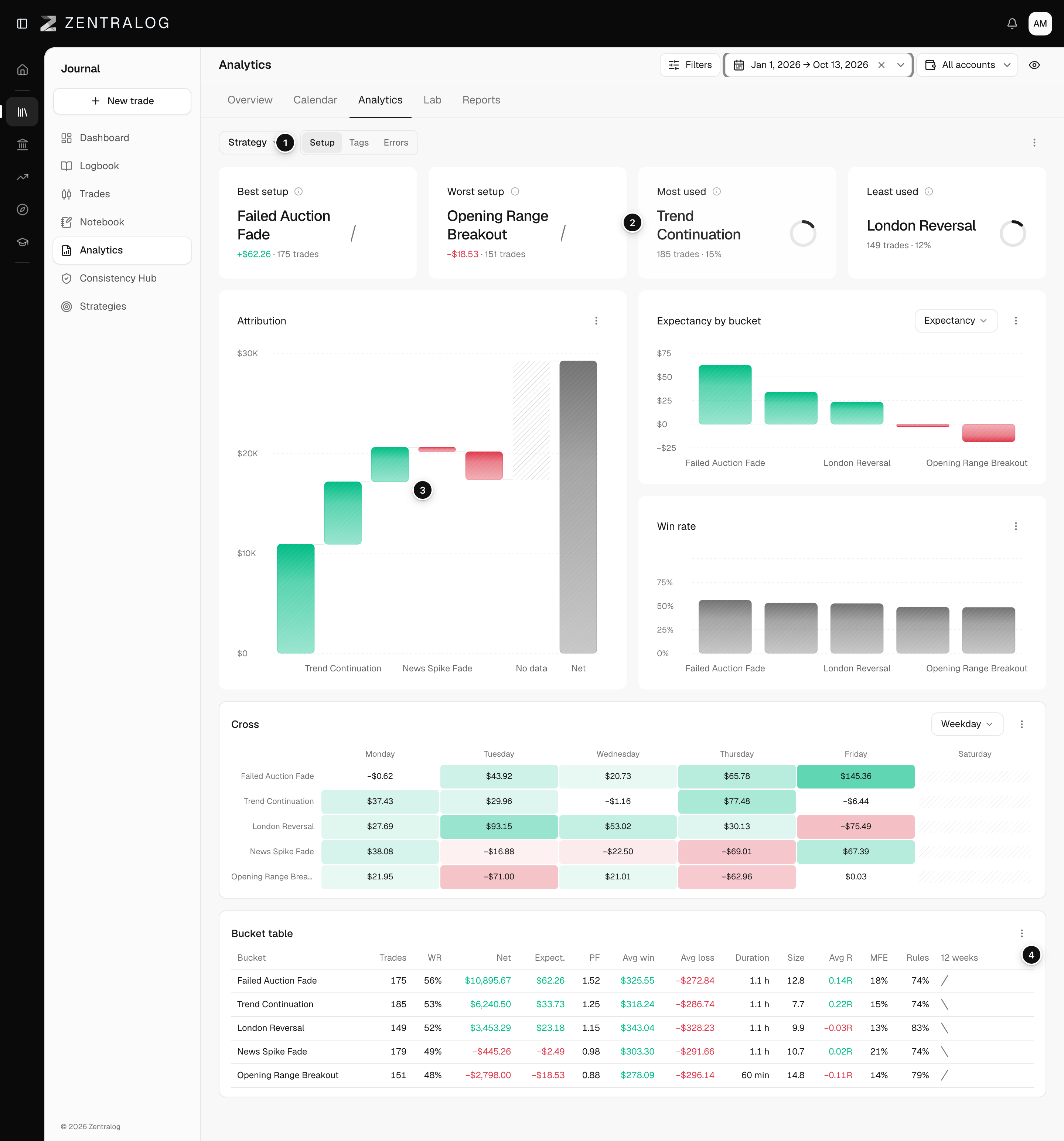
- Chips: Setup, Tags and Errors.
- KPIs: best, worst, most and least used setup.
- Attribution: how much each setup adds to or takes from your net.
- Bucket table: every number per setup.
A chip marked no data means you haven't recorded that yet: no linked strategy, tags, mistakes or active Hub rules.
FAQ
Why do my tags add up to more trades than I have?
A trade with several tags counts once in each of them.
Related
Did this answer your question?