
Set your discipline rules
Choose your trading days and the rules Zentralog checks each day — hours, trade limits, loss limits, stop losses and your own checks.
Where: Journal → Consistency Hub → Edit rules
Set your rules
- In the Consistency Hub, click Edit rules in the header of Your rules. The first time, the editor opens by itself: click Configure my rules →.
- If Today says there are no active rules, its Edit rules button opens the same editor.
- Under Trading days, mark the days you trade. The buttons read L M X J V S D, Monday to Sunday.
- Turn on the rules you want with their switch and fill in their values.
- Click Save rules.
Add your own rule
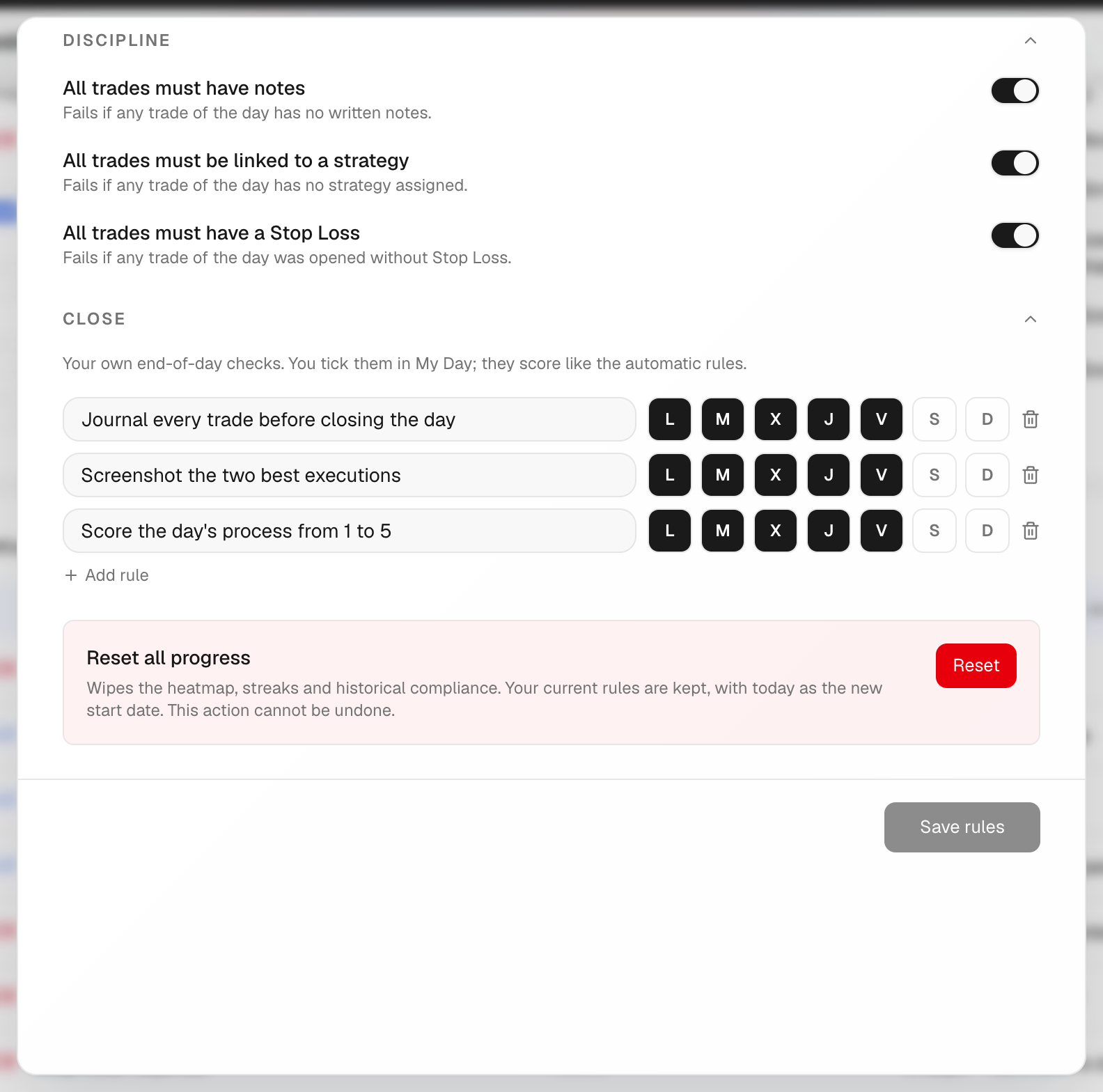
- In Preparation or Close, click Add rule.
- Name it, for example «Meditate before the session».
- Pick the days it applies to.
- Save. You tick it each day in My Day, or by clicking it in Today on the Hub.
What's on the screen
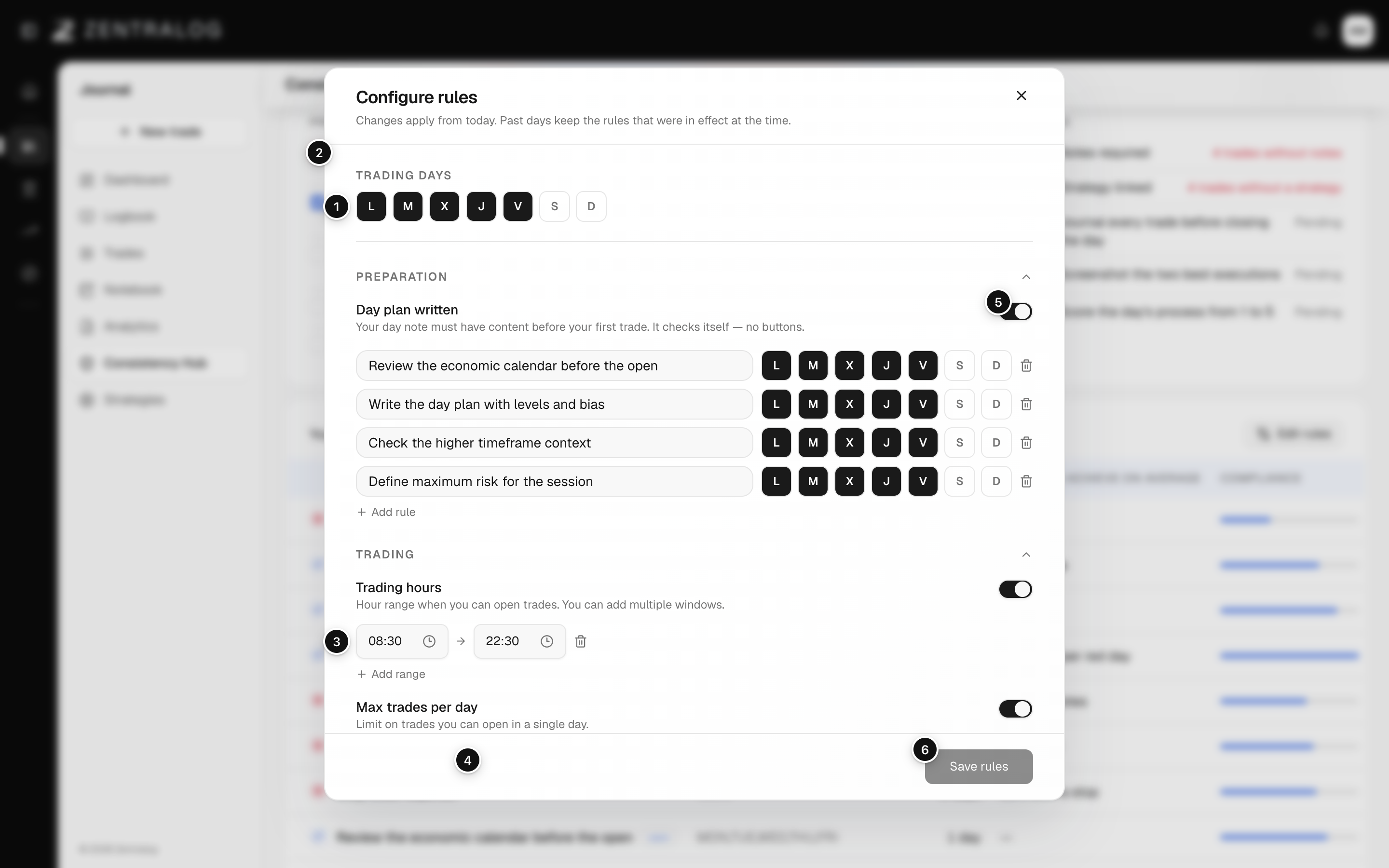
- Trading days: the days you trade. Other days aren't scored.
- Day plan written: your day note must have text before your first trade.
- Trading hours: the hours you may open trades. Add range adds another window.
- Max trades per day: the most trades you allow yourself in one day.
- Switch: turn any rule on or off.
- Save rules: changes apply from today. Past days keep the rules they had.
Reset all progress, at the bottom of the editor, wipes your history, streaks and compliance. It can't be undone.
FAQ
What do the other rules check?
Daily max loss sets a loss limit per account and fails if any account goes over it. All trades must have notes, …linked to a strategy and …have a Stop Loss fail if any trade that day misses it. A stop loss is the price where you planned to exit a losing trade.
I copy trades to several accounts. Will Max trades break every day?
Tick Count the limit per account. Then the day only breaks the rule if a single account goes over the limit.
When does my own rule count?
Only on days you trade. On days without trades it isn't scored.
Related
Did this answer your question?