
Strategy and mistakes on a trade
Link a trade to the strategy you followed, tick the rules you respected and tag what went wrong.
Updated 2 min read
Where: Journal → Trades → a trade → Strategy
Assign a strategy
- Open a trade and click the Strategy tab on the left.
- Click Add strategy and pick one from the list. You can type to search.
- Tick each criterion of the strategy you actually followed on this trade.
- To unlink the strategy, click Remove.
The bar shows the share of criteria you followed. Criteria with a higher weight count more. You create strategies and their criteria in Strategies.
Tag your mistakes
- Under Execution errors, click Add and pick a technical mistake, for example Entered too late.
- Under Psychology errors, click Add and pick a mindset mistake, for example FOMO or Revenge trading.
- Press Escape to close the list. Click the X on a tag to remove it.
Mistakes come from a fixed list of 8 execution errors and 8 psychology errors. You can't create your own. Changes save on their own.
What's on the screen
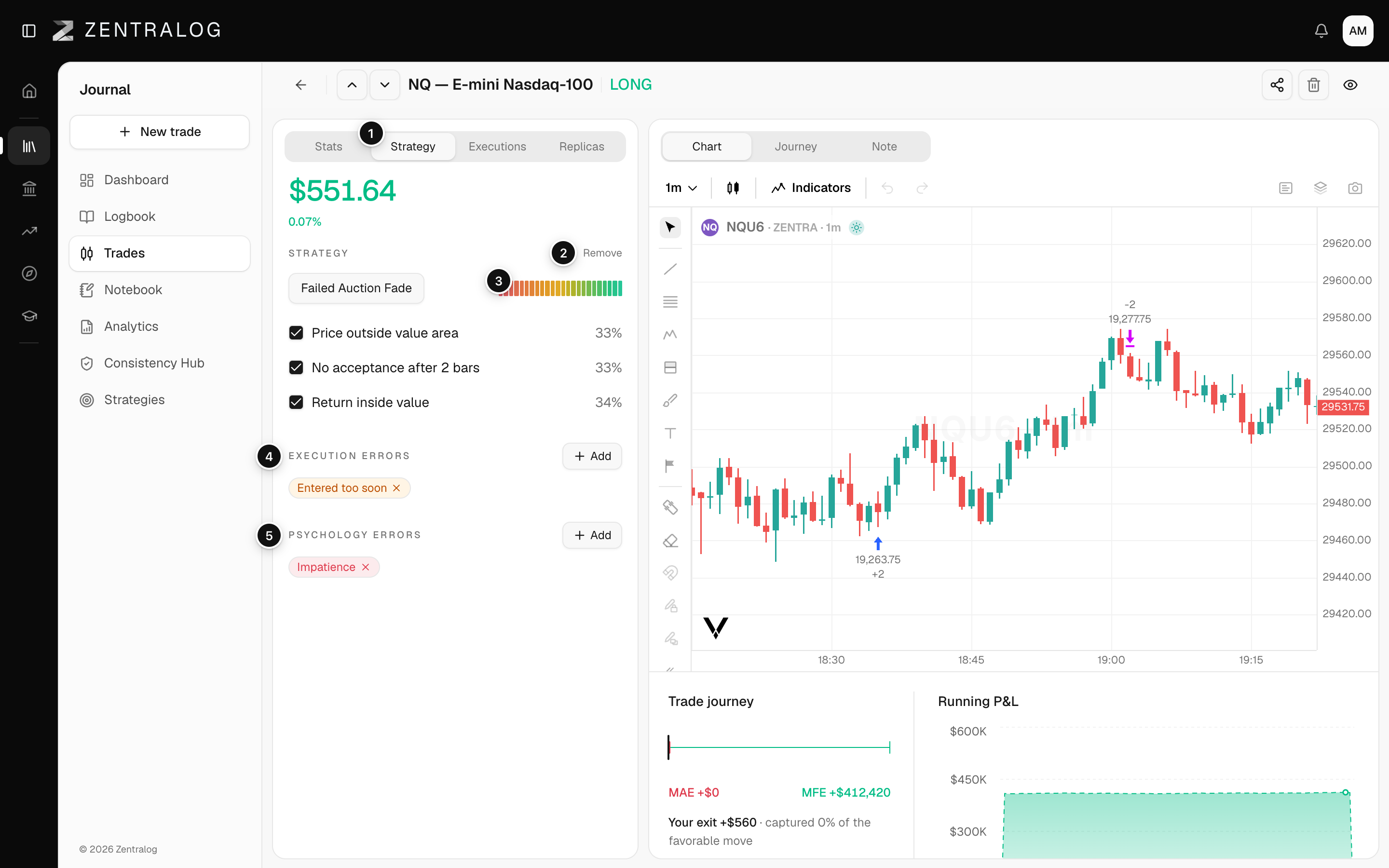
- Strategy tab: the strategy section of the trade.
- Remove: the assigned strategy; Remove unlinks it.
- Criteria followed: share of weighted criteria you followed.
- Execution errors: tag execution mistakes for this trade.
- Psychology errors: tag mindset mistakes for this trade.
Tagging mistakes pays off later. Use Mistakes in Filters to see every trade with the same error, or show the error columns in the table.
FAQ
The strategy list is empty. Why?
You have no strategies yet. Create one first in Strategies.
Why are the mistake names in English?
The list of mistakes is shown in English in every language for now.
Related
Did this answer your question?