
Your data and privacy
Where your trading data lives, who can see it, and how to delete it or your account.
Updated 1 min read
Where: your avatar → Legal & Privacy
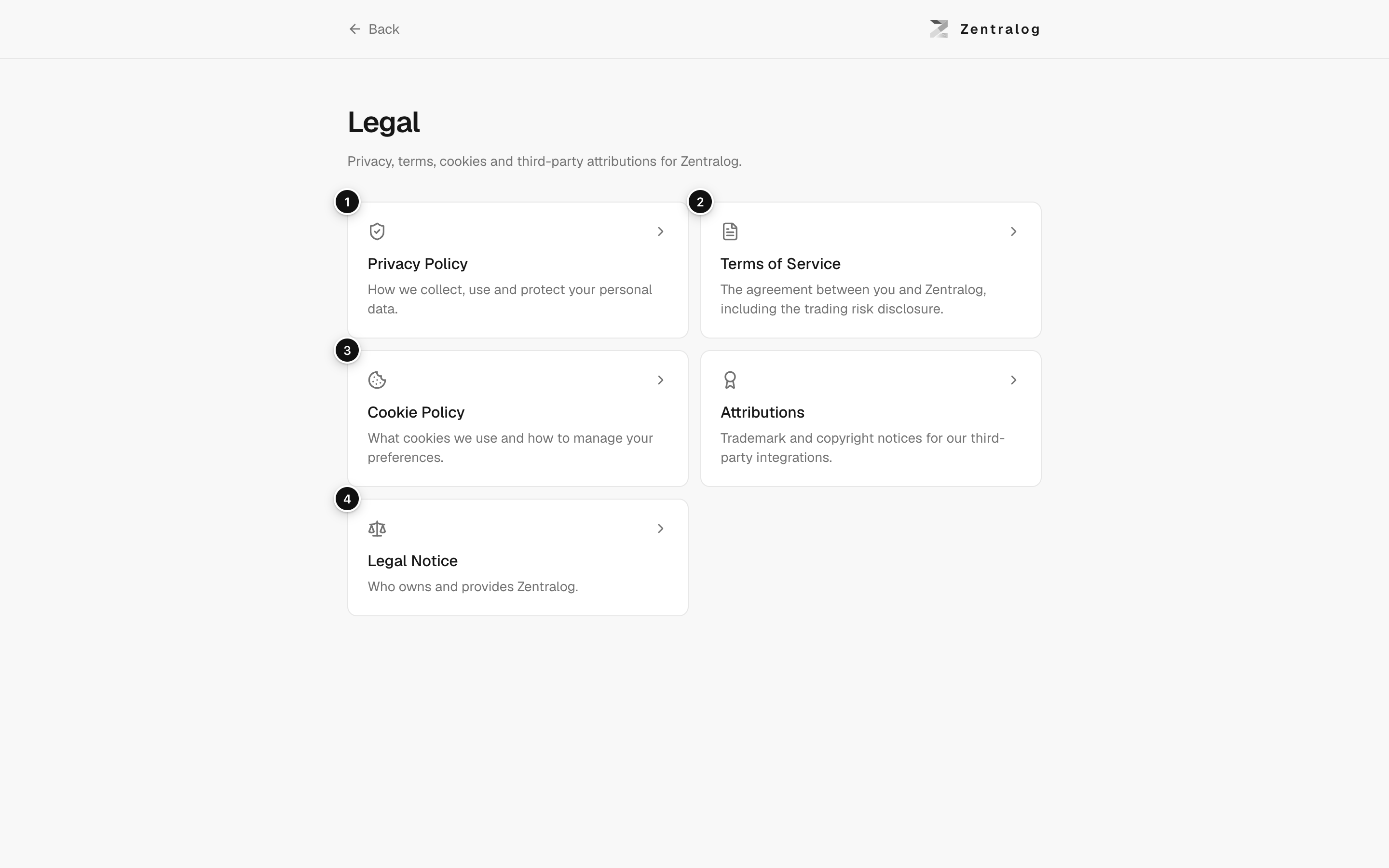
Your journal is private. Only you see it when you're signed in. Zentralog does not sell your data.
Read the legal documents
- Click your avatar in the top-right corner.
- Click Legal & Privacy. It opens in a new tab.
- Pick a document, for example the Privacy Policy.
Delete your data or your account
- To erase trades, notes or everything, use Delete your data in Settings.
- To close your account completely, email info@zentralog.com from your account's email.
- You get an answer within one month.
What's on the screen
- Privacy Policy: what data is kept and why.
- Terms of Service: the rules for using Zentralog.
- Cookie Policy: the cookies Zentralog uses.
- Legal Notice: who runs Zentralog.
When you connect a broker, Zentralog only reads your account and trades. It never places, changes or cancels orders. Broker credentials are stored encrypted.
FAQ
Can I get a copy of my trades?
Yes. Use Export CSV in Trades. See Export your trades.
Does sharing an image publish my journal?
No. Sharing only creates an image you choose to post. Nobody gets a link to your data.
Related
Did this answer your question?