
Delete your data
The Data & privacy page, where you can permanently erase your notebook, your journal or your whole workspace.
Updated 1 min read
Where: your avatar → Settings → Data & privacy
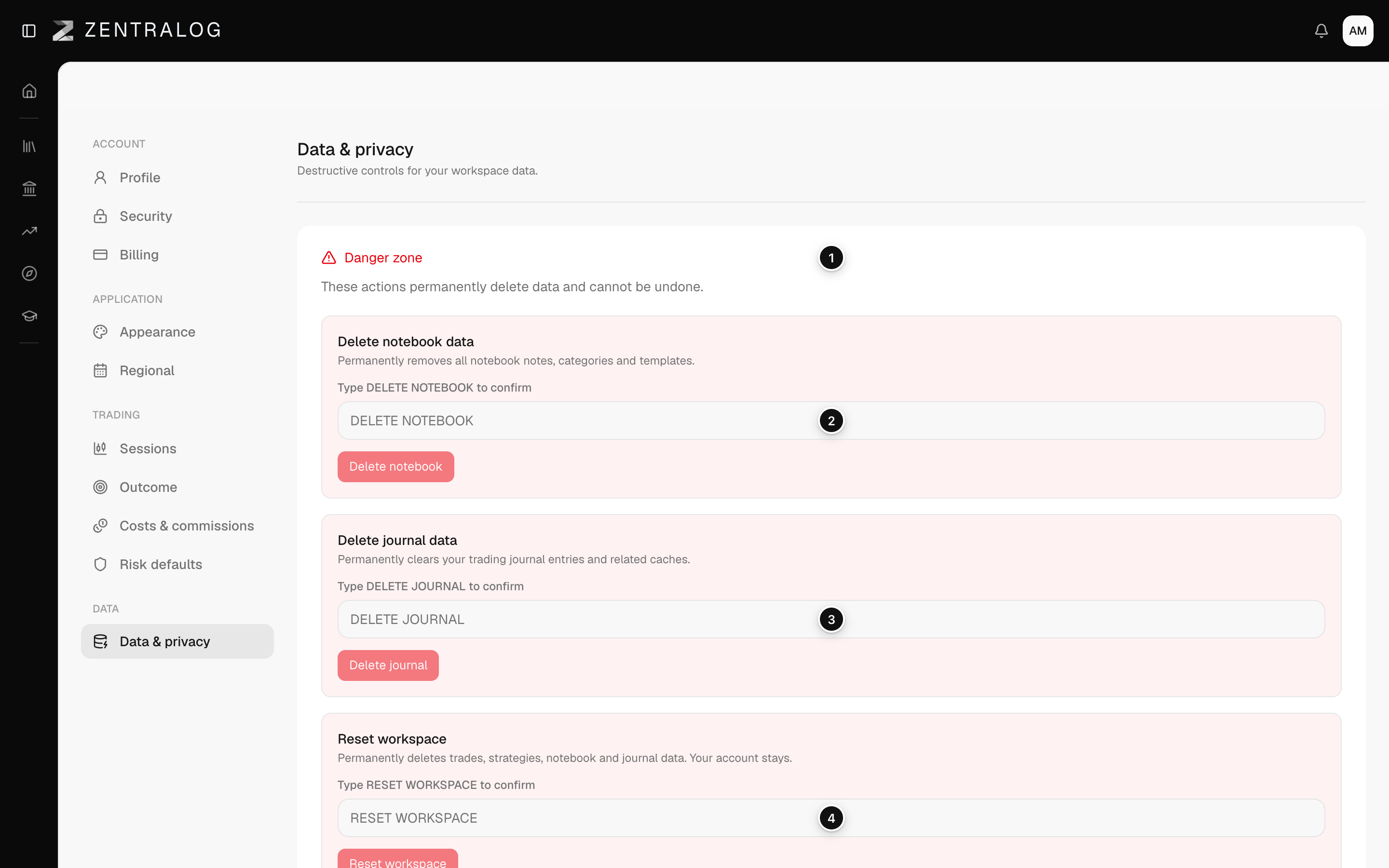
Erase data
- Open Settings and click Data & privacy.
- In the Danger zone, find the action you want.
- Type its phrase exactly, in capitals: DELETE NOTEBOOK, DELETE JOURNAL or RESET WORKSPACE.
- The red button unlocks. Click it: Delete notebook, Delete journal or Reset workspace.
The phrases are in English in every language.
What's on the screen
- Danger zone: these actions delete data permanently.
- Delete notebook: clears all notes, categories and templates.
- Delete journal: clears your journal entries.
- Reset workspace: deletes trades, strategies, notebook and journal. Your account stays, so you can start again.
There is no undo and no copy is kept. Before you reset, use Export CSV if you want to keep your trades.
FAQ
Does Reset workspace delete my account?
No. You stay signed in with the same email and an empty workspace. To close your account completely, see Data and privacy.
How do I delete just one trading account?
Do it from Accounts, not here. See Archive and delete accounts.
Related
Did this answer your question?