
Install the app
How to add Zentralog to your computer or phone so it opens full screen, like a native app.
Updated 1 min read
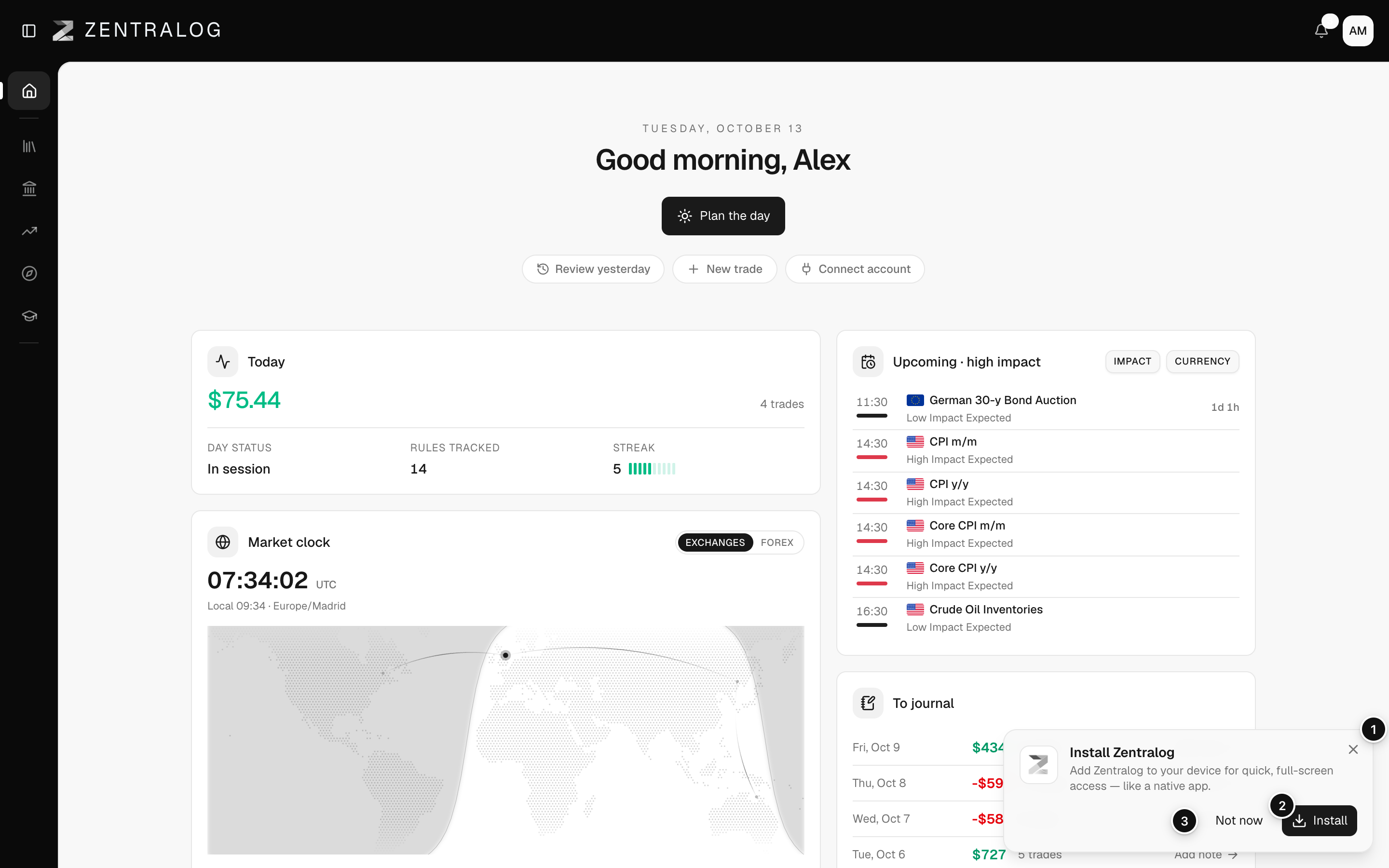
Zentralog is a web app you can install. It then opens in its own window, without the browser bar. Your data is the same as on the web.
Install on a computer or Android
- Open Zentralog in Chrome or Edge and wait a few seconds.
- The Install Zentralog prompt appears in the bottom-right corner.
- Click Install, then confirm in your browser's window.
Install on iPhone or iPad
- Open Zentralog in Safari.
- Tap the Share button.
- Tap Add to Home Screen.
What's on the screen
- Install Zentralog: offers to install Zentralog as an app.
- Install: full-screen access, like a native app.
- Not now: hides the prompt for 14 days.
If you lose your connection, the app shows a «You're offline» screen and reloads by itself when you're back online.
FAQ
I don't see the prompt.
Your browser may not support installing, you already installed it, or you clicked Not now in the last 14 days. In Chrome or Edge you can also use the install icon in the address bar.
Do I need to update the app?
No. It always loads the latest version, like the website.
Related
Did this answer your question?