
What is Zentralog?
A trading journal that keeps every trade you take, so you can see how you really trade and improve.
Updated 2 min read
Where: every page, from the sidebar on the left.
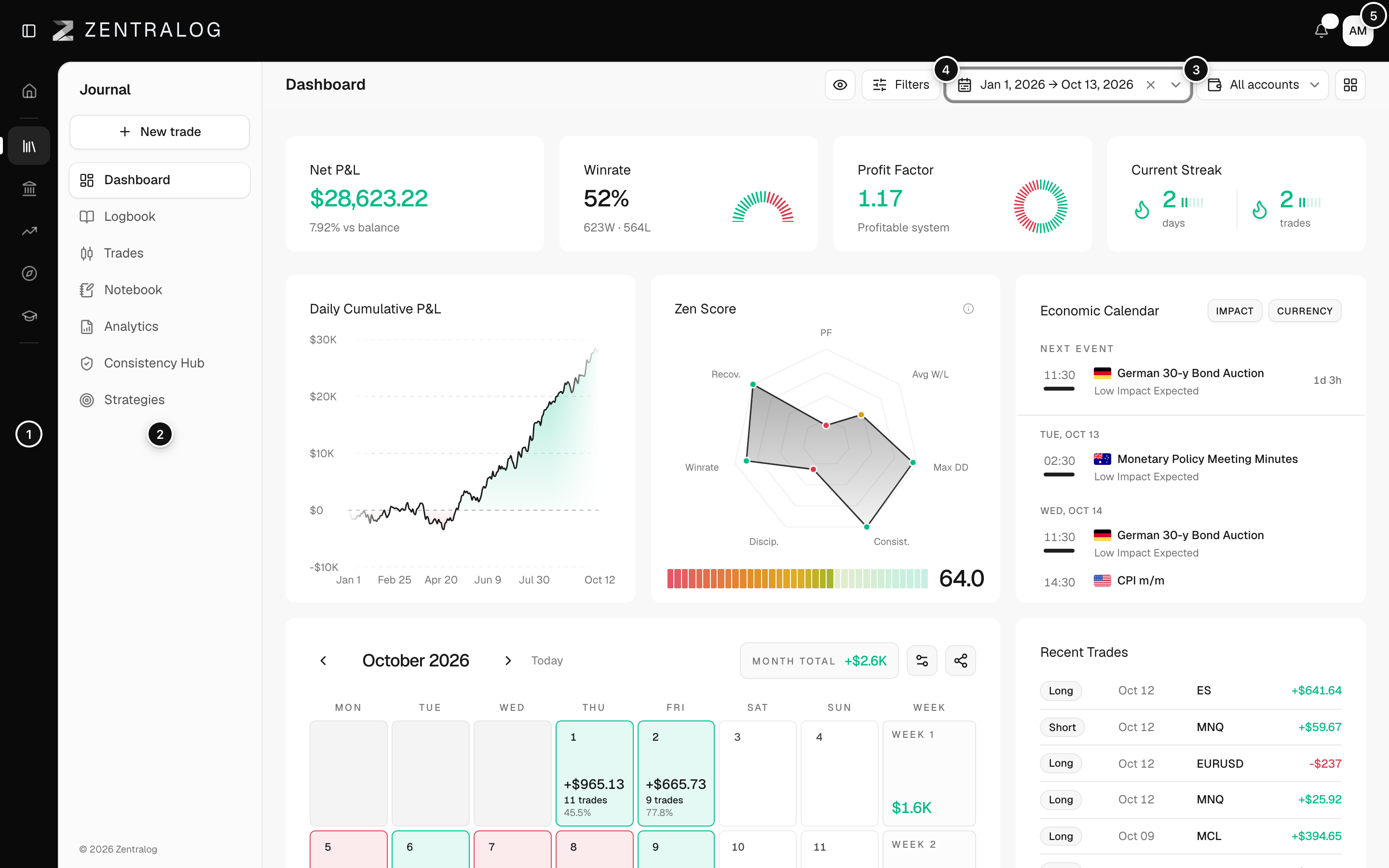
A trading journal is a record of your trades. Your broker shows orders and a balance. A journal adds the context: what you traded, when, the result and why you took it. With that record, patterns show up that memory hides.
Follow the basic loop
- Add the account you trade with in Accounts. Some brokers send your trades on their own.
- Check your results on the Dashboard. Your P&L (profit and loss) is the money you made or lost.
- Write a note about your day in the Logbook.
- Dig into the numbers in Analytics once you have a few weeks of trades.
What's on the screen
- The rail: the five sections. Today is your daily start page. Journal holds your trades, notes and stats. Accounts holds your broker and prop firm accounts. Markets has the economic calendar, news and COT data. Discover has trading tools.
- Section pages: the pages of the section you are in.
- Account selector: chooses which accounts every screen shows.
- Date range: the period your stats cover.
- User menu: your profile, theme, settings and log out.
FAQ
Do I need to connect a broker to use Zentralog?
No. You can add trades by hand or import a file. Connecting a broker just saves you the typing.
Can I keep several accounts apart?
Yes. Each trade belongs to one account. Use the account selector to see one account or all of them together.
Related
Did this answer your question?