
Request a review of a trade
Ask your mentor to look at one of your trades, with an optional question.
Updated 1 min read
Where: Journal → Trades → a trade → Request review
Ask for a review
- Open one of your trades.
- Click Request review at the top.
- If you want, type what they should look at, for example "did I enter too early?".
- Click Send for review.
- The button now says Review requested, with Waiting or In review.
Cancel a request
- Click Review requested on the trade.
- Check your message.
- Click Cancel request.
Follow your reviews
My mentor → Your reviews lists every request: Requested, In review, Reviewed or Cancelled. Your mentor answers in the trade's Feedback tab. See Your feedback.
What's on the screen
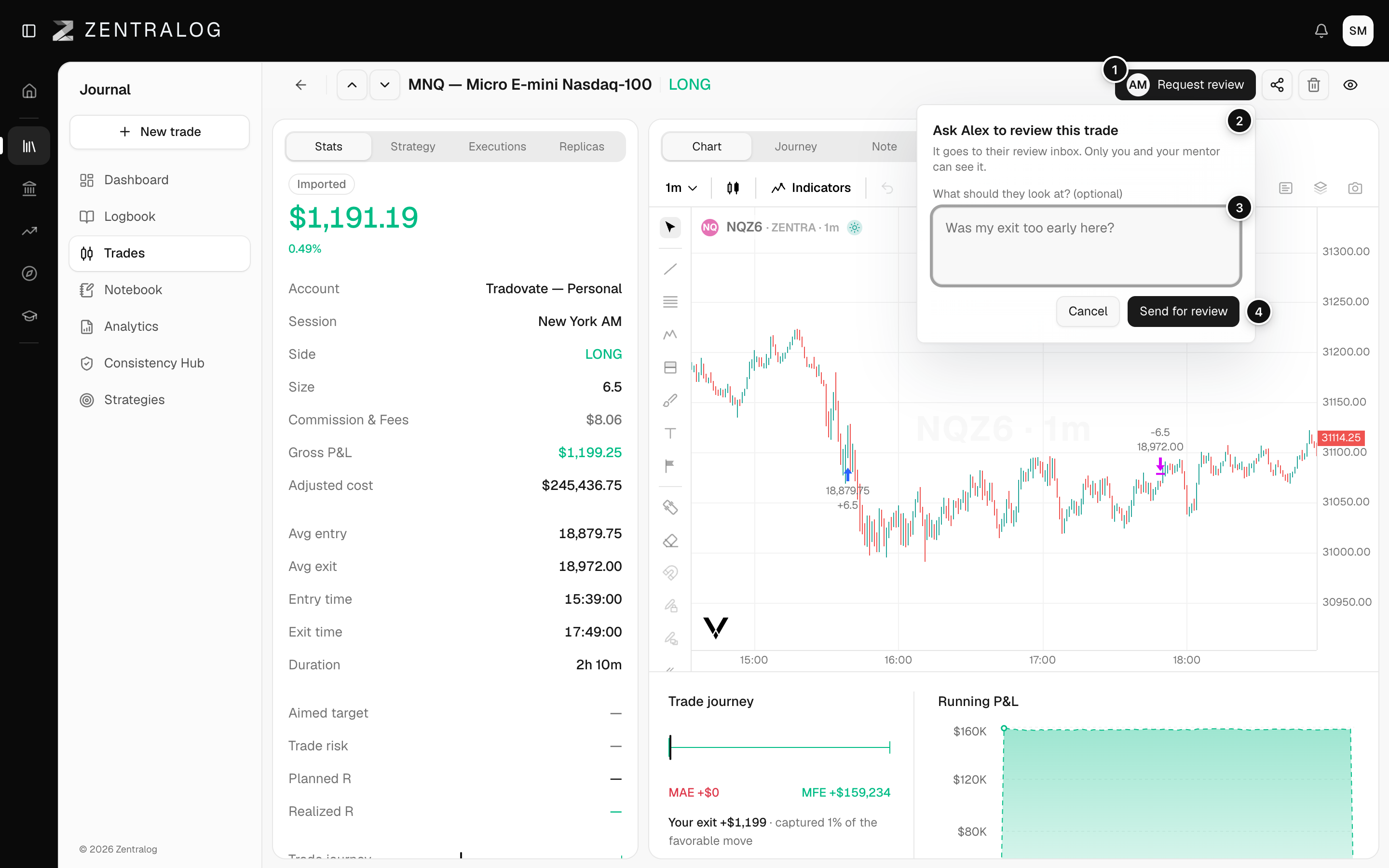
- Request review: opens the request window.
- Who reviews it: the request goes to your mentor's review inbox.
- Your question: optional. Tell them what to look at.
- Send for review: sends the request.
You only see Request review when your mentor has turned on reviews for you. Reviews start off.
FAQ
I don't see Request review on my trade.
Your mentor hasn't turned on reviews for you yet. Your reviews on My mentor says so. Ask your mentor.
Who can see my request?
Only you and your mentor.
Related
Did this answer your question?