
Read and reply to feedback
Your mentor's comments on your trades and in general, in one inbox and on each trade.
Updated 1 min read
Where: Mentorship → Feedback
Read and reply
- Click Feedback in the Mentorship column. The number on it counts unread feedback.
- Pick a filter: All, Unread or Reviews.
- Click a thread on the left. It opens on the right.
- Write in the reply box and click Send.
- On a trade thread, click Open trade to see the trade.
You can paste images in a reply. Type / to link one of your trades.
Reply on the trade
- Open the trade.
- Click the Feedback tab, next to Note.
- Read the conversation and reply at the bottom.
To edit or delete one of your replies, click ⋯ on it and choose Edit or Delete.
What's on the screen
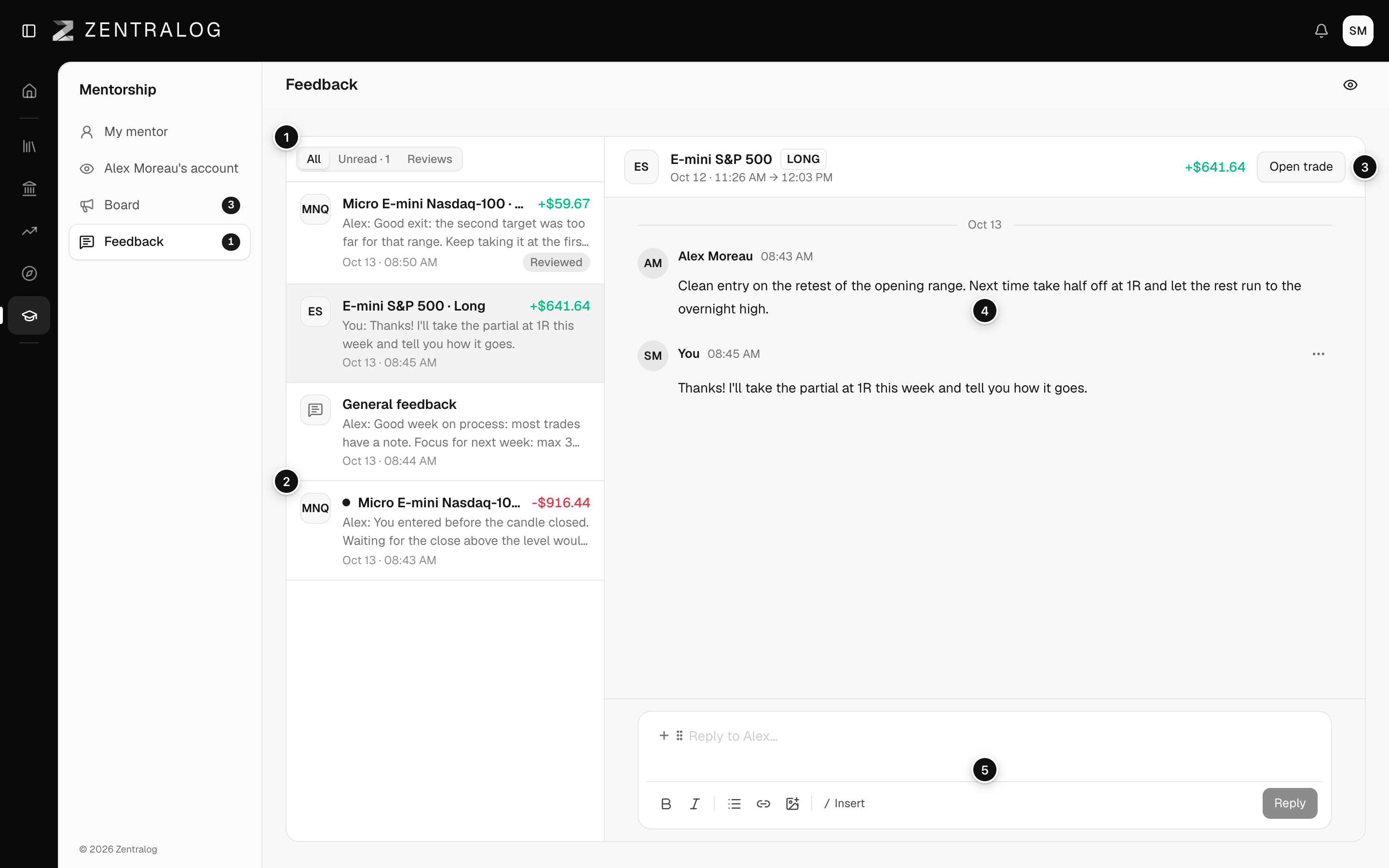
- Filters: all threads, only unread, or only reviews.
- Thread: a dot means unread. A pill shows the review status.
- Thread header: the trade, with Open trade, or General feedback.
- Conversation: your mentor's messages and yours, by day.
- Reply box: write your answer and click Send.
You can't start a thread. Your mentor starts each one, and you reply.
FAQ
What is general feedback?
Feedback that isn't about one trade, like a comment on your week. It has its own thread.
What happens to my feedback if I leave?
You keep it. You can read it but not reply. See Leave a mentorship.
Related
Did this answer your question?