
Timezone, currency and language
The Regional page, where you set your timezone, the currency symbol for amounts and the app language.
Updated 1 min read
Where: your avatar → Settings → Regional
Set your region
- Open Settings and click Regional. The page is titled Preferences.
- Click Timezone, type a city such as «New York» and pick it.
- In Currency display, choose Euro (€) or Dollar ($).
- In Language, choose English or Español.
- Click Save preferences. You will see «Preferences saved.»
What's on the screen
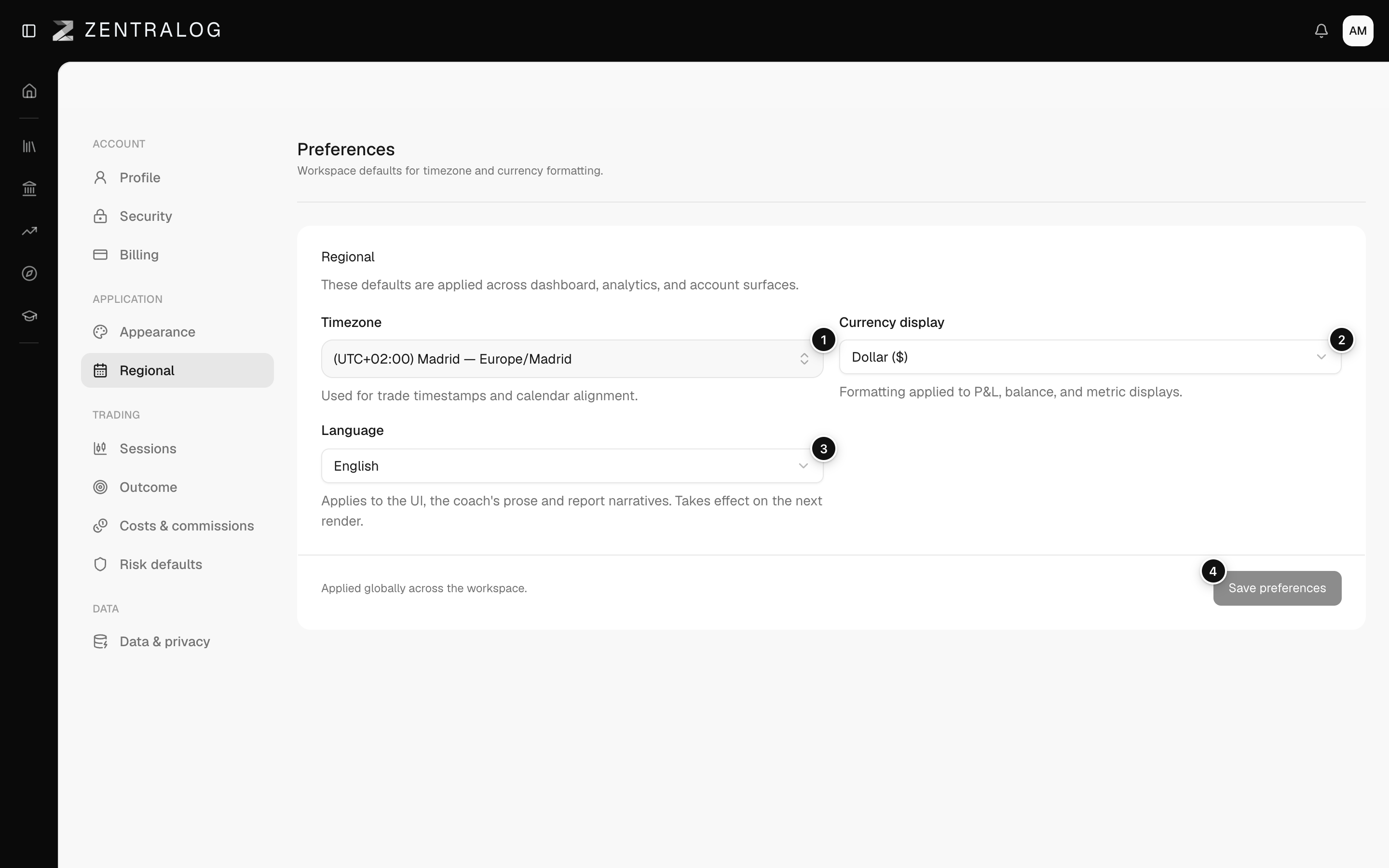
- Timezone: decides which day each trade belongs to.
- Currency display: the symbol shown next to your P&L (profit or loss). No amounts are converted.
- Language: the app and your account emails, in English or Spanish.
- Save preferences: saves all three at once.
Changing the timezone can move trades to a different day. A trade at 23:30 in one zone may be the next day in another.
FAQ
I switched to Euro and my numbers didn't change.
That is expected. Currency display only changes the symbol. Zentralog never converts between currencies.
The language didn't change after saving.
Reload the page. The new language applies on the next load.
Related
Did this answer your question?