
Criteria and score
Criteria are the checklist of a strategy; the score says how much of it you followed on each trade.
Updated 2 min read
Where: Journal → Strategies → Create Strategy
Build the checklist
- Click Create Strategy, or choose Edit in the ⋯ menu of a strategy.
- Type the first criterion in Criterion 1, for example "Trend aligned".
- Click Add criterion for each extra condition. Names must be unique.
- Drag each weight slider. The other weights adjust by themselves.
- Click the lock to keep a weight fixed while you move the others.
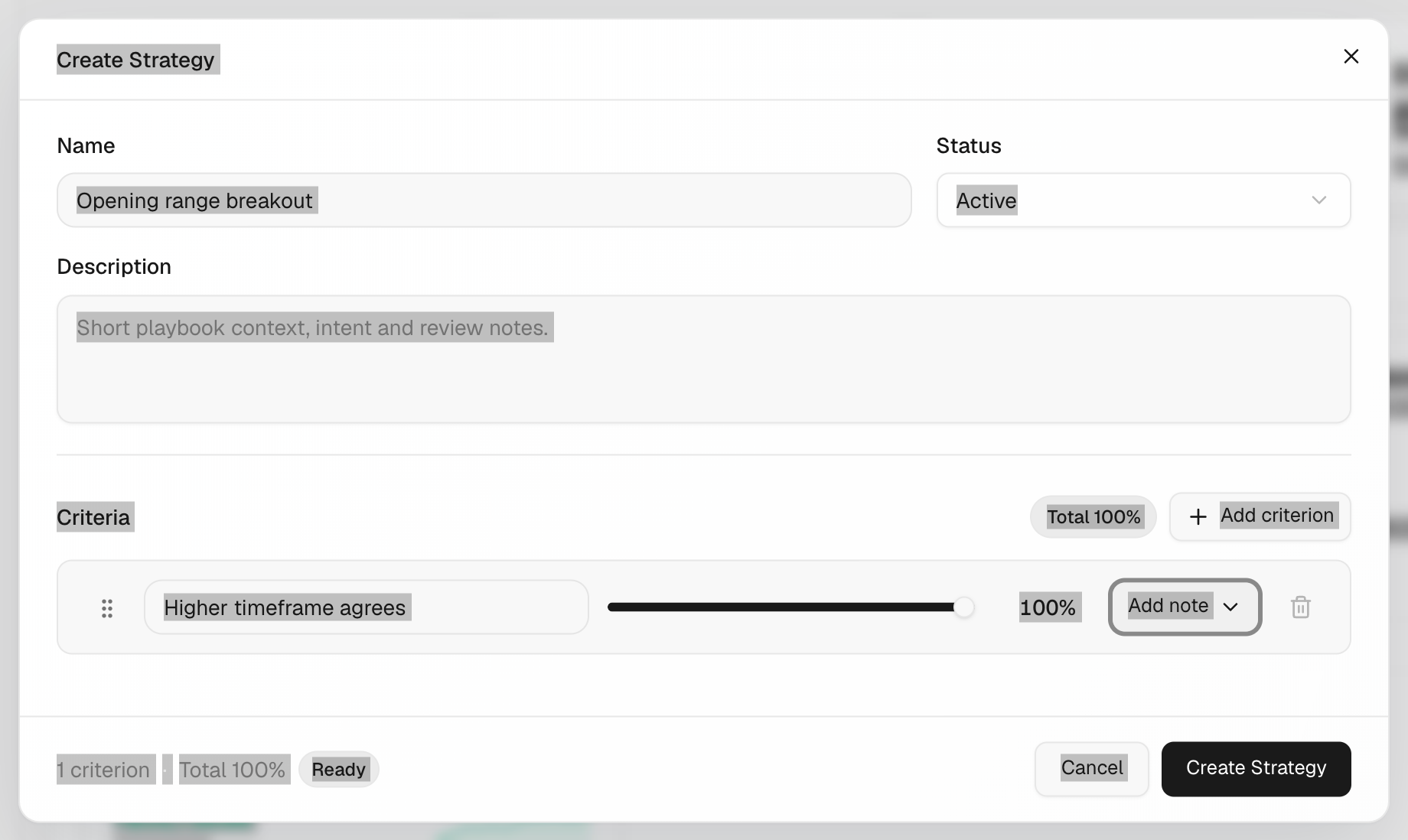
- Save when the footer says Total 100% and Ready.
How the score works
- On each trade you tick the criteria you followed.
- The score is the sum of the weights you ticked, from 0% to 100%.
- Example: "Trend aligned" 50%, "Clean retest" 30%, "News clear" 20%. Tick the first two and the score is 80%.
- Strategy screens group trades by score: 0–39, 40–59, 60–79 and 80–100.
What's on the screen
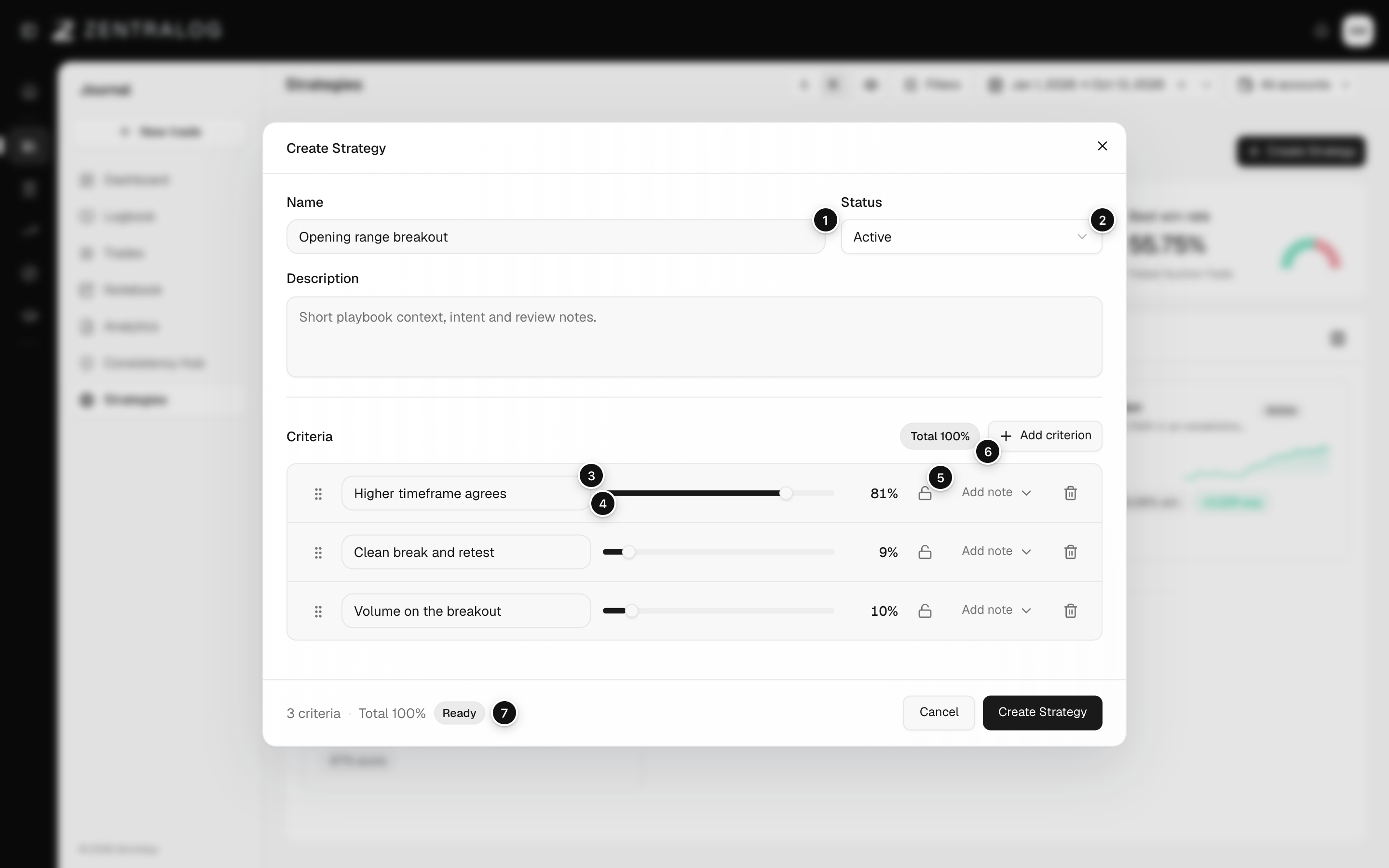
- Name: the strategy name you'll see across the app.
- Status: Active or Archived.
- Criterion: a condition you check on every trade.
- Weight: how much the criterion counts in the score.
- Lock: keeps this weight fixed while you adjust the rest.
- Add criterion: adds another row to the checklist.
- Ready: the weights total exactly 100%, so you can save.
FAQ
Why can't I save?
The weights must total exactly 100%, and every criterion needs a name that isn't repeated. The footer shows Needs review until then.
If I change the weights, do old scores change?
Yes. Scores always use the current weights. If you delete a criterion, its ticks on past trades are removed too.
Related
Did this answer your question?