
Strategy quality
The Quality tab shows whether trades that follow your checklist do better than the rest.
Updated 1 min read
Where: Journal → Strategies → a strategy → Quality
Check if your checklist pays
- Open a strategy and click R in the $ / R switch.
- Click the Quality tab.
- Read Quality Verdict: it compares high-score trades with low-score trades.
- Look at Criteria Impact to see which criterion helps most.
- Review High Score Failures and Low Score Wins for the odd cases.
The score is the share of the checklist you followed on a trade. Trades are grouped into four buckets: 0–39, 40–59, 60–79 and 80–100. Expectancy is the average result per trade.
What's on the screen
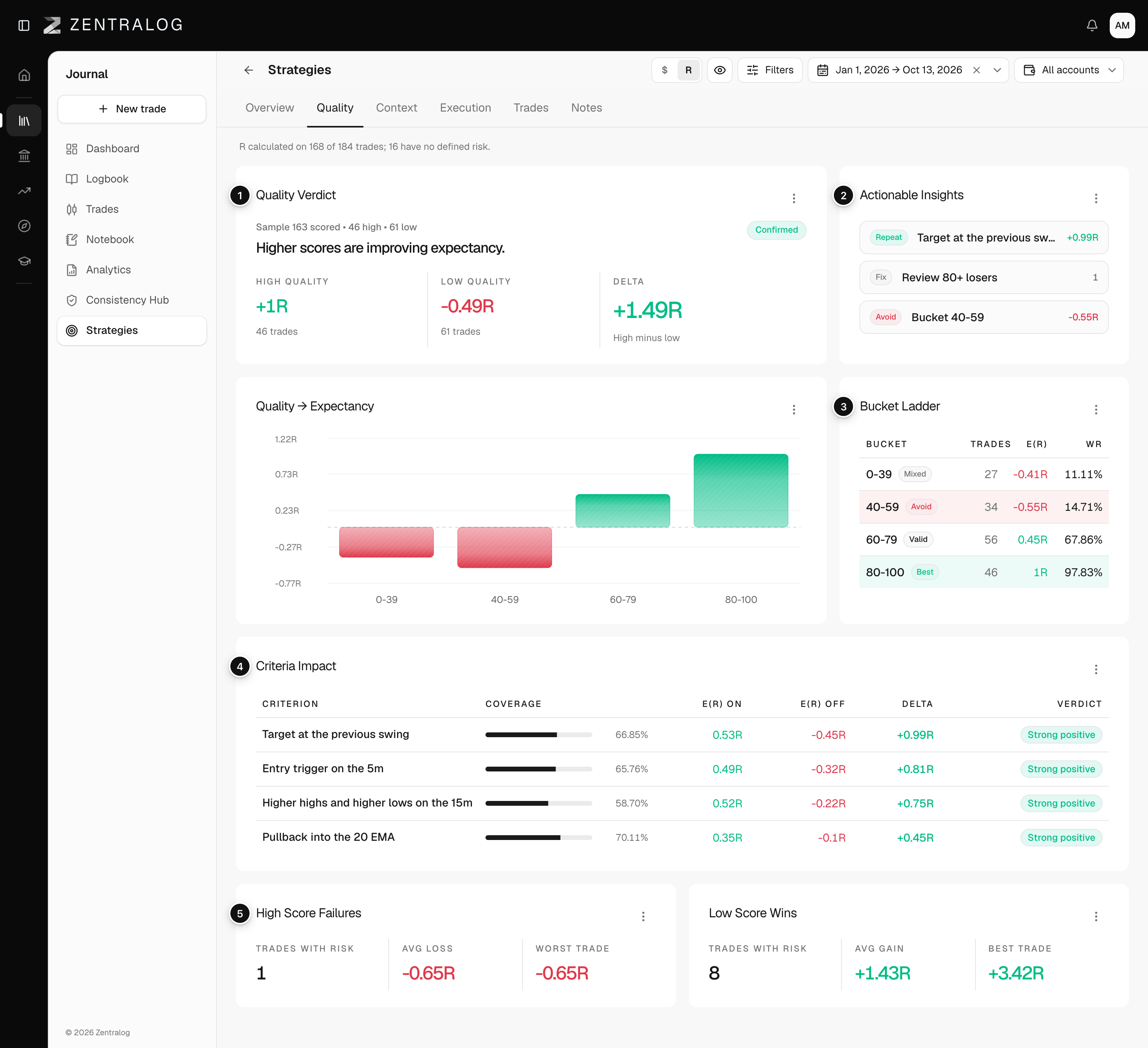
- Quality Verdict: do high-score trades really beat low-score ones? It says Confirmed, Weak or Inconclusive.
- Actionable Insights: what to repeat, fix and avoid. Only in R.
- Bucket Ladder: expectancy for each score bucket, ranked.
- Criteria Impact: expectancy with and without each criterion, and the difference.
- High Score Failures: trades with a score of 80 or more that still lost.
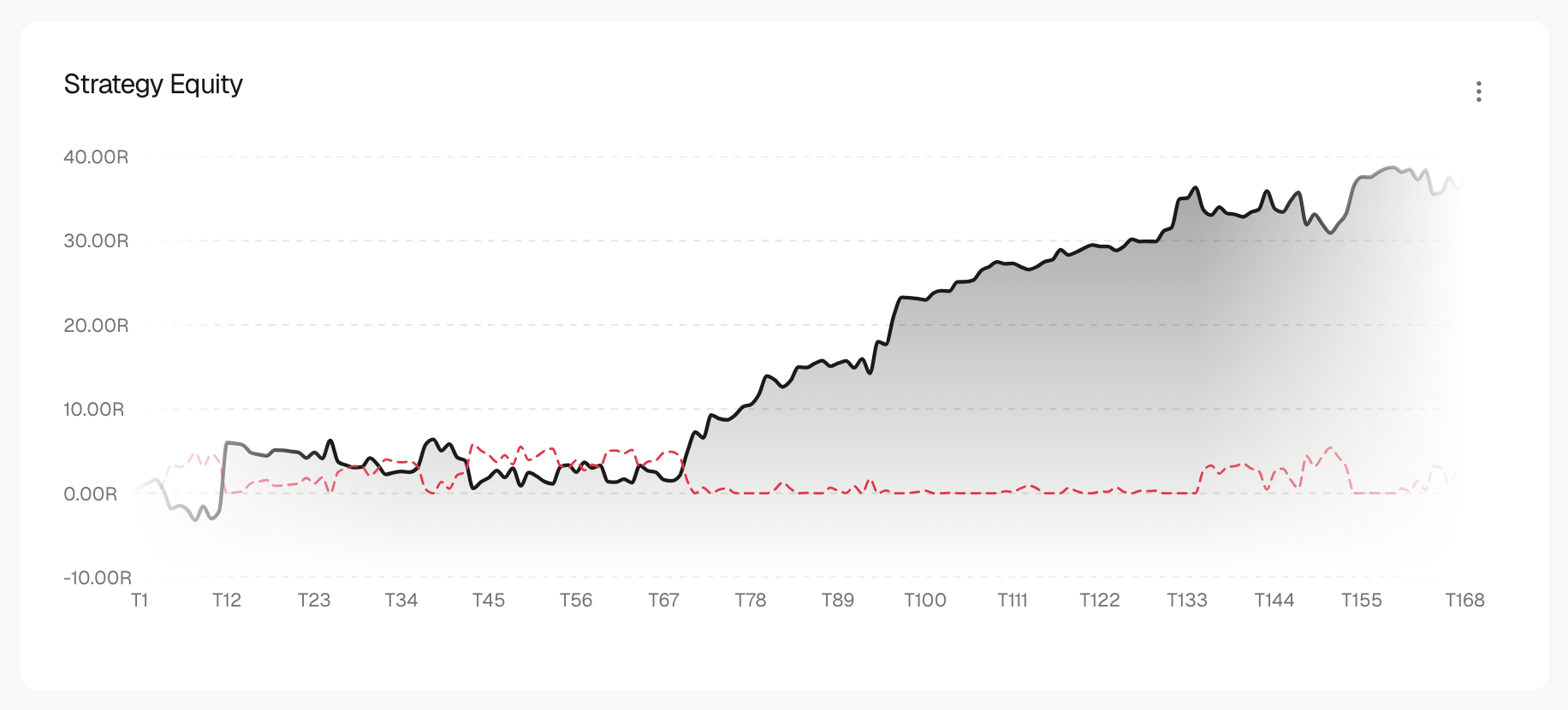
With few trades the verdict says the sample is small. Treat it as a hint, not a rule.
FAQ
Why is the Quality tab empty?
You need trades linked to the strategy with criteria ticked. Tick them in each trade's Strategy tab.
What are Low Score Wins?
Winners you took while following little of the checklist. They can hide luck, so don't copy them blindly.
Related
Did this answer your question?