
Tool page
Each tool has its own page with an overview, features, plans and setup steps.
Updated 1 min read
Where: Discover → Tools → View Details
Explore a tool
- Open Tools and click View Details on a tool.
- Read Overview for the summary, prices and reviews.
- Click Features to see what the tool does.
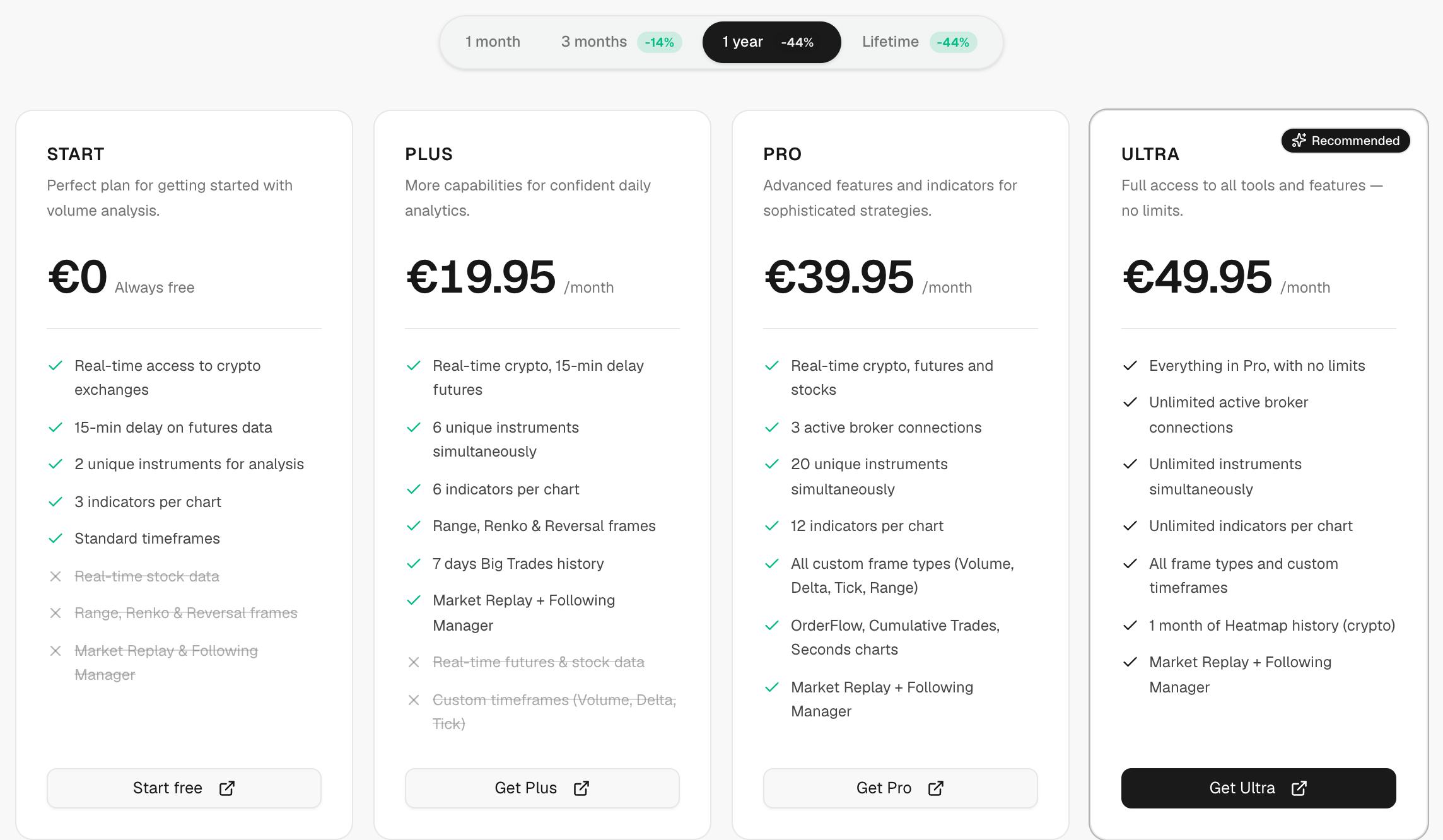
- Click Plans and pick a Billing period: 1 month, 3 months, 1 year or lifetime.
- Click Setup for the Quick start steps.
Sign up for a tool
- Click Sign up for … at the top. The partner's sign-up form opens inside Zentralog.
- If it doesn't load, click Open in new tab.
- If the page shows Use this deal, use that code when you pay.
Plan buttons and Visit … take you to the partner's website. You pay the partner, not Zentralog.
What's on the screen
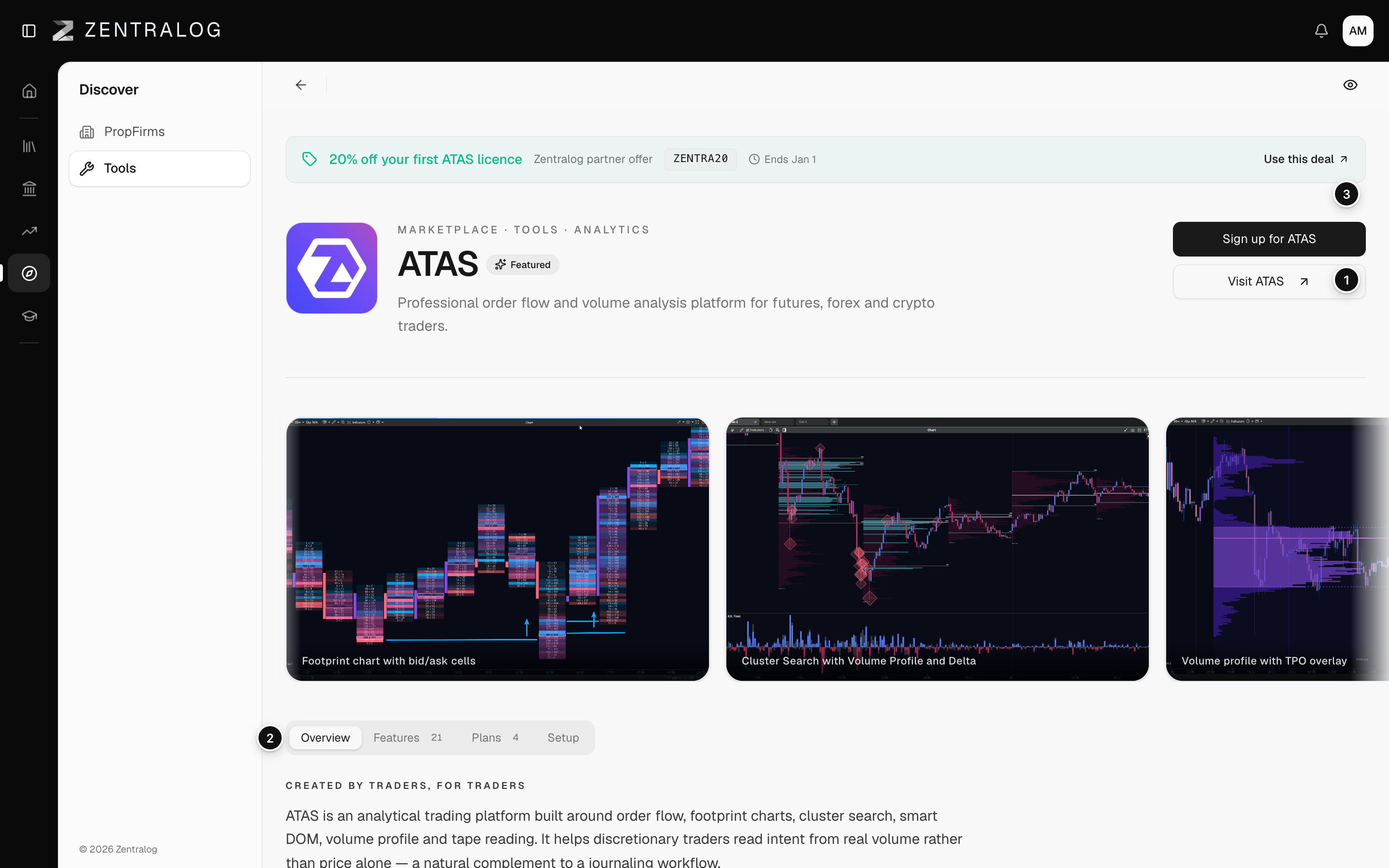
- Header: tool name, category and the main actions.
- Tabs: Overview, Features, Plans and Setup.
- Deal: an active deal or discount code, if there is one.
- Reviews: what users say about the tool.
- Last verified: when the prices were last checked.
Links to partners are affiliate links. Zentralog may earn a commission at no extra cost to you.
FAQ
Is the price shown final?
Check it on the partner's website before you pay. Last verified tells you when we last checked it.
Related
Did this answer your question?