
See one account's stats
Clicking an account opens Analytics with only that account's trades.
Updated 1 min read
Where: Accounts → click an account row
Open an account
- Click Accounts in the left rail.
- Click the account's row (not its ⋮ menu).
- Analytics opens with only that account selected.
- Click the tabs (Overview, Calendar, Analytics, Lab, Reports) to see more.
- Click the back arrow to return to Accounts.
Change the account
- Click the accounts selector at the top.
- Pick other accounts, or All accounts.
There is no separate account page. Analytics is where you study one account. To change its balance or name, use the ⋮ menu in Accounts.
What's on the screen
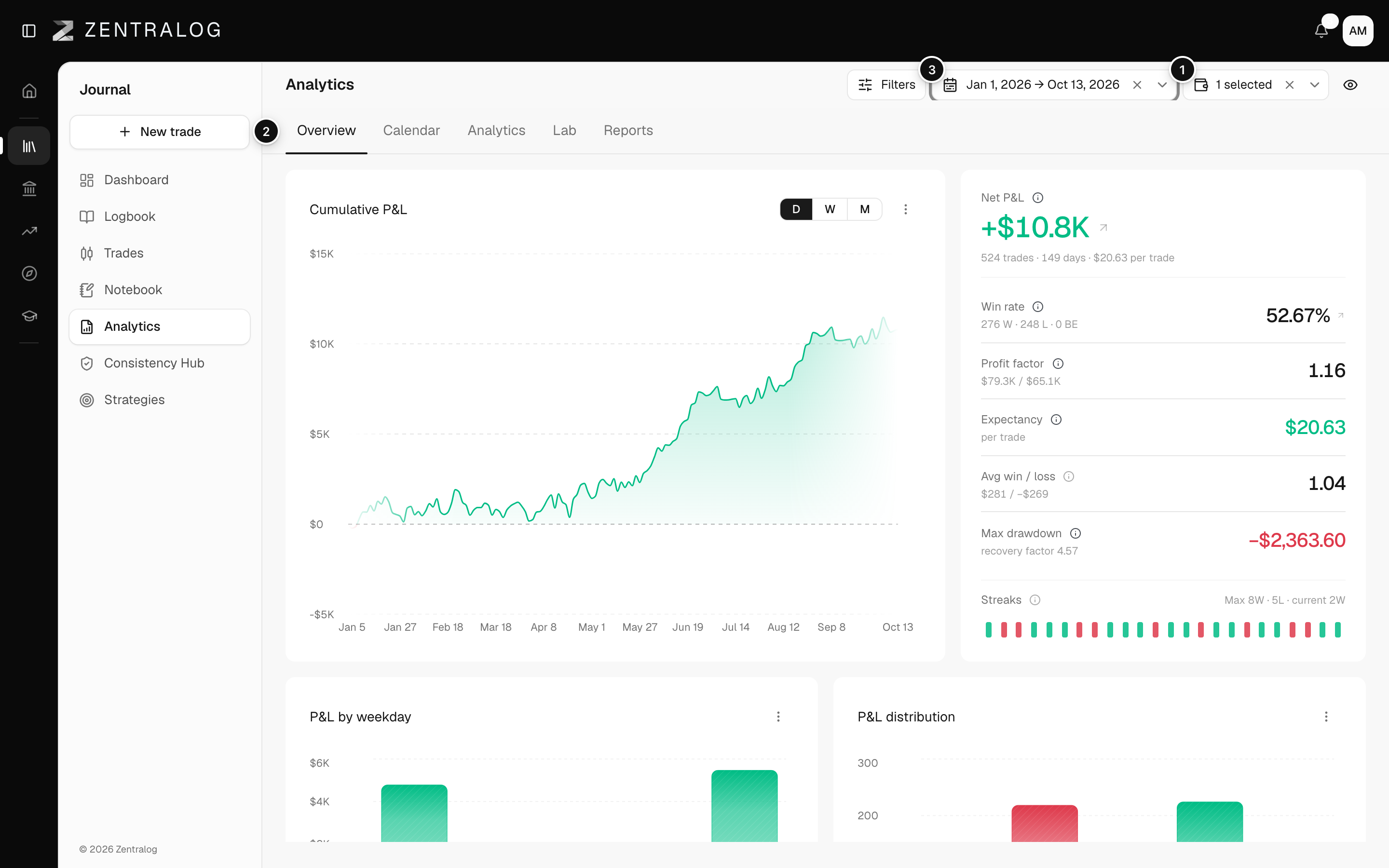
- Accounts selector: Analytics now shows only this account.
- Tabs: switch to see more of the account.
- Date range: change the period.
- Back arrow: return to the accounts list.
With one account selected, the Monte Carlo in Analytics also draws that account's loss limit.
FAQ
Where are the account's deposits and withdrawals?
In Accounts, open the account's ⋮ menu and choose Edit balance. See Edit an account and its balance.
Where is the list of this account's trades?
Open Journal → Trades and pick the account in the accounts selector. See Filter trades.
Related
Did this answer your question?