
Auto-sync with TopstepX
Connect your TopstepX login so your Topstep trades import into Zentralog on their own.
Updated 2 min read
Where: Accounts → Connect account → TopstepX
Get your API key
- Sign in to TopstepX.
- Create an API key in your TopstepX account settings.
- Keep the key and your TopstepX username at hand.
Connect TopstepX
- Click Accounts in the left rail, then Connect account.
- Click TopstepX under Main brokers, then Auto-sync.
- Enter your Username and API key.
- Click Validate connection. Your Topstep accounts appear in a list.
- Tick the accounts you want and click Link (the button shows how many, for example Link 2 accounts).
Topstep accounts are created as prop firm accounts. The first sync brings your whole Topstep history. After that, new trades arrive on their own.
What's on the screen
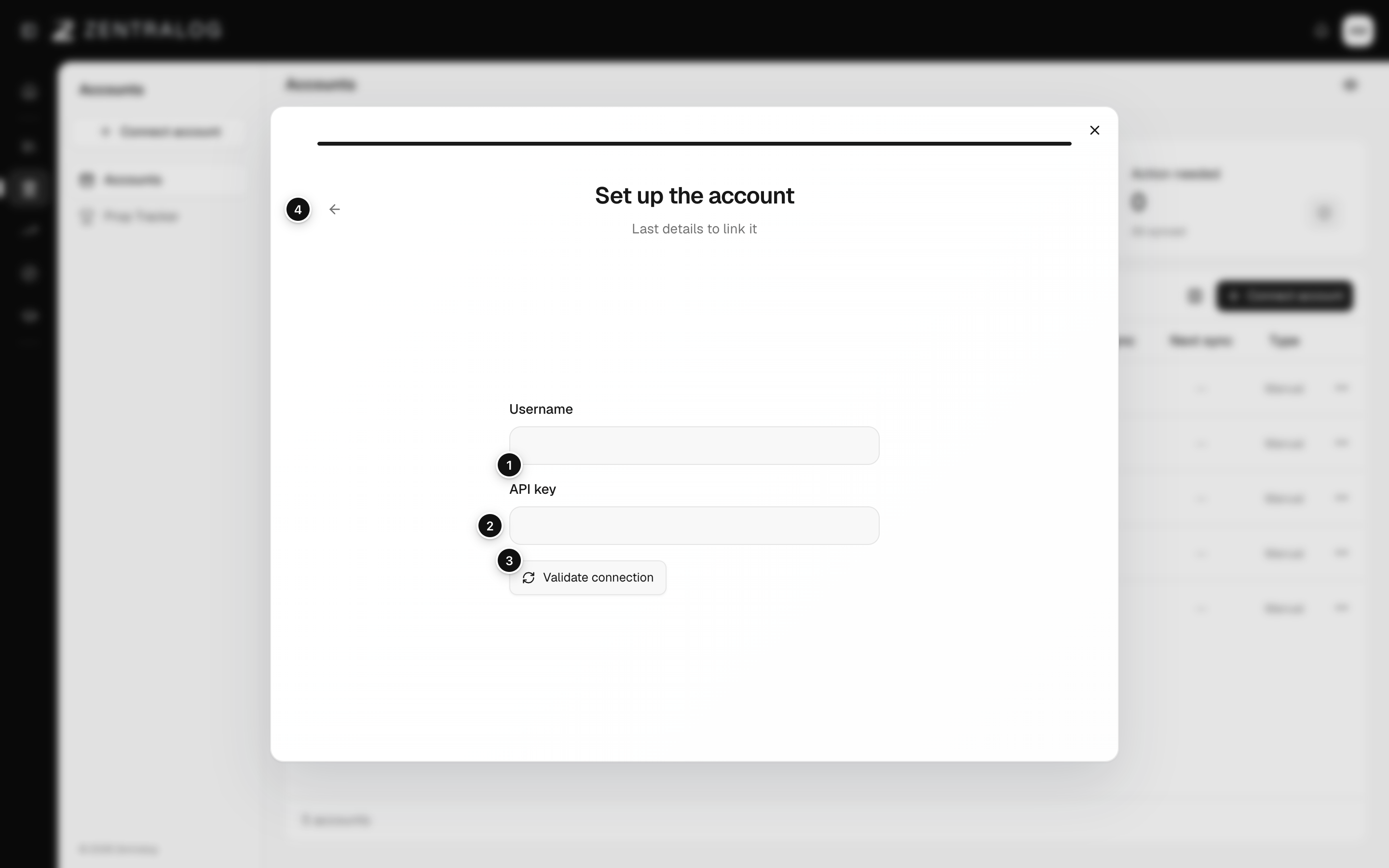
- Username: your TopstepX username.
- API key: the key you created in TopstepX.
- Validate connection: checks the key and lists your accounts.
- Back: go back one step.
FAQ
My credentials won't validate. What's wrong?
Check the username and the key for typos. If it still fails, create a new key in TopstepX, and make sure API access is enabled on your Topstep subscription.
An account says it needs attention. How do I fix it?
Open the account's ⋮ menu and choose Update API key. Enter your username and a valid key, then click Update key. See Sync and reconnect.
Can I import only from a certain date?
No. TopstepX always imports your full history the first time.
Related
Did this answer your question?