
Manage your journeys
The list of your prop tests, funded accounts and lost attempts, with the progress of each rule.
Updated 2 min read
Where: Accounts → Prop Tracker → Journeys
Browse your journeys
- In Prop Tracker, click the Journeys tab.
- Click Evaluations, Funded or Breached.
- Switch between Grid and List.
- Click a journey to open it.
Each card shows the journey's status and a bar per rule. Profit target fills up as you get closer. Daily loss and Drawdown fill up as you use your margin, so a full bar there is bad.
Move a journey forward
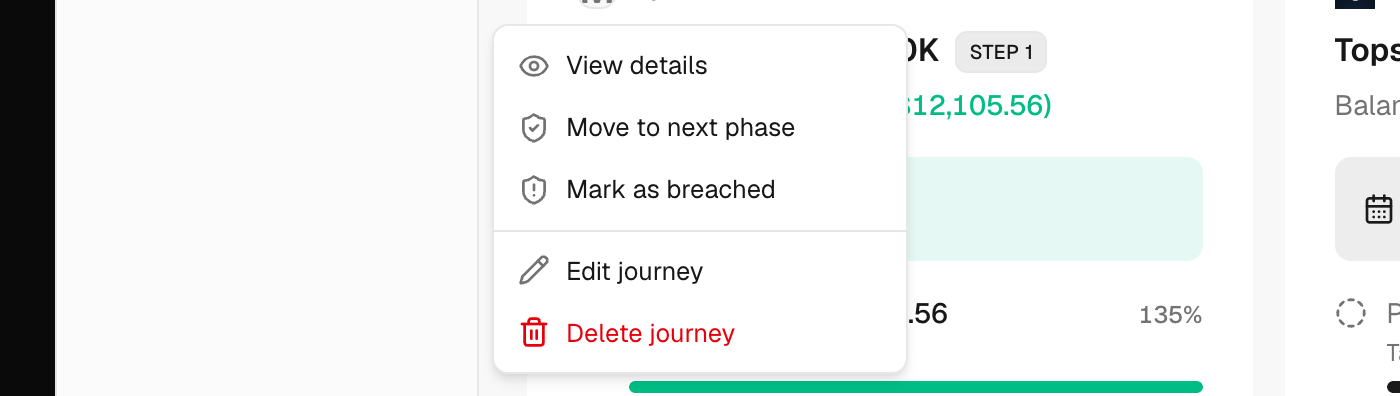
- Click ⋮ (Journey actions) on a card.
- Passed the phase? Choose Move to next phase, pick the next account in Link an account and click Link successor.
- Lost the account? Choose Mark as breached and pick the Breached rule.
- Buying a retry? Choose Reset challenge, link the new account and enter the Reset fee. Got more capital on a funded account? Choose Scale account.
- After a pass or a breach, choose Keep it active or Archive it.
What's on the screen
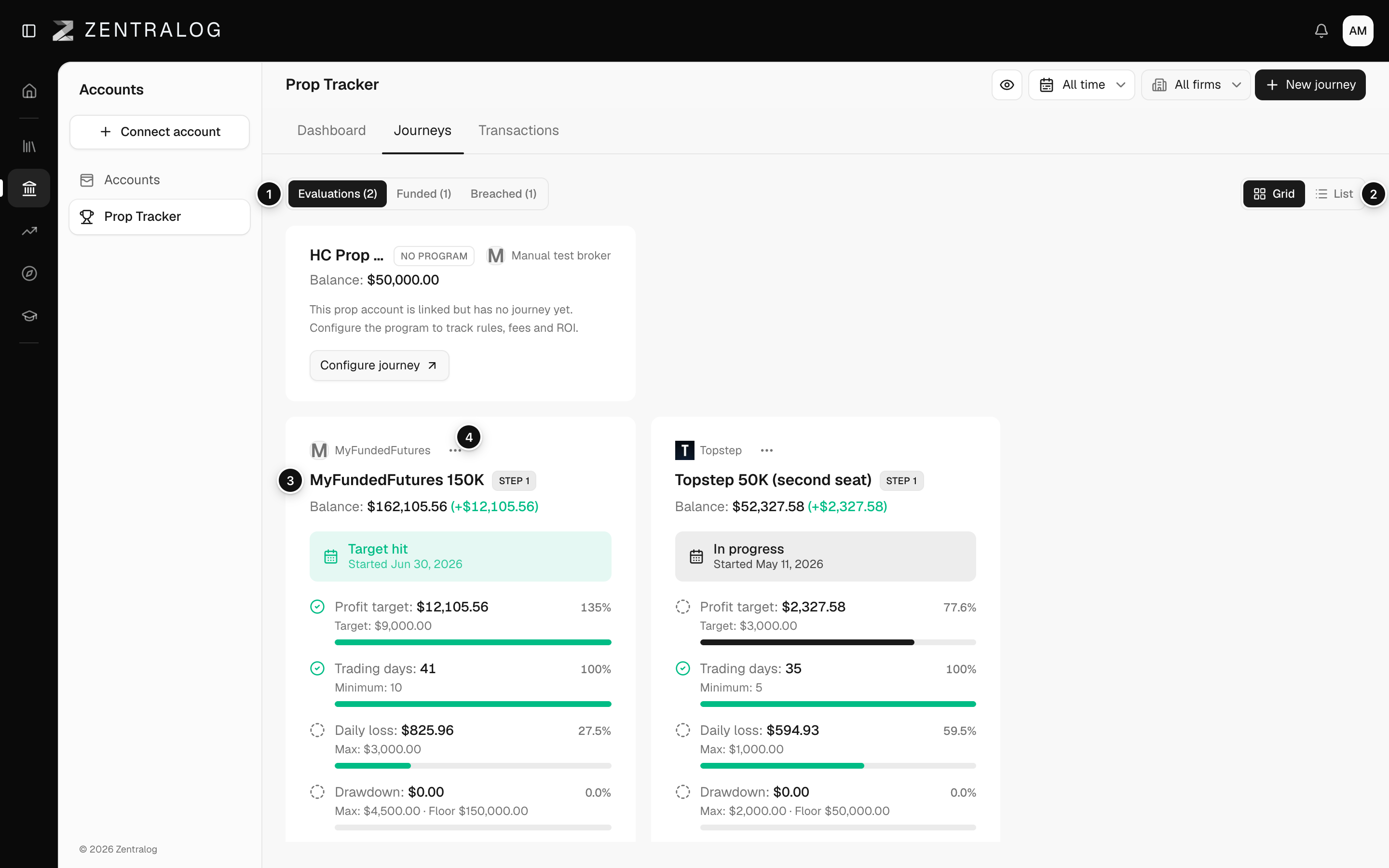
- Evaluations / Funded / Breached: group journeys by status.
- Grid / List: cards or a table.
- Journey card: one journey; click it to open it.
- ⋮: next phase, breach, edit or delete.
Delete journey keeps your accounts and trades. If you tick «Also delete the linked accounts», they are deleted too, and that can't be undone.
FAQ
Do my trades move when I pass a phase?
No. Each phase uses its own account, which you add first in Accounts. Trades stay in the account where you made them.
A prop account shows «No program». What does it mean?
It isn't in a journey yet. Click Configure journey on its card to create one.
Related
Did this answer your question?