
Create a journey
A four-step wizard that wraps a prop account with its firm's program, rules and fees.
Updated 2 min read
Where: Accounts → Prop Tracker → New journey
Choose the account and program
- In Prop Tracker, click New journey.
- In Choose the account, click the prop account to track.
- Set the Account phase: Challenge if you are still in the test, Funded if you already passed it.
- Click your firm's plan (1-step, 2-step or Straight to funded). If it isn't there, click Custom program.
A plan fills in the fees and rules for you. Everything stays editable.
Check the rules and start
- In Rules per phase, check Profit target, Max daily loss, Max drawdown and the other rules, then click Continue.
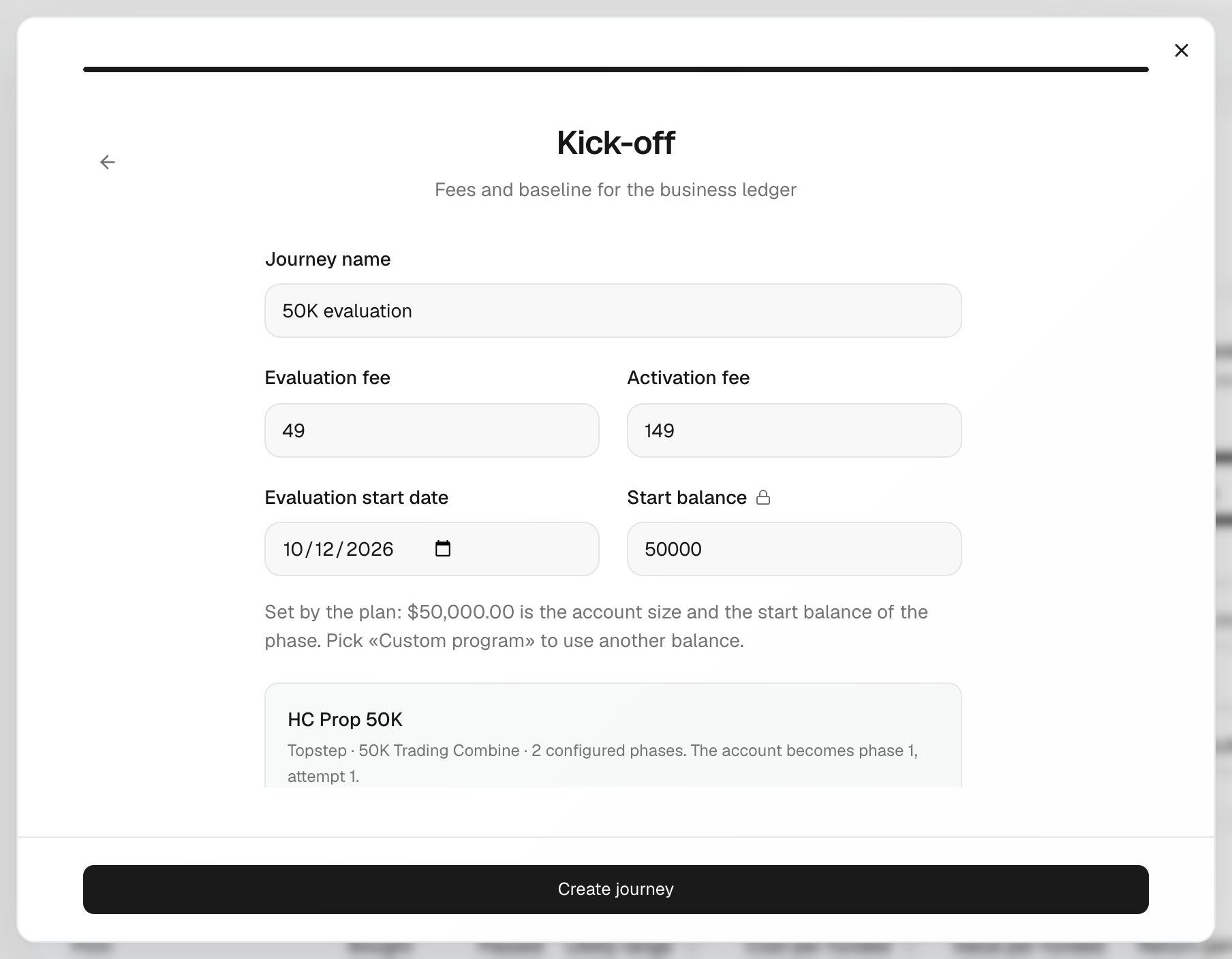
- In Kick-off, type the Journey name.
- Fill in Evaluation fee, Activation fee, Account size, Evaluation start date and Start balance.
- Click Create journey.
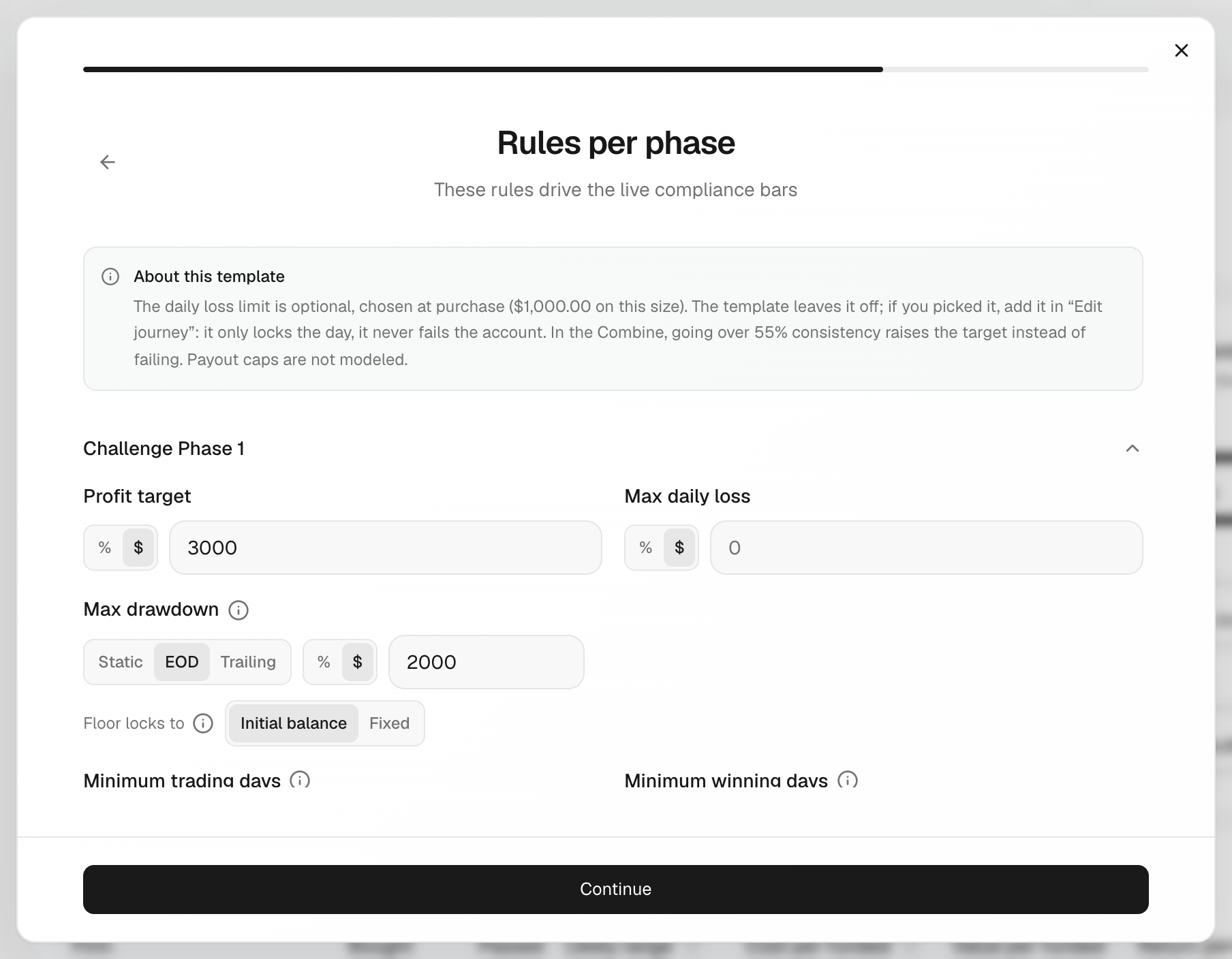
Max drawdown is the most you can lose before the account is lost. It can be Static (fixed), EOD (moves up with your end-of-day balance) or Trailing (moves up with your highest balance).
What's on the screen
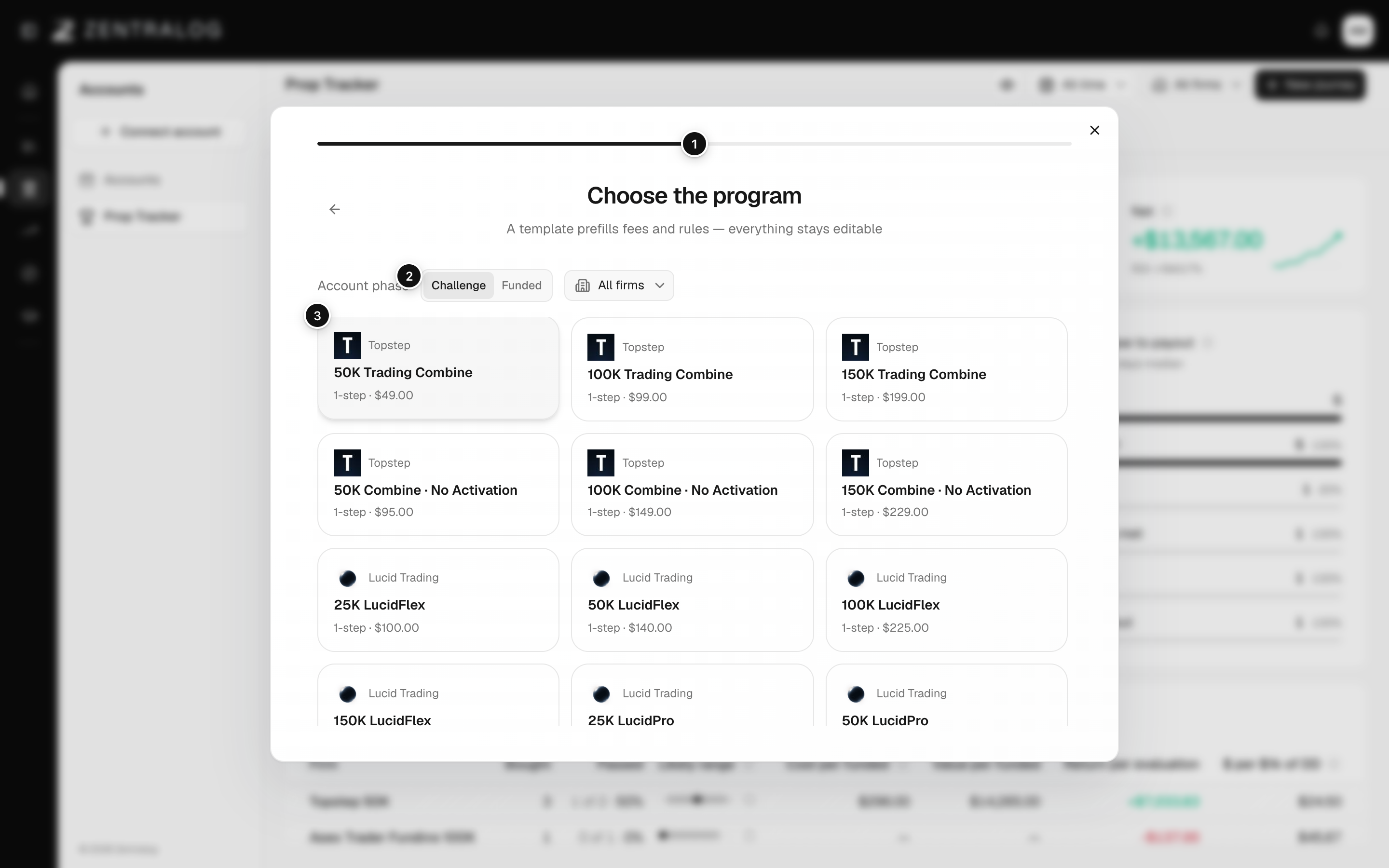
- Progress bar: four steps, account, program, rules and kick-off.
- Account phase: start in Challenge, or straight in Funded.
- Plan: your firm's plan; its rules fill in.
- Custom program: set up the rules yourself.
No account to pick? First add one in Connect account as a prop firm account, then come back.
FAQ
Are the plan's rules the firm's official rules?
They are the firm's usual rules, filled in to save you time. Always check them against your firm's terms and edit them if needed.
Can I change the rules later?
Yes. Open the journey's menu and choose Edit journey. See Manage your journeys.
Related
Did this answer your question?