
Journey detail
The page of one journey, with phase progress, a balance chart, rule bars and the money in and out.
Updated 2 min read
Where: Prop Tracker → Journeys → click a journey
Read a phase
- In the Journeys tab, click a journey.
- Click a phase tab. Phases you haven't reached yet are locked.
- Read the cards at the top: To target, Buffer to floor, Drawdown used, Trading days and Days left.
- In Account balance, switch between By trade and By day.
Below the chart, Path to funding shows each rule as a bar, Stats shows your win rate and average win and loss, and Previous attempts lists earlier tries of the phase.
Check the money
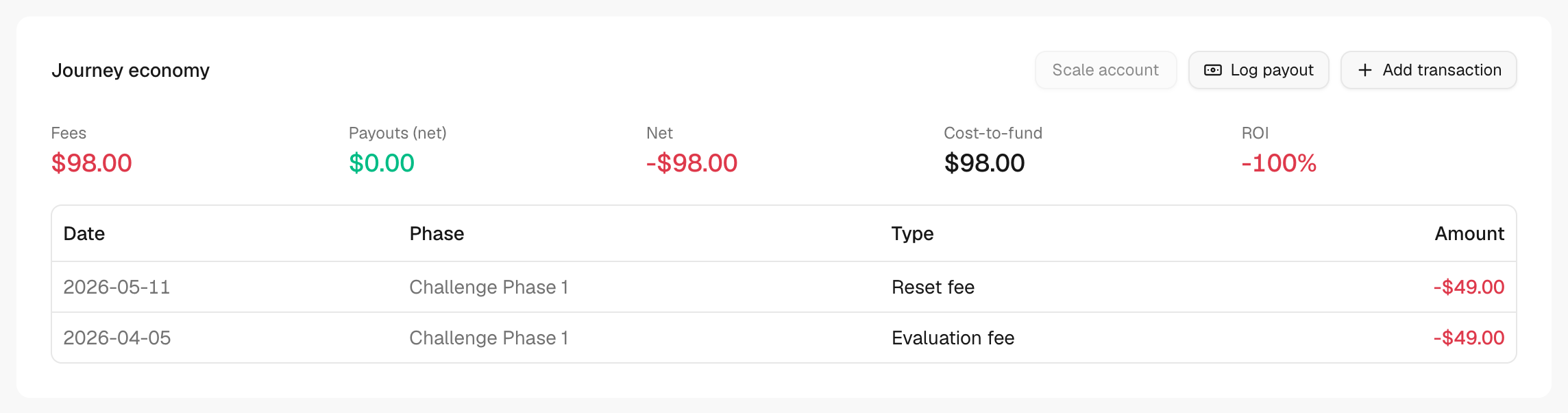
- Scroll down to Journey economy.
- Read Fees, Payouts (net), Net, Cost-to-fund and ROI.
- Click Log payout, Add transaction or Scale account to record a movement here.
What's on the screen
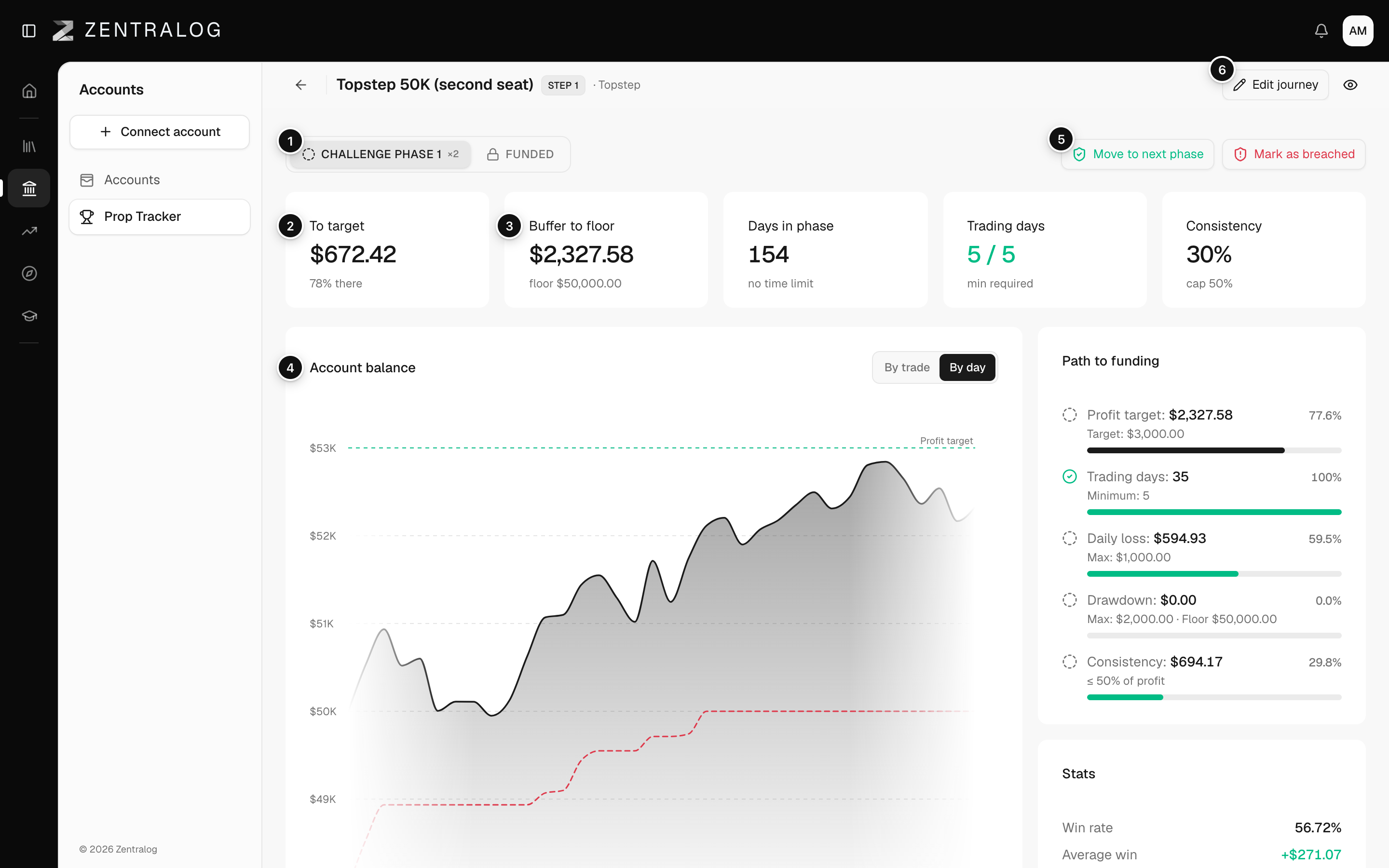
- Phase tabs: one per phase; later ones stay locked.
- To target: how far you are from the profit target.
- Buffer to floor: how much you can still lose before the drawdown limit.
- Account balance: your balance against the target and the floor.
- Move to next phase: pass the phase, or mark it as breached.
- Edit journey: change the rules, fees and accounts.
FAQ
What is the drawdown floor?
The lowest balance the firm allows. If your balance touches it, the account is lost. It appears as a line on the Account balance chart.
Why is a phase locked?
It opens when you pass the current phase.
Related
Did this answer your question?