
The Lab: is your edge real?
A tab that tests your own closed trades to check whether your results are real or just luck.
Where: Journal → Analytics → Lab
Your edge is the advantage that makes your trading win over time. The Lab checks it with statistics, using only your closed trades.
Open the Lab
- Click Analytics in the Journal panel.
- Click the Lab tab.
- In the sheet selector, click Real or luck?.
- Read the coverage pill on the right: how many trades enter the test, and the unit, R or $.
The Lab uses the trades in your current dates, accounts and filters. Only closed trades count.
Read the verdict
- Read the verdict at the top: Proven edge · 95%, Hints of an edge, Not yet distinguishable from luck, Negative edge or No proven edge.
- Read the figures and charts below it.
- Change the dates or accounts to test another period. The sheet recalculates.
Every figure and chart is explained in Real or luck?.
What's on the screen
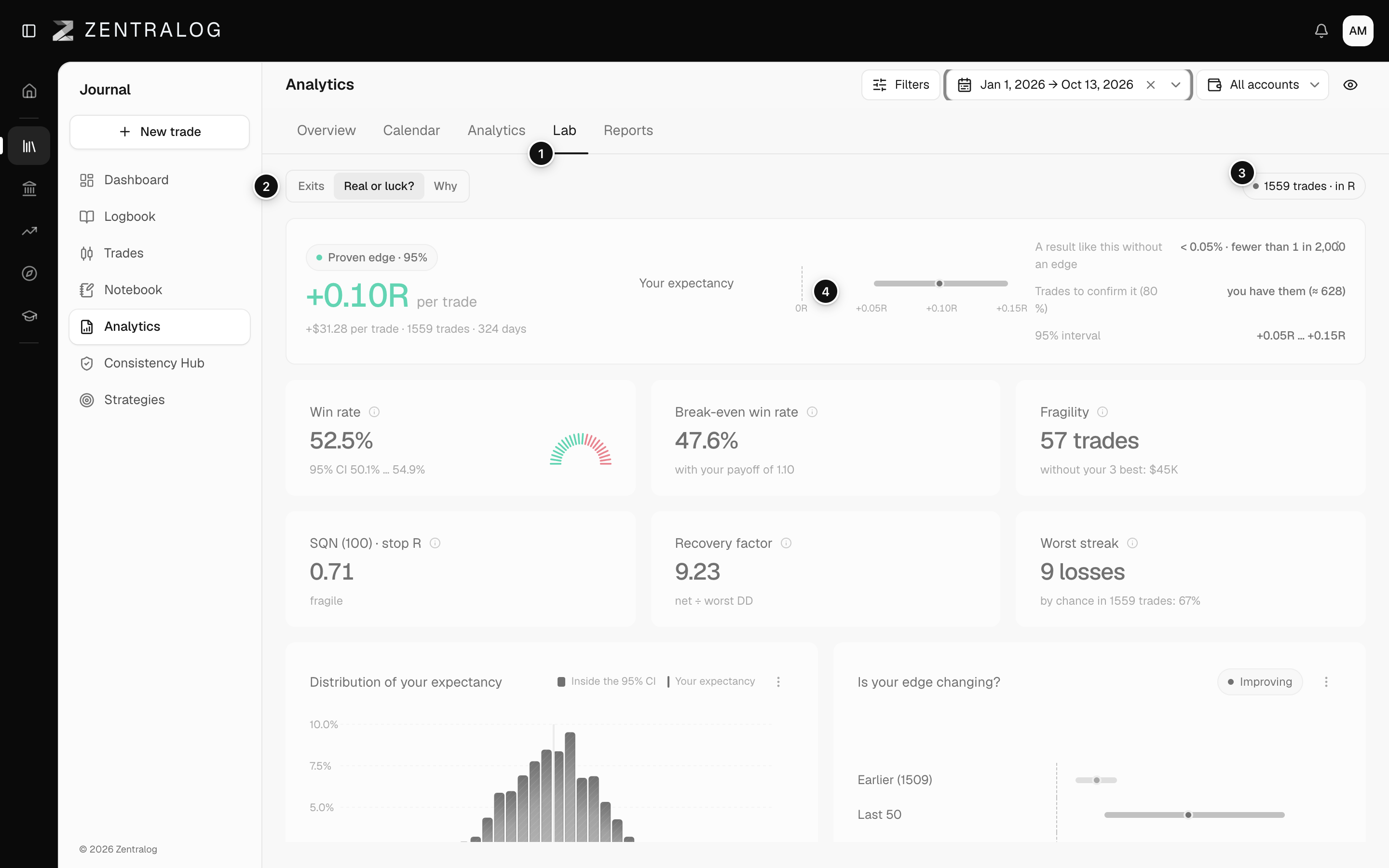
- Lab tab: the Lab inside Analytics.
- Sheet selector: where you pick Real or luck?.
- Coverage pill: trades used and the unit. Hover it for the share with a stop.
- Verdict: whether your edge is proven, likely, unclear or negative.
FAQ
Does the pill show R or $?
R when at least 70% of your trades have a stop, dollars otherwise. 1R is the money you planned to risk on a trade. See R-multiple.
Why does the pill say «no winners and losers to test»?
Your filter has only winners or only losers. Widen the dates or pick more accounts.
Why does it say «There are no closed trades in this scope»?
No closed trade matches your dates, accounts and filters. Change them, or click Go to trades to add some.
Related
Did this answer your question?