
Edge and noise
How much of your result comes from your system and how much from chance, with a Monte Carlo of your next trades.
Updated 2 min read
Where: Journal → Analytics → Analytics → System → Edge and noise
Read your edge
- Click the Analytics tab and pick System in the family selector. It opens Edge and noise.
- Read the tiles at the top.
- Check Rolling expectancy: the average of your last 40 trades, over time.
Run the Monte Carlo
- In Monte Carlo, drag Horizon between 5 and 200 trades.
- Read the band: p95 (1 path in 20 does better), p5 (1 in 20 does worse) and typical.
- Pick a single account in the account selector to draw your account limit. With several accounts the line is 2× your worst drop.
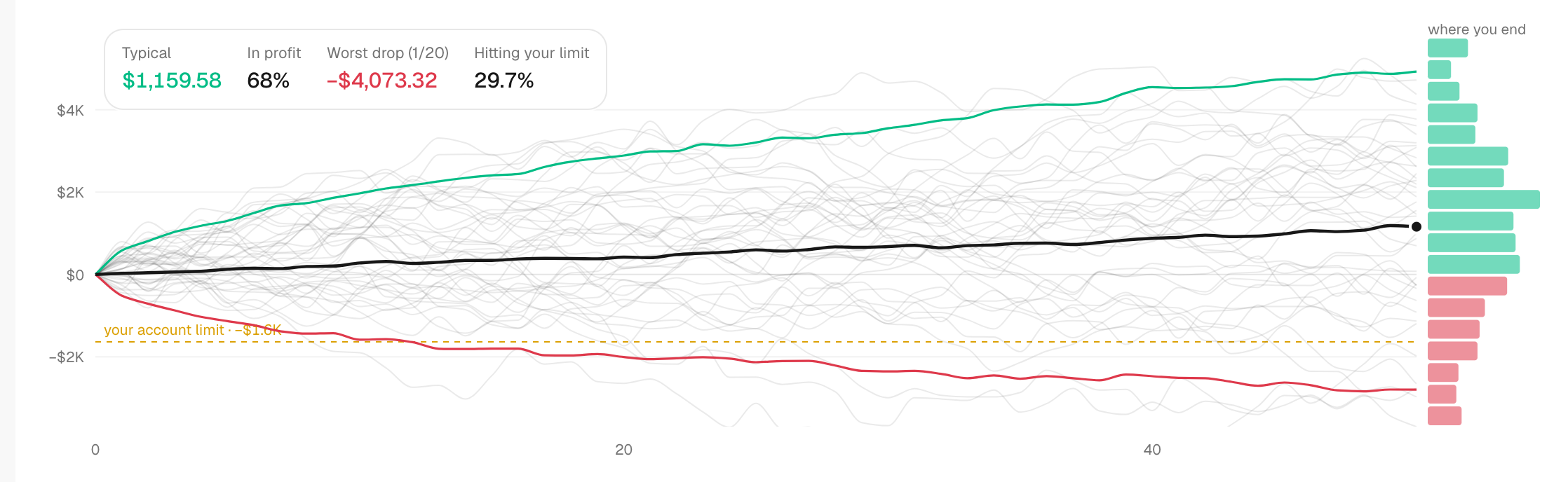
What's on the screen
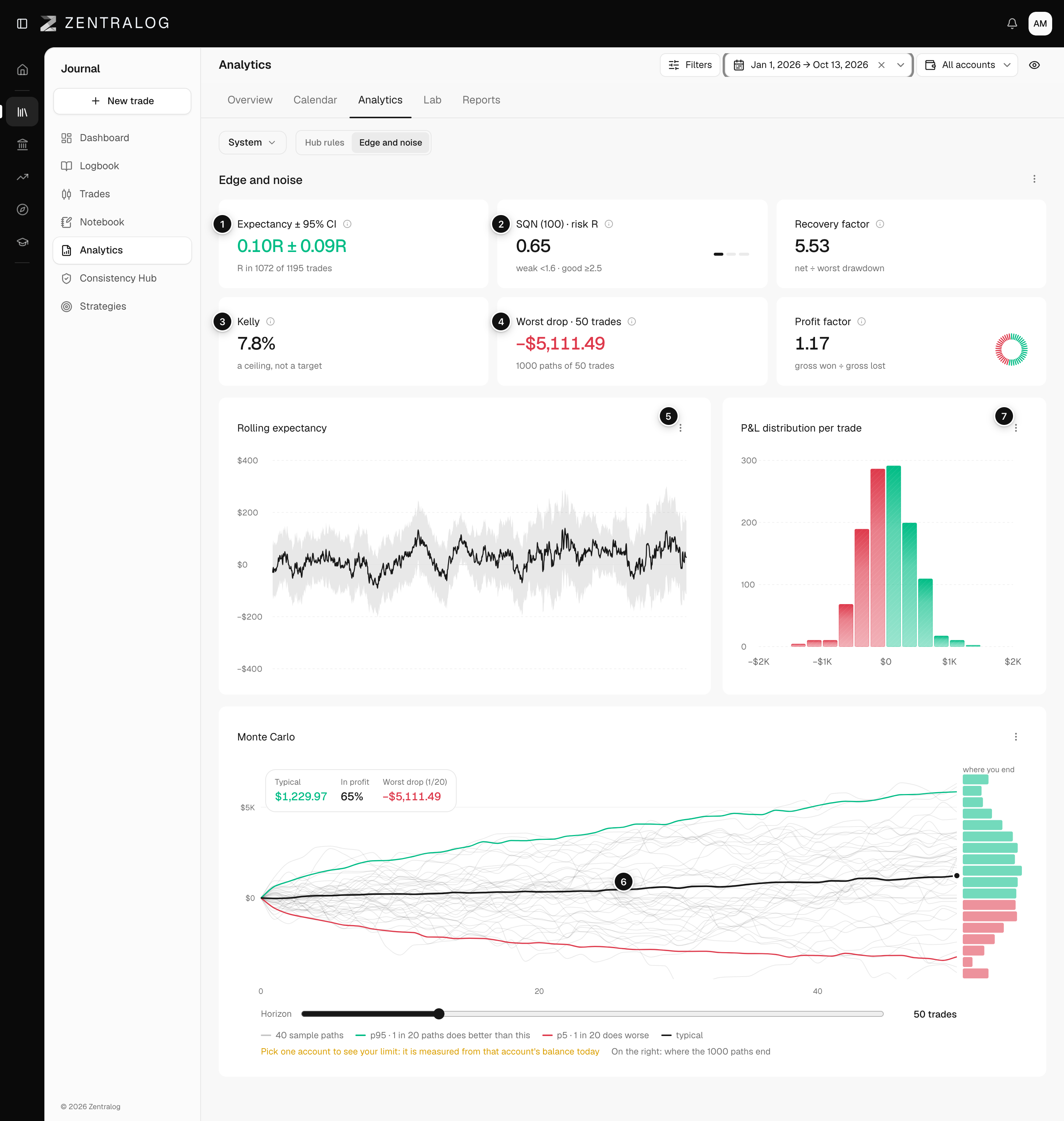
- Expectancy ± 95% CI: your average R per trade and its 95% range. If the range crosses zero, you can't yet say you win. See expectancy.
- SQN (100): average over noise. Below 1.6 is fragile, 2.5 or more is good. See SQN.
- Recovery factor and Kelly: recovery factor is your net over your worst drawdown. Kelly is the size that would maximize growth: a ceiling, never a target.
- Worst drop · 50 trades: the drop 1 simulated path in 20 reaches over your next 50 trades.
- Rolling expectancy: the 40-trade average with its band.
- Monte Carlo: 300 reshuffles of your own trades. See Monte Carlo simulation.
- P&L distribution per trade: how your results are spread.
It's not a forecast. The band shows the range your own results allow if you keep trading the same way.
FAQ
Do I need a single account?
No. Only the account-limit line needs one account, because it is measured from that account's balance today.
Why does SQN say in $?
SQN uses R when at least 70% of your trades have a stop. Otherwise it is computed in dollars.
Related
Did this answer your question?