
The Overview tab
Your results for the period on one page, from the P&L curve and key numbers to every statistic.
Updated 2 min read
Where: Journal → Analytics → Overview
Read your results
- Open Analytics. It starts on Overview.
- In Cumulative P&L, click D, W or M to group the curve by day, week or month.
- With D, click a point to open that day's trades.
- Hover the ⓘ next to a number in the right column to read its definition.
- Click a bar in P&L by weekday or P&L distribution to open those trades.
Export every statistic
- Scroll to All stats.
- Click its ⋮ and choose Export CSV.

What's on the screen
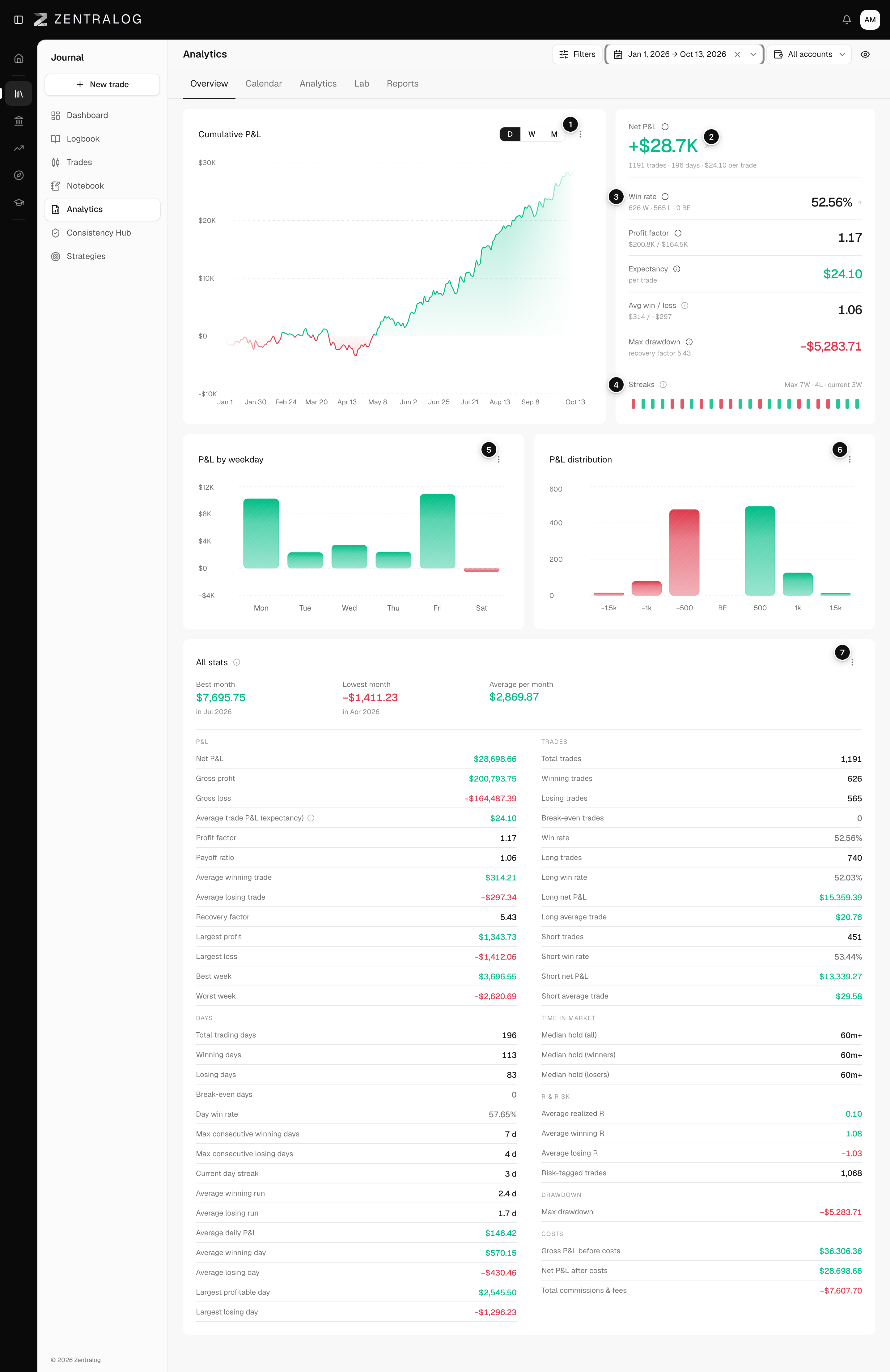
- Cumulative P&L: your running net P&L, by day, week or month.
- Net P&L: the period's total, with trades, days and average per trade. Click it to open the trades.
- Key numbers: win rate, profit factor, expectancy, Avg win / loss (payoff ratio) and max drawdown.
- Streaks: green and red days in a row. Each chip opens that day. See streak.
- P&L by weekday: money won or lost on each day of the week.
- P&L distribution: how many trades ended in each result range.
- All stats: every figure, grouped into P&L, Trades, Days, Time in market, R & risk, Drawdown and Costs.
Win rate leaves break-even trades out. Expectancy counts them.
FAQ
Why are some R & risk rows empty?
R rows need trades with a stop or a risk amount. Average risk per trade and Max risk used also need a single account selected.
Related
Did this answer your question?