
Risk: size, R and drawdowns
Your results by position size, R-multiple and planned risk, plus how deep and how long your drawdowns were.
Updated 1 min read
Where: Journal → Analytics → Analytics → Risk
Compare by size and risk
- Click the Analytics tab and pick Risk in the family selector.
- Click Volume, Realized R-multiples or Planned risk.
- Click a bar or a table row to open those trades.
- Volume: position size, in contracts or in dollars at risk.
- Realized R-multiples: how many times your risk you won or lost. See R-multiple.
- Planned risk: your risk in dollars as a % of the account's balance.
Read your drawdowns
- Click the Drawdown and streaks chip.
- Read the tiles at the top.
- Hover Underwater to see how far below your peak you were, trade by trade.
What's on the screen
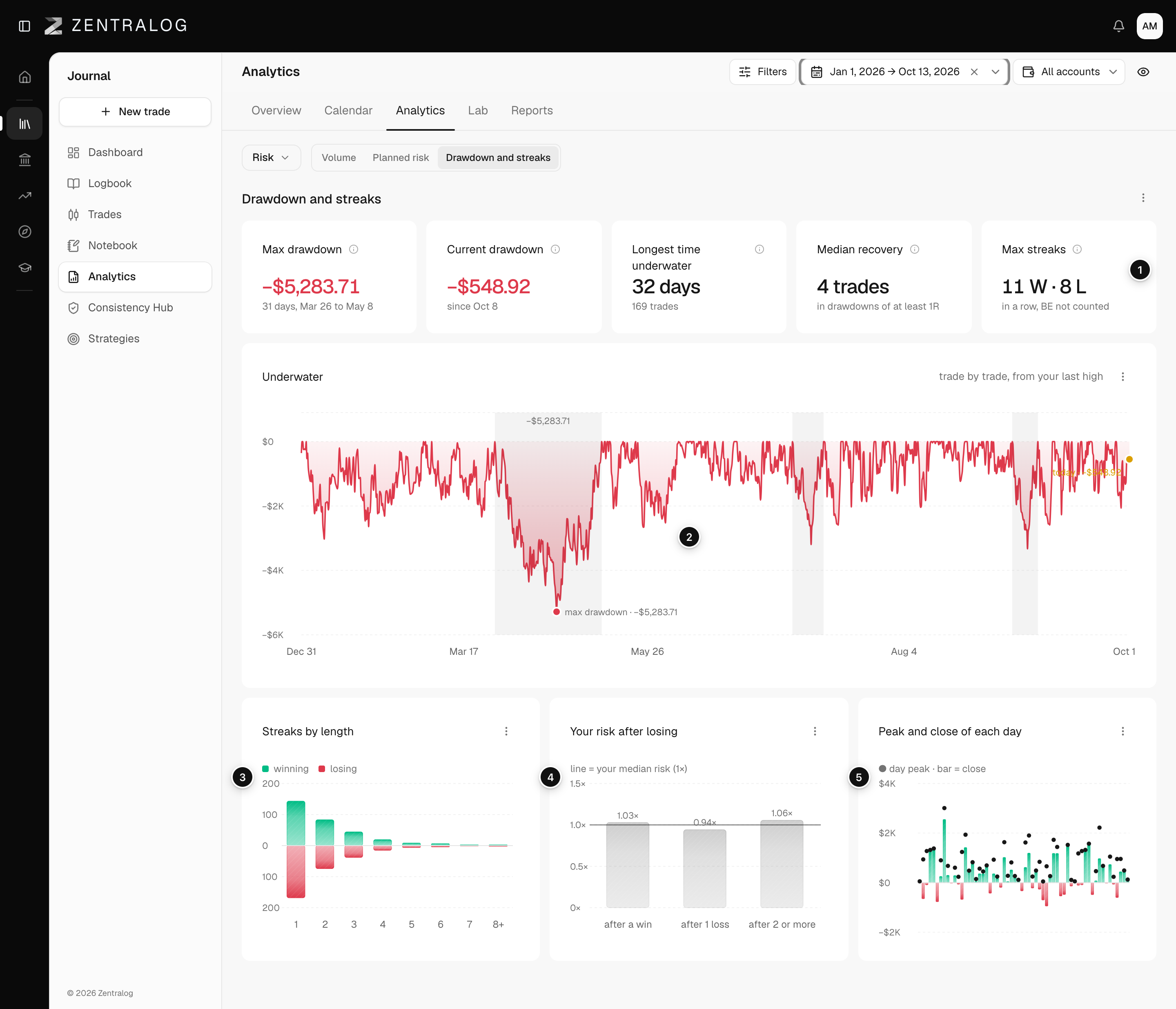
- Tiles: Max drawdown, Current drawdown, Longest time underwater, Median recovery and Max streaks. See drawdown.
- Underwater: distance from your last high, trade by trade.
- Streaks by length: how often you had winning and losing runs of each length.
- Your risk after losing: whether you raise your risk after a loss.
- Peak and close of each day: how much of each day's best moment you gave back.
Realized R-multiples, Planned risk and Your risk after losing need trades with a stop. Planned risk also needs the account's balance. See Edit an account and its balance.
FAQ
What is Median recovery?
How long you usually took to get back from drawdowns of at least 1R.
Related
Did this answer your question?