
Zen Score
One 0–100 grade of your trading, built from seven parts with different weights.
Updated 2 min read
Where: Journal → Dashboard → Zen Score widget
Read your score
- Find the Zen Score widget. If it is missing, add it from the Risk category in edit mode.
- Read the number and its level: Fragile (up to 39), Developing (40–59), Solid (60–79) or Elite (80 or more).
- Look at the radar: each axis is one part of the score.
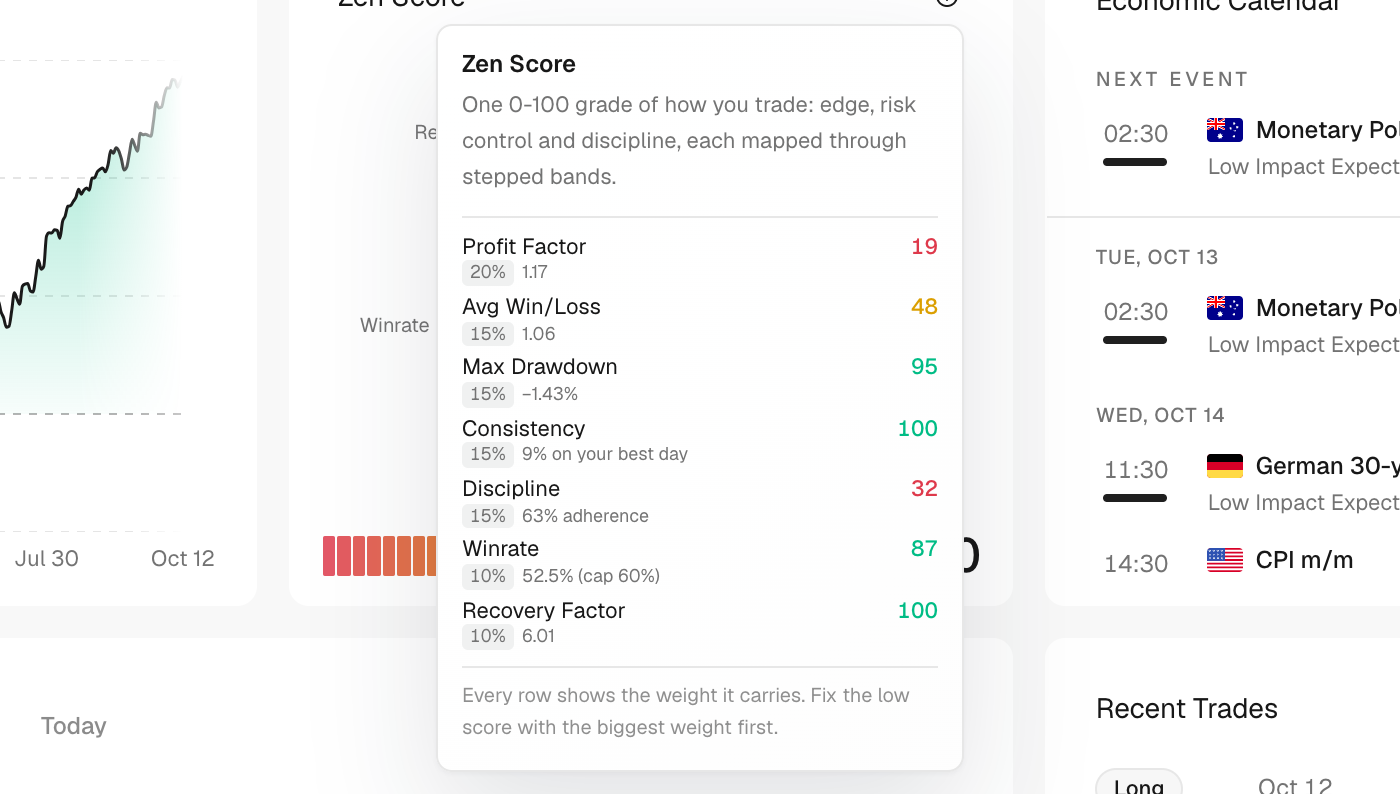
- Click the ⓘ (What is the Zen Score?) to see each part, its weight and your value.
What goes into it
| Part | Weight | What it looks at |
|---|---|---|
| Profit Factor | 20% | Profit factor |
| Avg Win/Loss | 15% | Payoff ratio |
| Max Drawdown | 15% | Smaller drawdown scores higher |
| Consistency | 15% | How much of your profit came from your best day; less is better |
| Discipline | 15% | Rules met in the Consistency Hub |
| Winrate | 10% | Win rate, full marks from 60% |
| Recovery Factor | 10% | Recovery factor |
What's on the screen
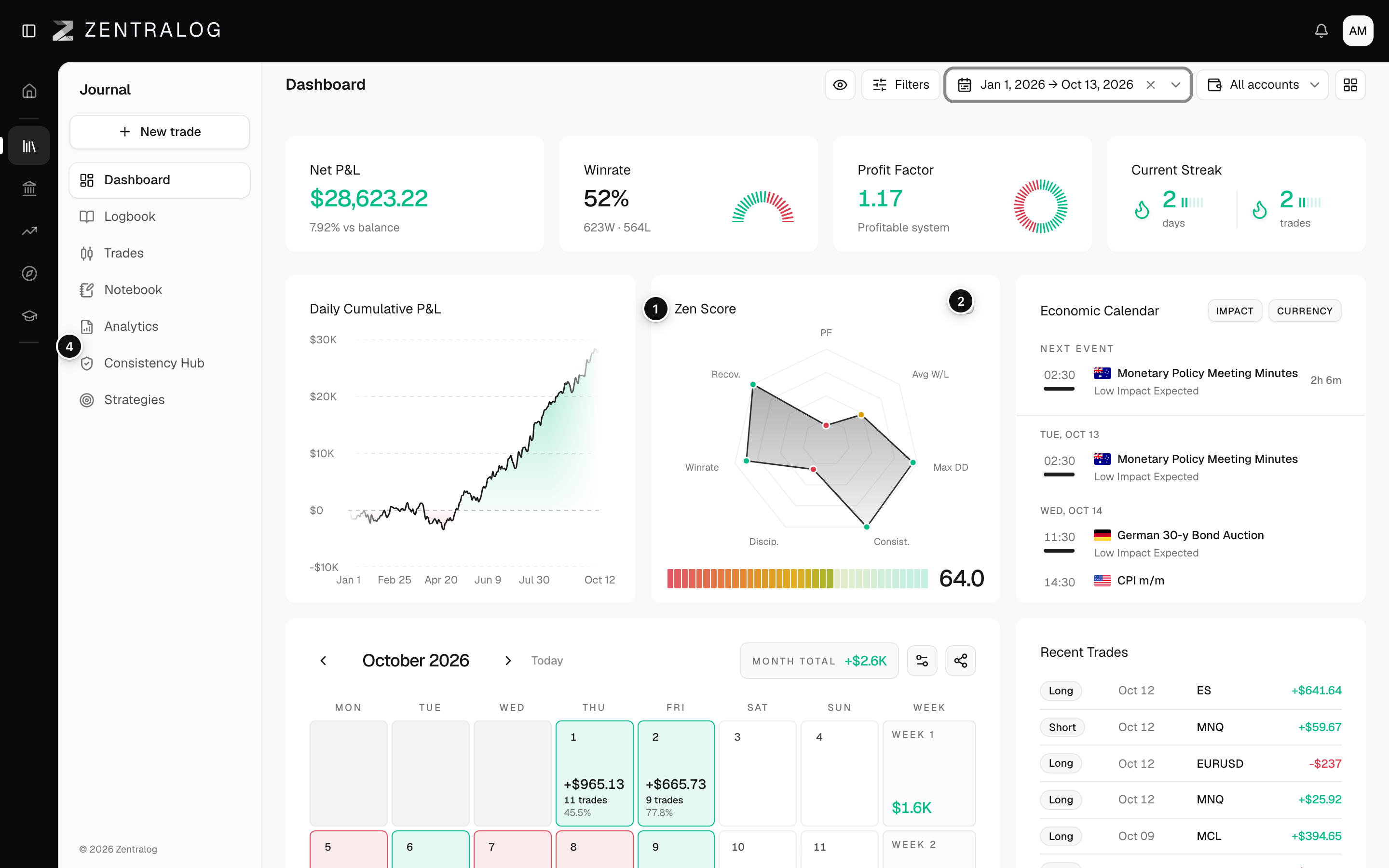
- Zen Score: one 0–100 grade of your trading.
- ⓘ: how the score and its weights work.
- Provisional: few trades yet, so the score may move.
- Consistency Hub link: turn on rules to unlock Discipline.
With fewer than 20 closed trades the score shows Provisional and is damped, so a short lucky run can't read as Elite.
FAQ
Why is Discipline missing?
Discipline needs active rules in the Consistency Hub. Without them it is left out and the other six parts share its weight.
Why is my Consistency or Recovery part at zero?
Both need a net profit in the range. With a loss, they score zero.
Related
Did this answer your question?