
My P&L doesn't match my broker
Why your profit or loss in Zentralog can differ from your broker's, and the three settings that explain it.
Updated 2 min read
Where: your avatar → Settings → Trading group and Regional
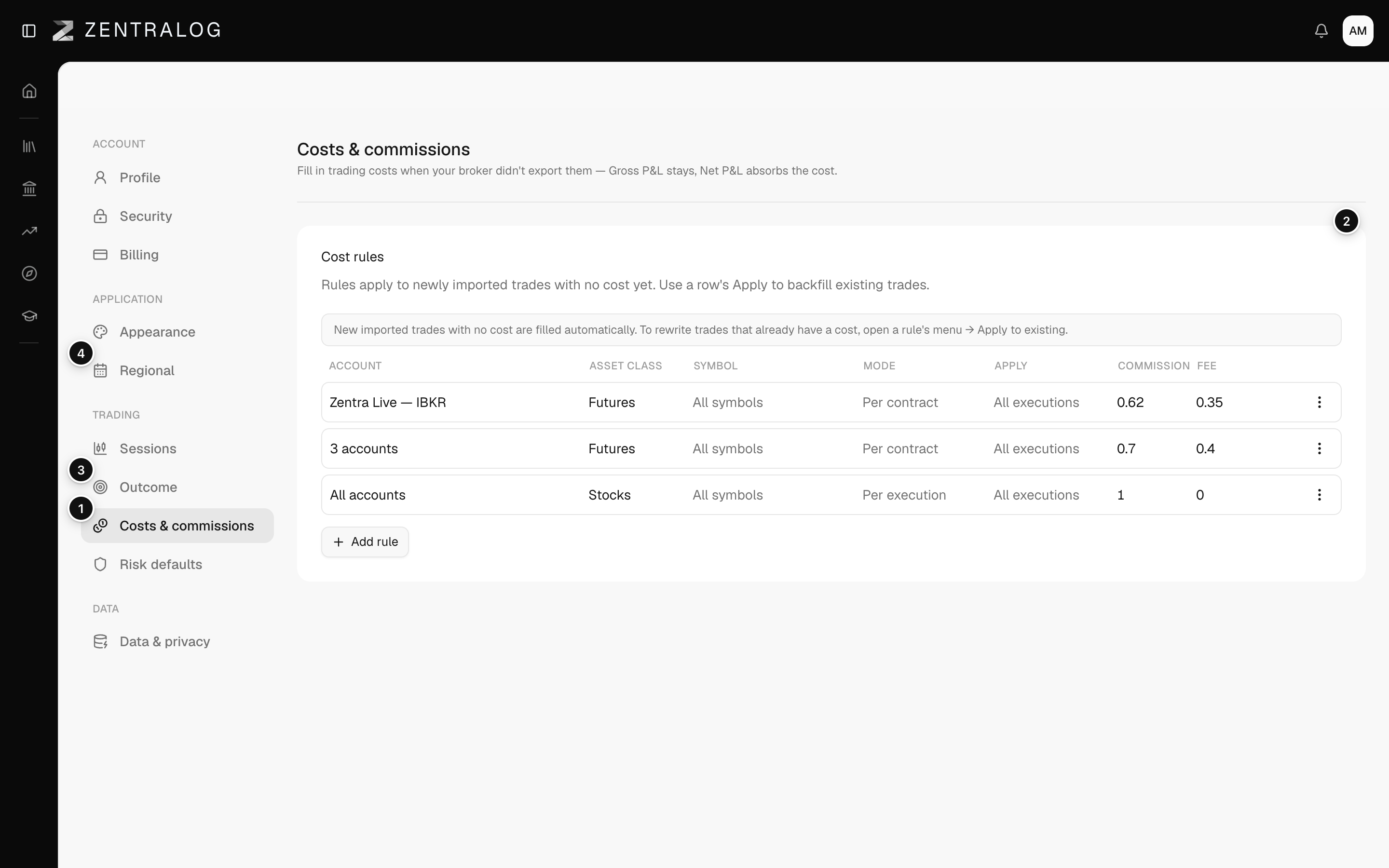
Your net P&L is your profit or loss after costs. A gap with your broker is almost always about costs, scope or dates.
Check your costs first
- Open a trade and compare its fees with your broker statement.
- If Zentralog shows no fees, your broker didn't send them.
- Add a rule in Costs & commissions and apply it to existing trades.
Then check scope and dates
- Set the account selector at the top to the same account as the statement.
- Set the same date range as the statement.
- Check the Timezone in Regional. It decides which day a late trade belongs to.
What's on the screen
- Costs & commissions: fill in fees your broker didn't export.
- Gross P&L stays: only the net P&L absorbs the cost.
- Outcome: the break-even threshold changes your win rate.
- Regional: the timezone decides which day a trade lands on.
The break-even threshold never changes your P&L. It only changes which trades count as wins or losses.
FAQ
My gross P&L matches, but my net doesn't.
Then the gap is costs. Gross P&L is before costs, so fix the fees with a cost rule.
My daily totals differ, but the month matches.
That is the timezone. Trades near midnight land on a different day. Set the timezone you trade in.
My win rate looks wrong, but the P&L is right.
Check the break-even threshold in Outcome. Trades inside it don't count as wins or losses.
Related
Did this answer your question?