
Today
Your daily start page with today's result, open markets, upcoming news and days still missing a note.
Updated 2 min read
Where: Today, the first icon in the rail.
Start your day
- Click Today in the rail. You see the date and a greeting for your time of day.
- Check the Today card: today's P&L (profit or loss), Rules tracked and your Streak: your longest run of days in a row following all your rules (streak).
- Click Plan the day to open My Day, or Review yesterday to look back.
- Click Sync all to fetch new trades from your connected accounts.
Check markets and news
- In Market clock, see which markets are open. Switch between Exchanges and Forex.
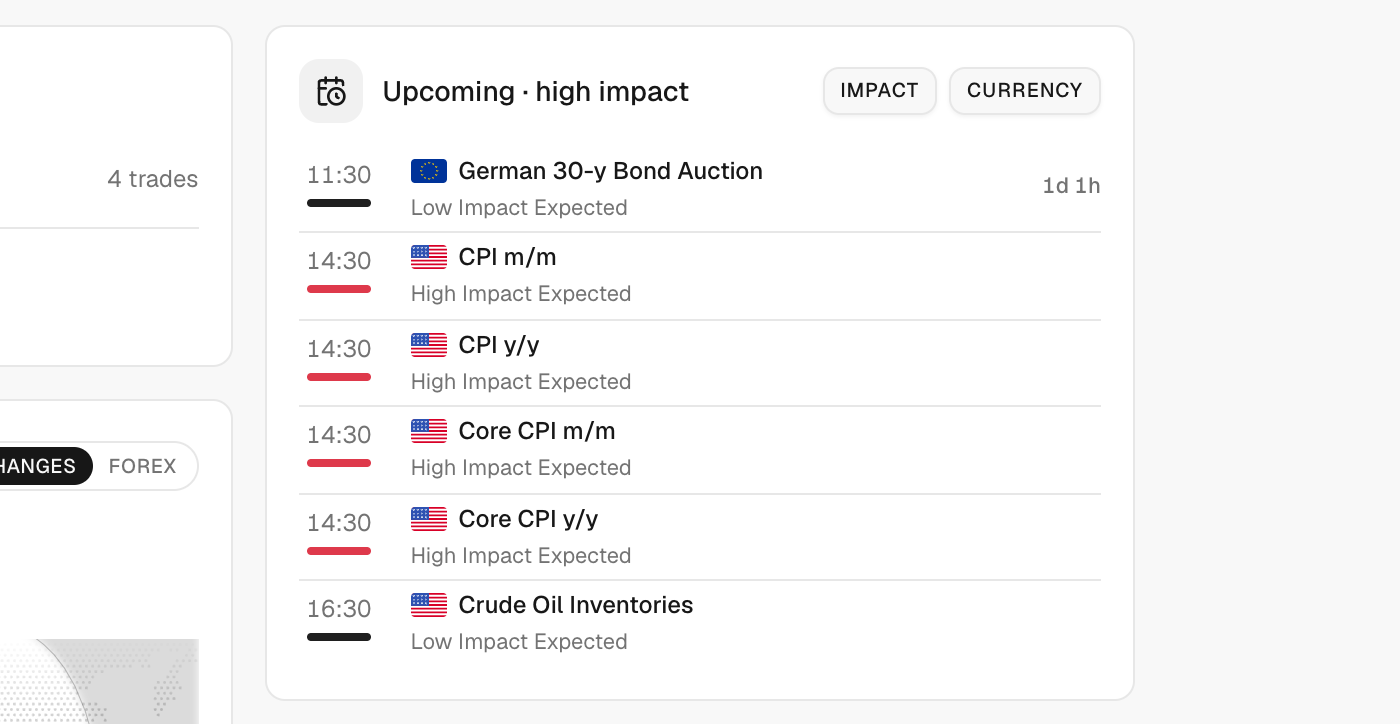
- In Upcoming · high impact, see the next big economic events.
- Filter them with Impact and Currency. Click Clear to reset.
Catch up on notes
- Look at To journal: recent days with trades but no daily note.
- Click Add note → on a day to write it.
What's on the screen
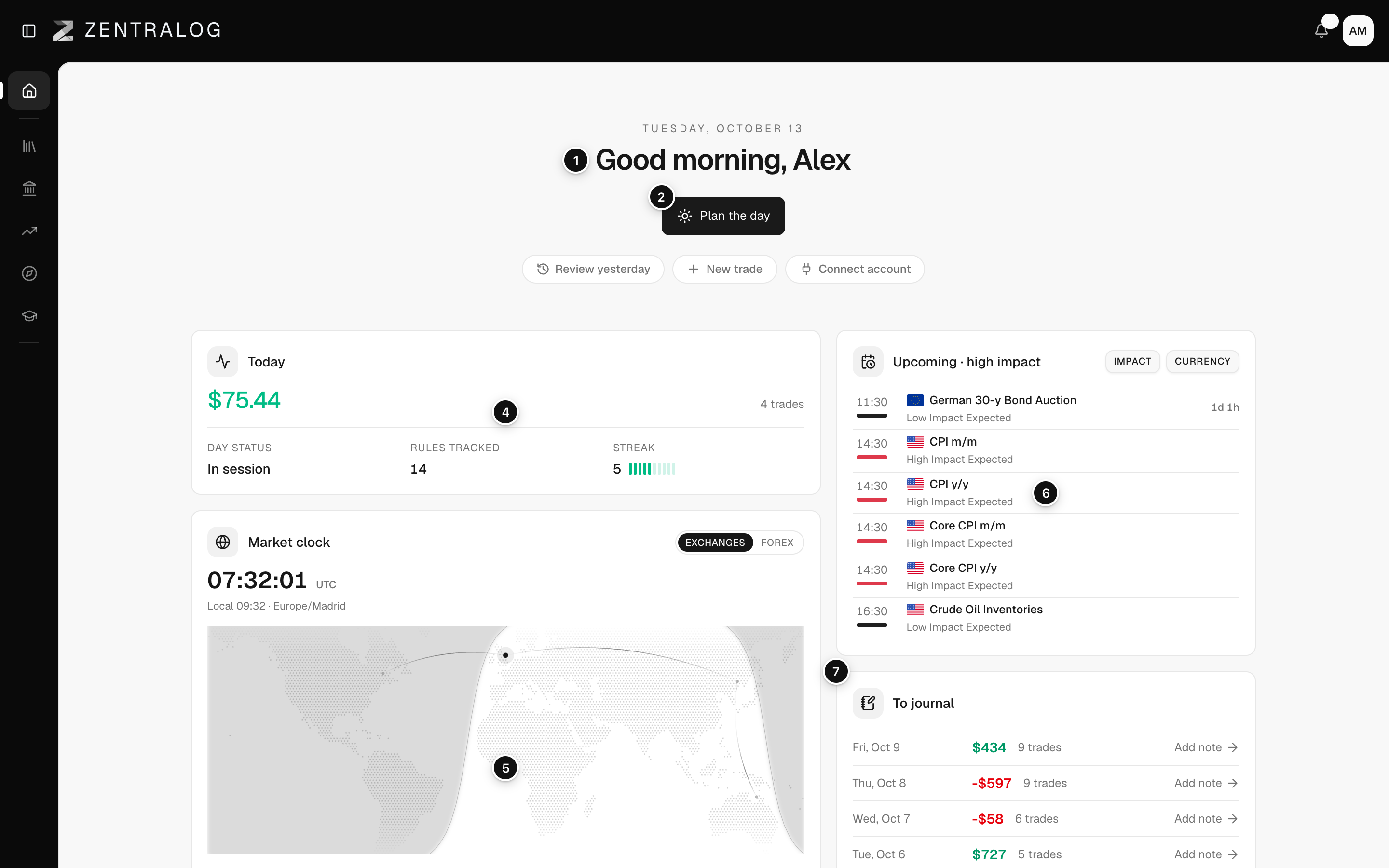
- Greeting: today's date and your greeting.
- Plan the day: opens today's My Day.
- Sync all: syncs your auto-synced accounts now.
- Today card: today's P&L, rules tracked and streak.
- Market clock: which markets are open right now.
- Upcoming · high impact: the next high-impact economic events.
- To journal: trading days still missing a note.
FAQ
Why don't I see Sync all?
It only appears when you have connected accounts to sync. Accounts synced in the last minute are skipped.
Which days show in To journal?
Days from the last three weeks with trades and no daily note, up to four. When none are missing you see All daily notes are up to date ✓.
Related
Did this answer your question?