
Your discipline history
A full-year heatmap of how well you kept your rules, and the detail of any past day.
Updated 1 min read
Where: Journal → Consistency Hub → Compliance history
Open a past day
- In the Consistency Hub, find Compliance history at the top right.
- Click a year in the column on the right if you need an older one.
- Hover a square to see how many rules you kept, such as «3/4 rules».
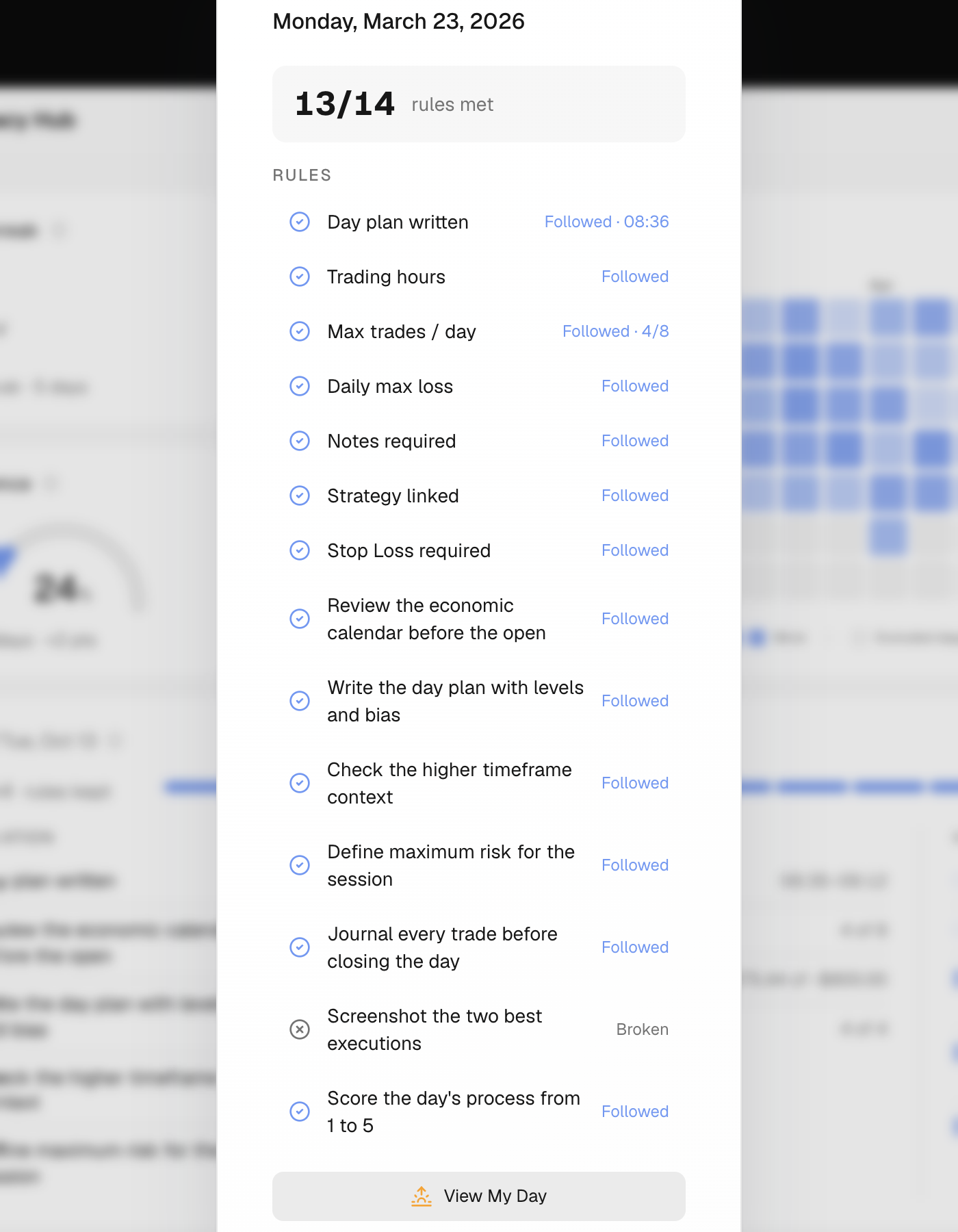
- Click the square. A window lists each rule as Followed, Broken or N/A.
- Click View My Day to open that day in My Day.
What's on the screen
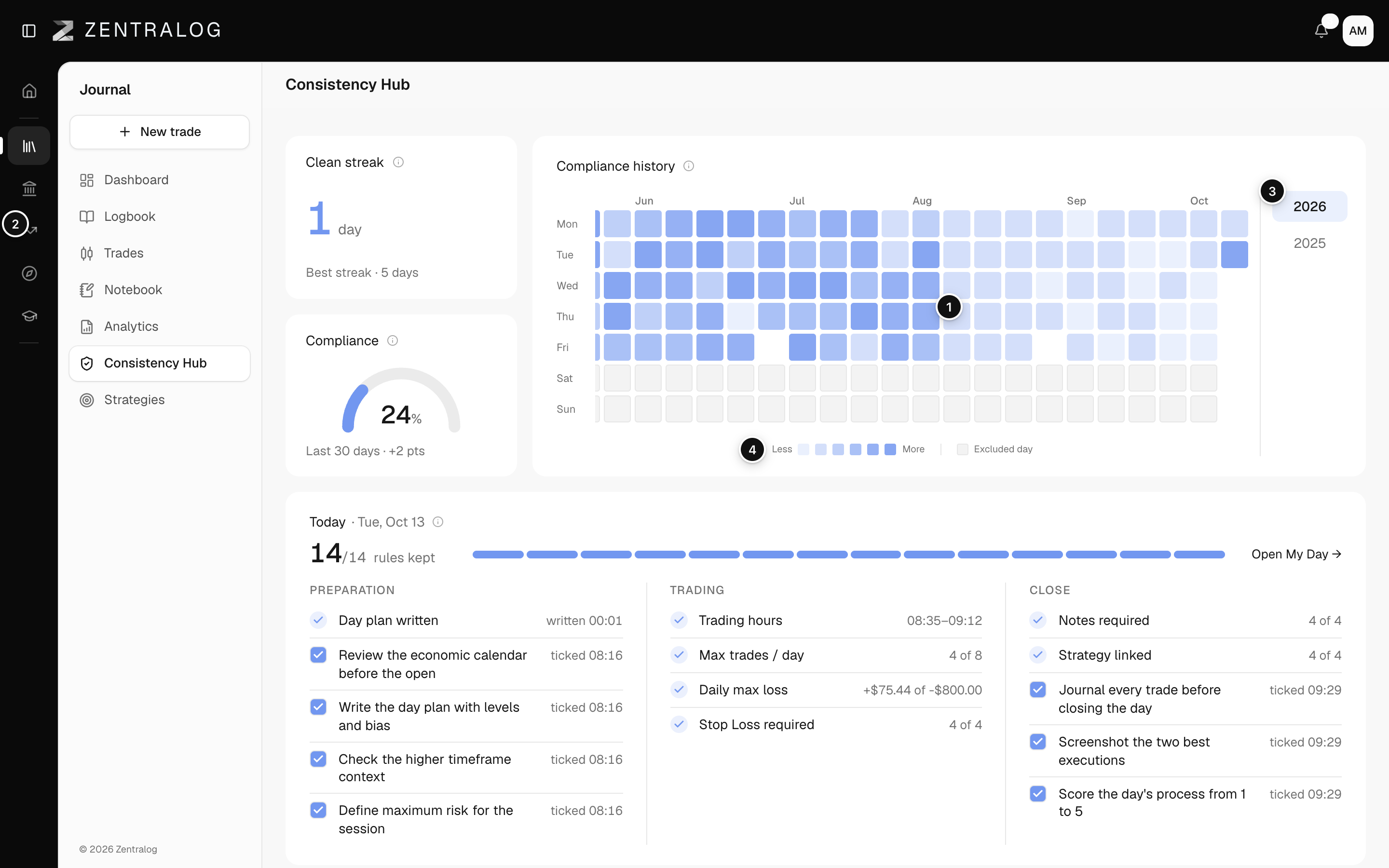
- Compliance history: one square per day. The deeper the blue, the more rules you kept that day.
- Day square: click any day to see its rules.
- Year: pick the year the heatmap shows.
- Legend: from Less to More, plus Excluded day.
An Excluded day is a day outside your trading days with no trades. It has no score and shows grey.
FAQ
Why are some trading days blank?
Days without trades aren't scored, even on your trading days. They don't break your clean streak either.
Related
Did this answer your question?