
Weeks and months in the Logbook
Read a whole week or month at once — net result, best and worst day, and how many days you kept your rules.
Updated 2 min read
Where: Journal → Logbook → Weeks / Months
Review a week
- In the Logbook, click Weeks at the top.
- Click any day of a week in the calendar on the left. The whole week opens.
- Summary shows the week day by day, a bar per day and the week's numbers, including Best day and Worst day.
- Use Trades, Notes and Discipline for the week's trades, note snippets and rules per day.
- Click a day anywhere in the week to open that single day.
Review a month
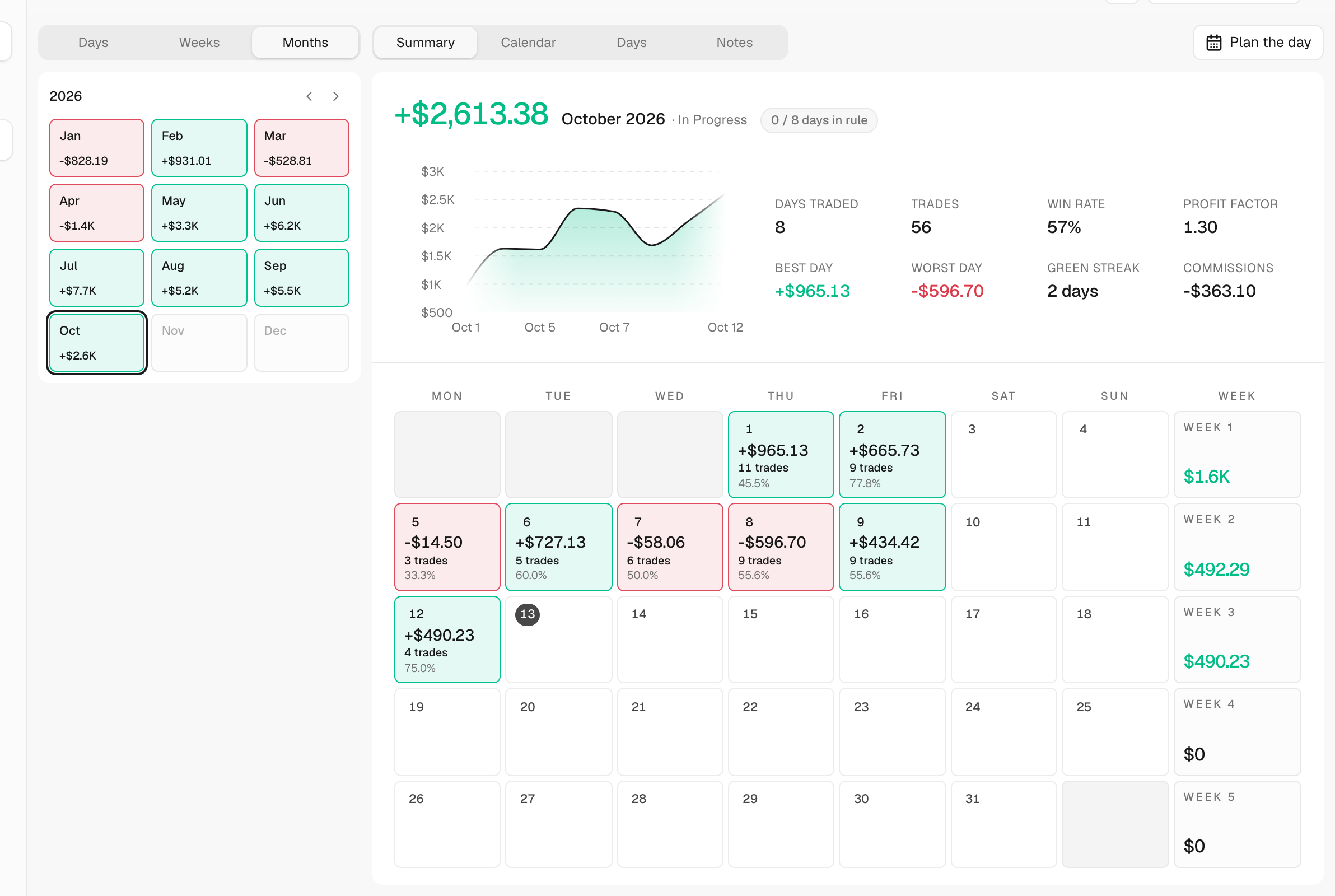
- Click Months at the top. The left side now shows the 12 months of the year.
- Click a month. The arrows change the year.
- Read Summary: the month's cumulative curve, Days traded and Green streak (your longest run of winning days in the month).
- Use Calendar, Days and Notes to see each day of the month.
What's on the screen
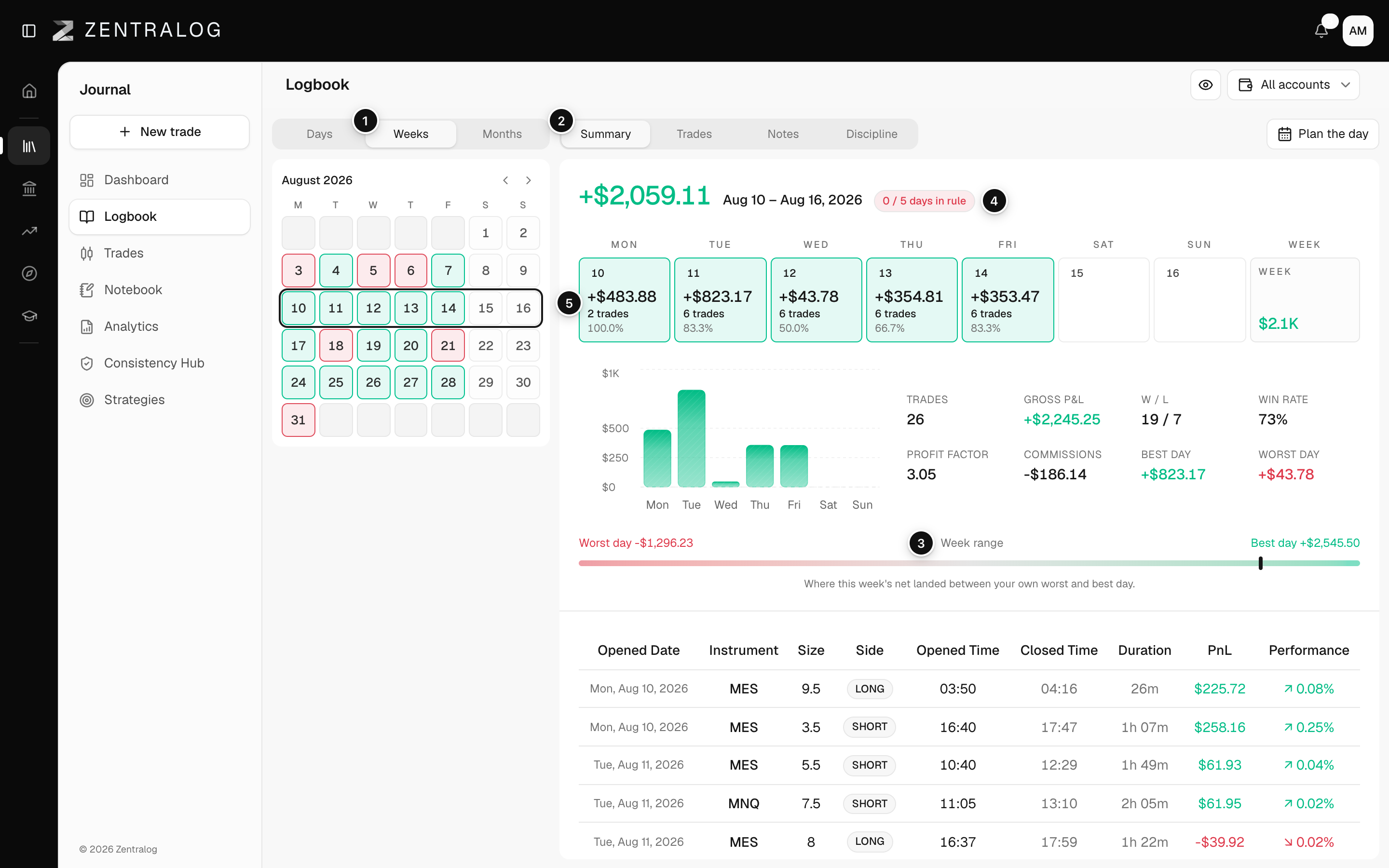
- Weeks: the weekly view of your journal.
- Tabs: Summary, Trades, Notes and Discipline.
- Week range: where this week's net result landed between your own worst and best day.
- Days in rule: how many traded days you kept all your rules, out of all traded days.
- Calendar: pick another week.
FAQ
Why does the win rate differ between a day and its week?
The day counts break-even trades (neither won nor lost) in the total. Weeks and months only count winners and losers. See win rate.
What does «in progress» mean on a month?
It is the current month, so its numbers still change as you trade.
Related
Did this answer your question?