
Trading sessions
Named time windows, such as London or New York, that Zentralog uses to tag each trade by time of day.
Updated 1 min read
Where: your avatar → Settings → Sessions
A session is a time window of the trading day. Each trade gets the session it happened in. You can then filter by session and compare them in Analytics.
Add a session
- Open Settings and click Sessions.
- Click Add session.
- Type a Session name, for example London.
- Type Start (HH:MM) and End (HH:MM), and pick the session's Timezone.
- Leave Enabled on and click Save.
Edit or pause a session
- Click the pencil next to a session.
- Change the times, or turn off Enabled to pause it without deleting it.
- Click Save. Your existing trades are re-tagged.
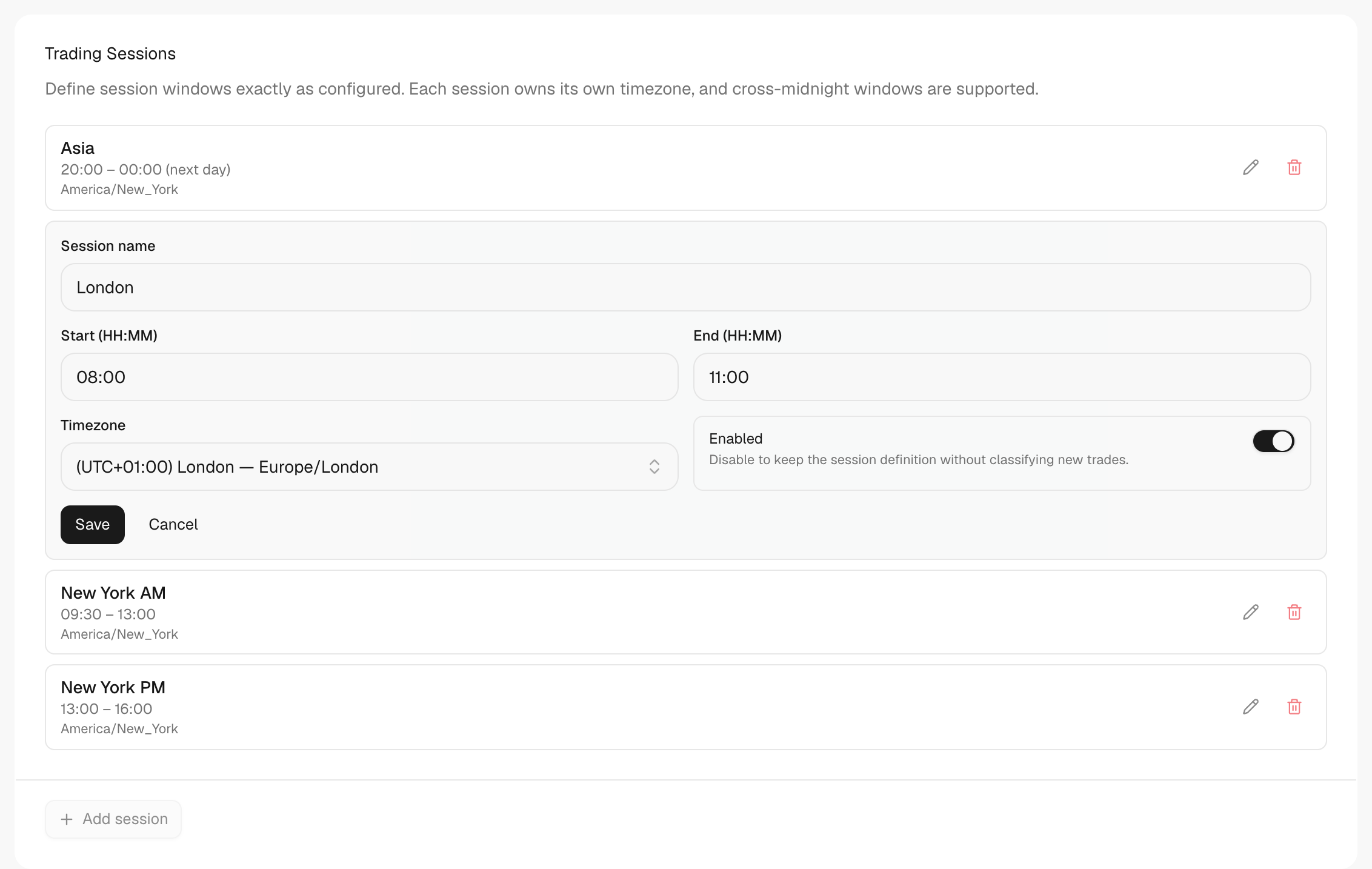
What's on the screen
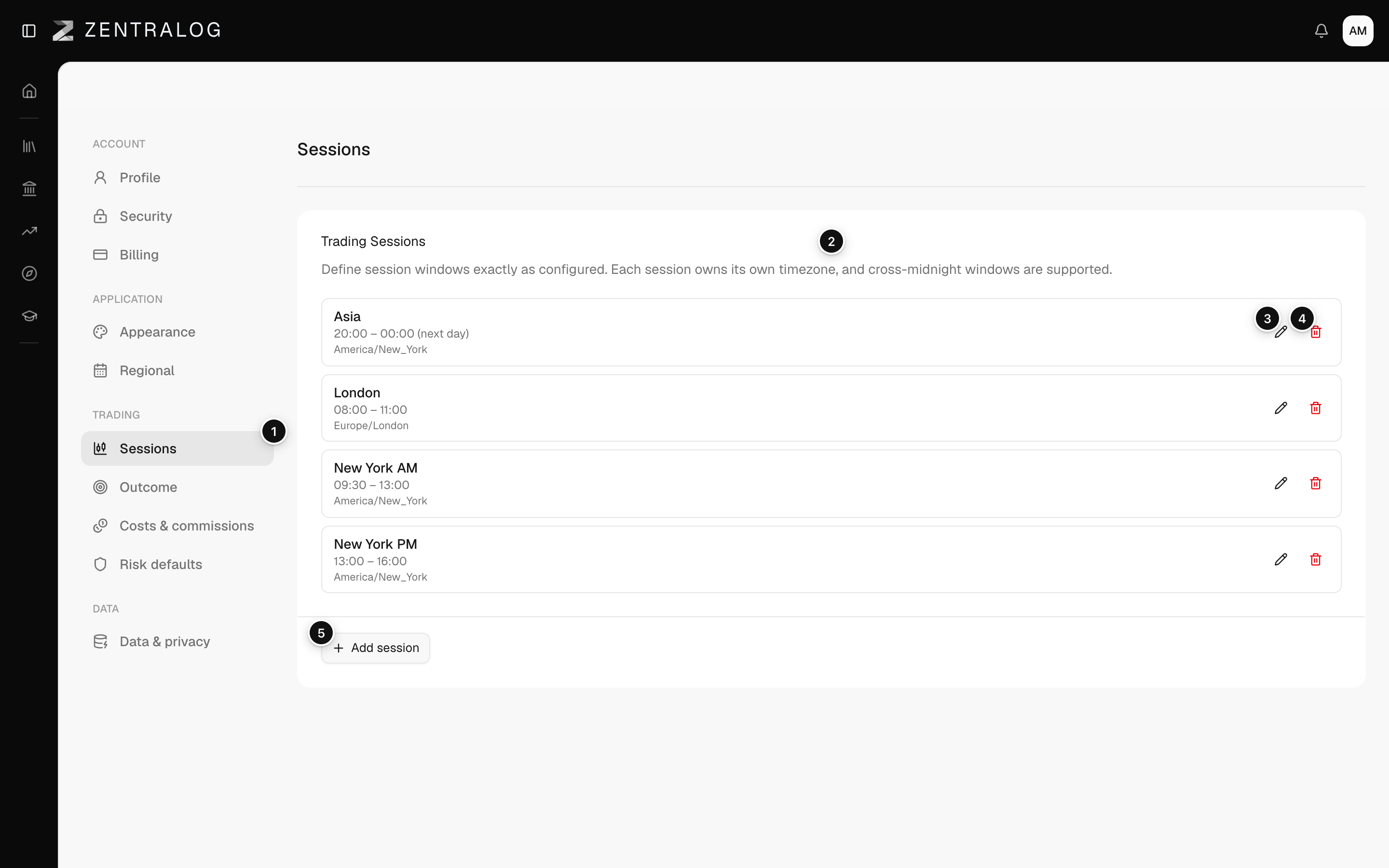
- Sessions: tag each trade by time of day.
- Trading Sessions: each session has its own timezone.
- Pencil: edit a session in place.
- Bin: deletes the session immediately.
- Add session: create a new session window.
The bin deletes a session at once, with no confirmation. To keep it for later, turn off Enabled instead.
FAQ
Can a session cross midnight?
Yes. Make the end earlier than the start, for example 22:00 to 05:00. The list marks it «(next day)».
Why do some trades say No session?
They happened outside every enabled session. Add a session that covers that time.
Related
Did this answer your question?