
Risk defaults
A default stop-loss and take-profit for trades imported without them, so they still get risk and R.
Updated 2 min read
Where: your avatar → Settings → Risk defaults
A stop loss is the price where you planned to exit at a loss. A take profit is your planned target. Without a stop, Zentralog can't measure your R-multiple: the result divided by the amount you risked.
Add a risk rule
- Click Add rule.
- Choose the Account and the Asset class. Keep All symbols on, or pick one symbol.
- Under Stop loss, pick a unit (Points, Ticks, PnL or Pips) and type a value.
- Do the same under Take profit, if you want. You need at least one of the two.
- Click the check mark. You will see «Risk rule saved.»
New trades imported without a stop or target get the rule automatically. The distance is measured from the entry price.
Apply it to trades you already have
- Open the rule's ⋮ menu and click Apply to existing trades.
- By default it only fills trades missing a stop or target. Tick Override existing SL/TP to replace them too.
- Click Apply now. Trades whose instrument has no contract specs (tick size and value) are skipped.
What's on the screen
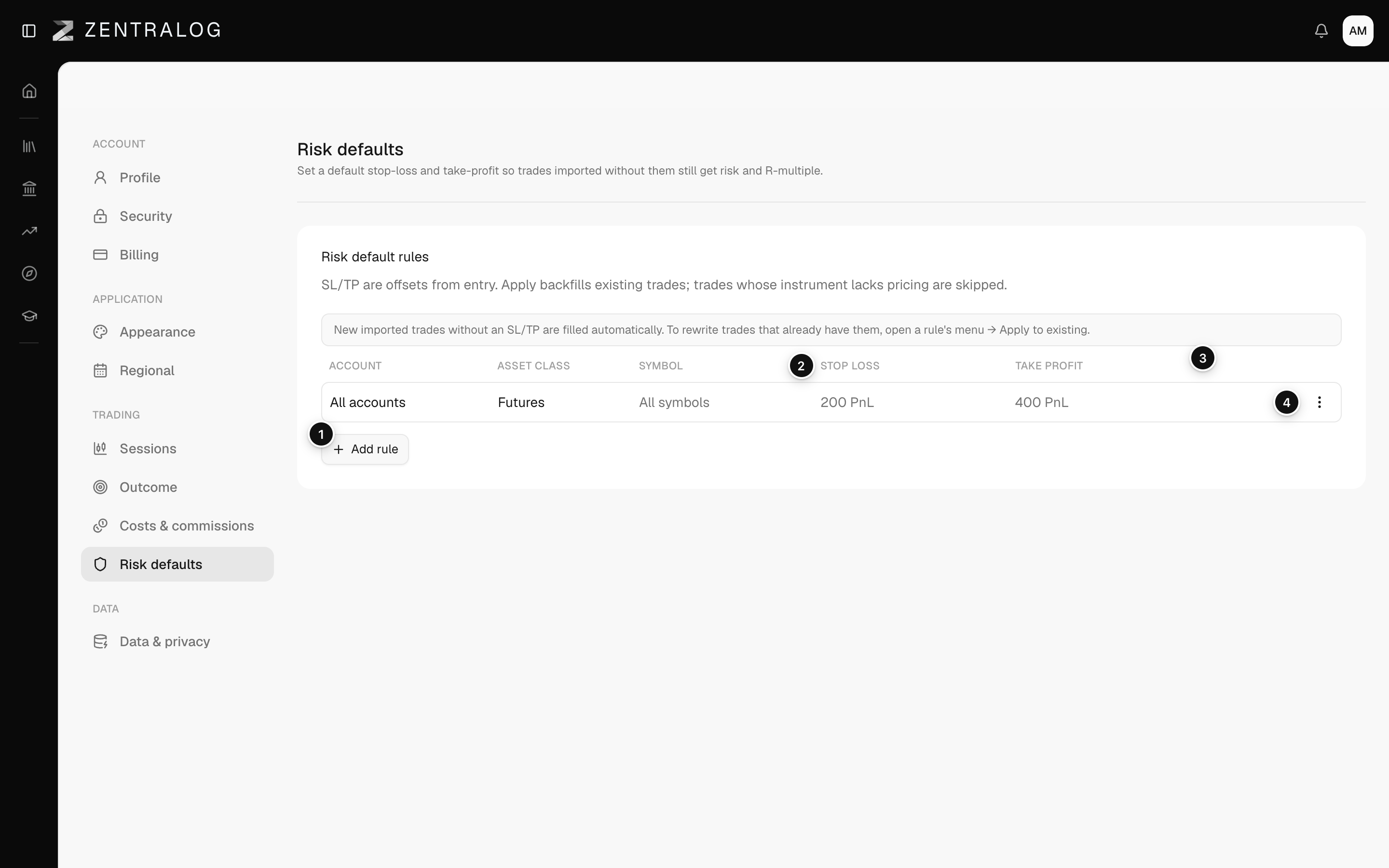
- Add rule: a default stop and target for trades imported without them.
- Stop loss: distance from entry in points, ticks, PnL or pips.
- Take profit: target distance from entry.
- ⋮ menu: apply to existing trades, edit or delete.
Apply now rewrites stops and targets and can't be undone. Delete rule removes the rule at once, with no confirmation.
FAQ
Can I still set a stop by hand on one trade?
Yes, in the trade's detail. See Risk levels and R.
Related
Did this answer your question?