
Share your results as an image
Turn a trade, a day or a month into an image you can post or send, with or without amounts.
Updated 2 min read
Where: Trades → a trade → Share, or the Monthly Calendar on the Dashboard
Share a trade or a day
- Open a trade and click Share at the top. For a day, click the day in the Monthly Calendar, then Share.
- Under Format, pick a card: Square (1:1, Instagram and X), Landscape (16:9, X and LinkedIn) or Story (9:16, Stories and TikTok).
- Under Background, pick a color in Gradients or an image in Photos. The default is Aurora.
- Under Options, turn on Hide balance to blur the money figures.
- For a day, turn on Show day curve to add how your P&L (profit or loss) moved during the day.
- Check the big preview, then click Copy image or Download PNG.
Share a month
- In the Monthly Calendar, click the month's Share icon. Month cards are always square.
- Under Day value, pick P&L (money) or Performance % (percent of your accounts' initial balance).
- Turn Win rate, Trades and Weekends on or off. Win rate is the share of winning trades each day.
- Click Copy image or Download PNG.
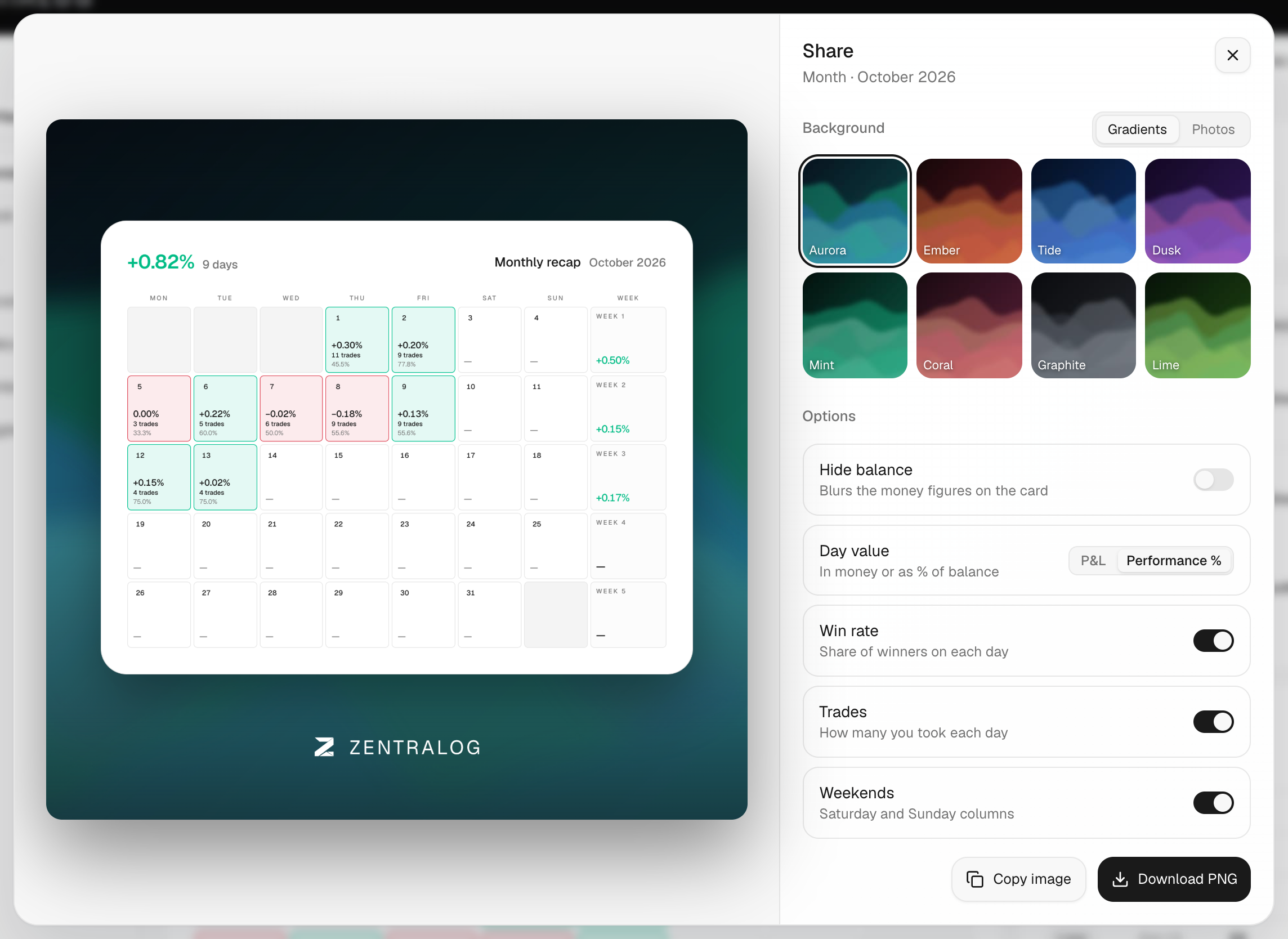
What's on the screen
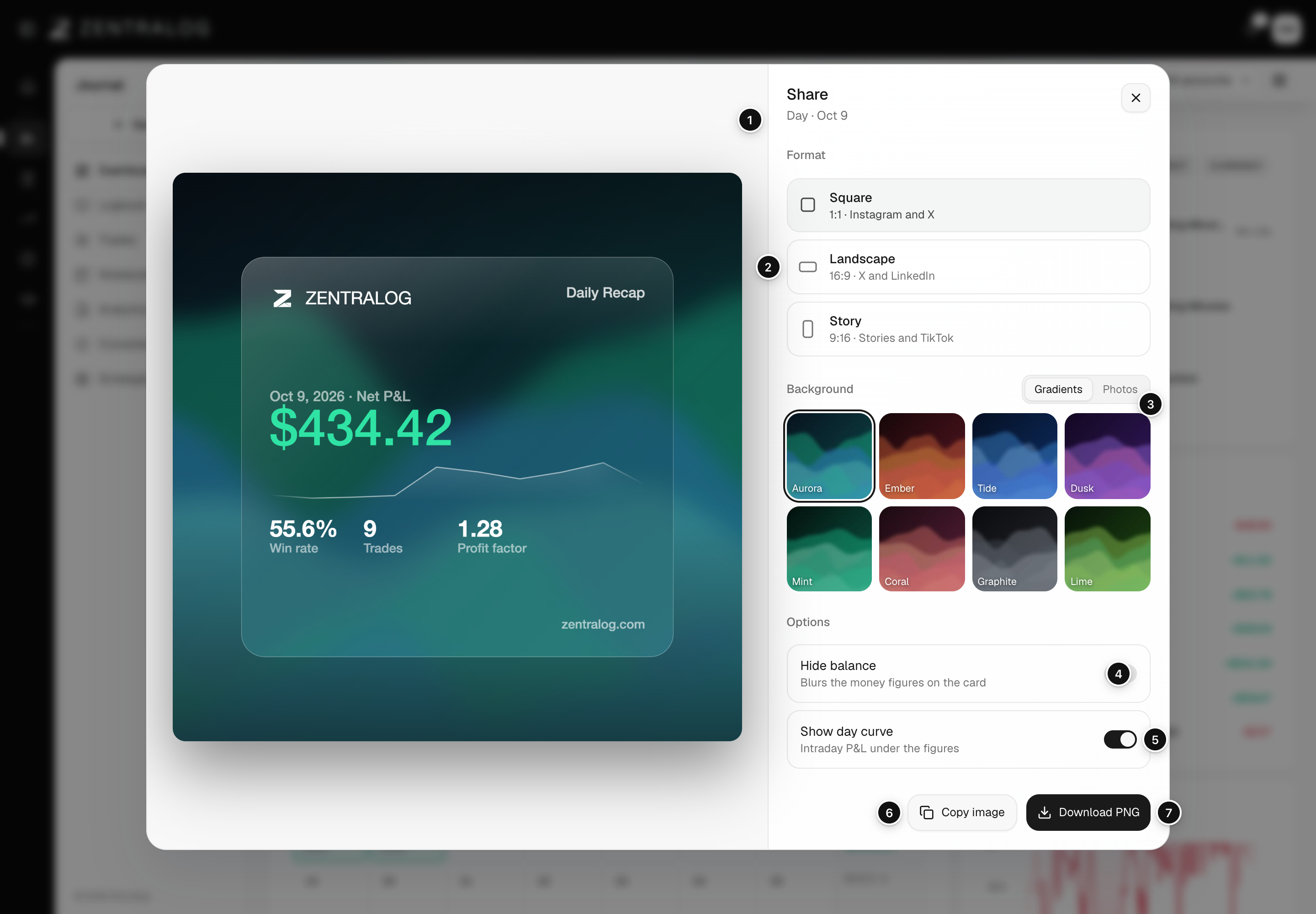
- Preview: the image exactly as it will be saved.
- Format: Square, Landscape or Story, with the networks each one suits.
- Background: Gradients or Photos tabs.
- Hide balance: blurs the money figures on the card.
- Show day curve: adds the intraday P&L line (days only).
- Copy image: copies the image to your clipboard.
- Download PNG: saves the image as a PNG file.
Sharing only creates an image. Nobody gets a link to your journal.
FAQ
Performance % is grayed out. Why?
At least one selected account has no initial balance, so there is nothing to divide by. Click Go to accounts under the notice and add it.
The month has no Share icon.
It only appears when that month has trades.
Related
Did this answer your question?