
Strategy overview
The Overview tab sums up how one strategy performs, in money or in R.
Updated 2 min read
Where: Journal → Strategies → a strategy → Overview
Read a strategy
- Open Strategies and click a strategy card.
- The Overview tab opens first.
- Check the header: Win rate, Trades, Profit factor, Net R, Expectancy R and Max DD.
- Scroll down for the curve and the cards.
- On any card, open ⋮ and click Explain metric to see what it means.
Switch between $ and R
- Find the $ / R switch at the top.
- Click R to see results as multiples of your risk. Click $ to see money.
- Your choice stays the next time you open Strategies.
R is the result divided by the risk you planned with your stop. A trade without a stop has no R. The page then says how many trades were left out, for example "R calculated on 40 of 45 trades".
What's on the screen
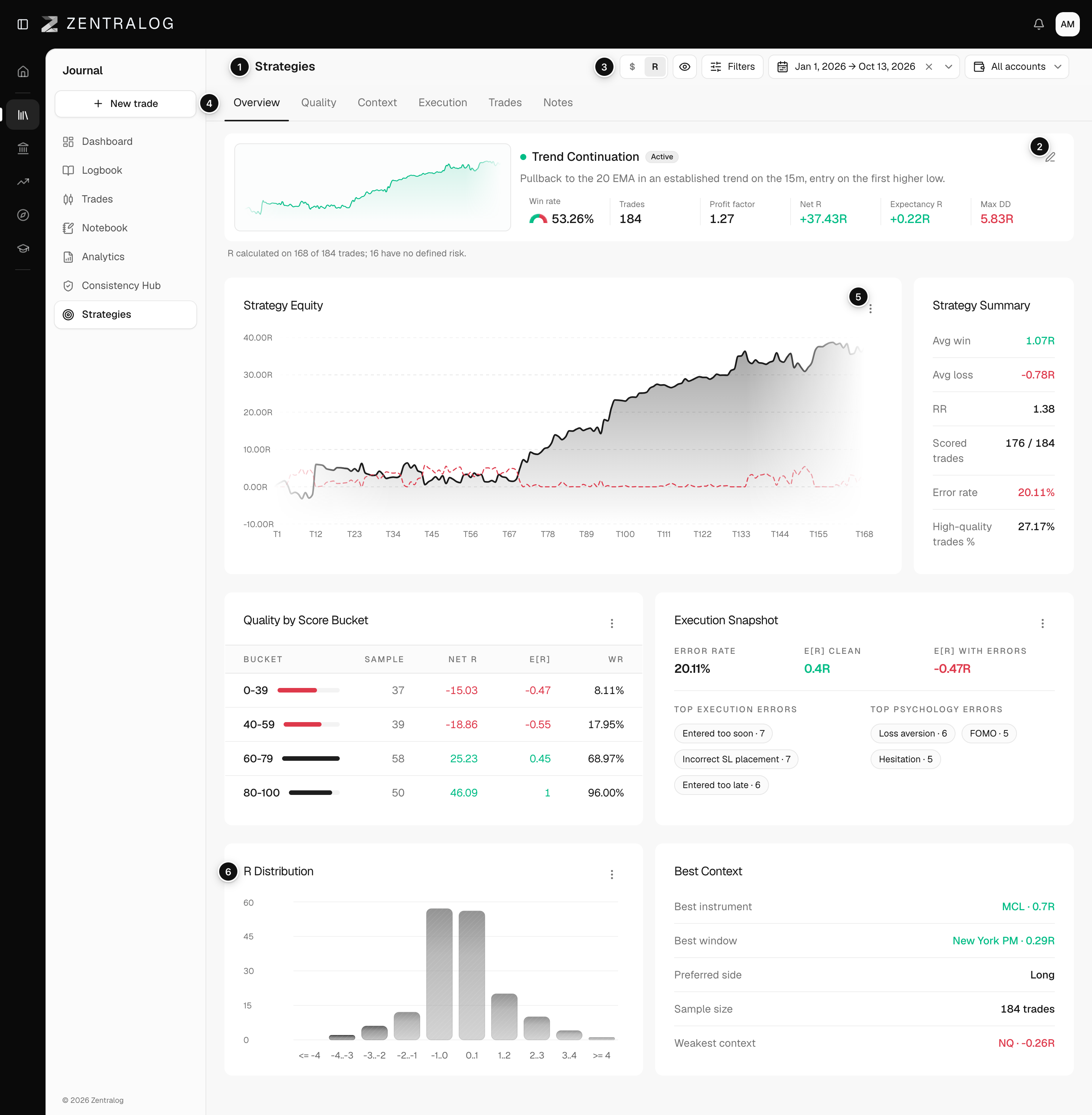
- Name: the strategy name, status and description.
- Edit strategy: change the name, status and criteria.
- $ / R: switch every number between money and R.
- Tabs: Overview, Quality, Context, Execution, Trades and Notes.
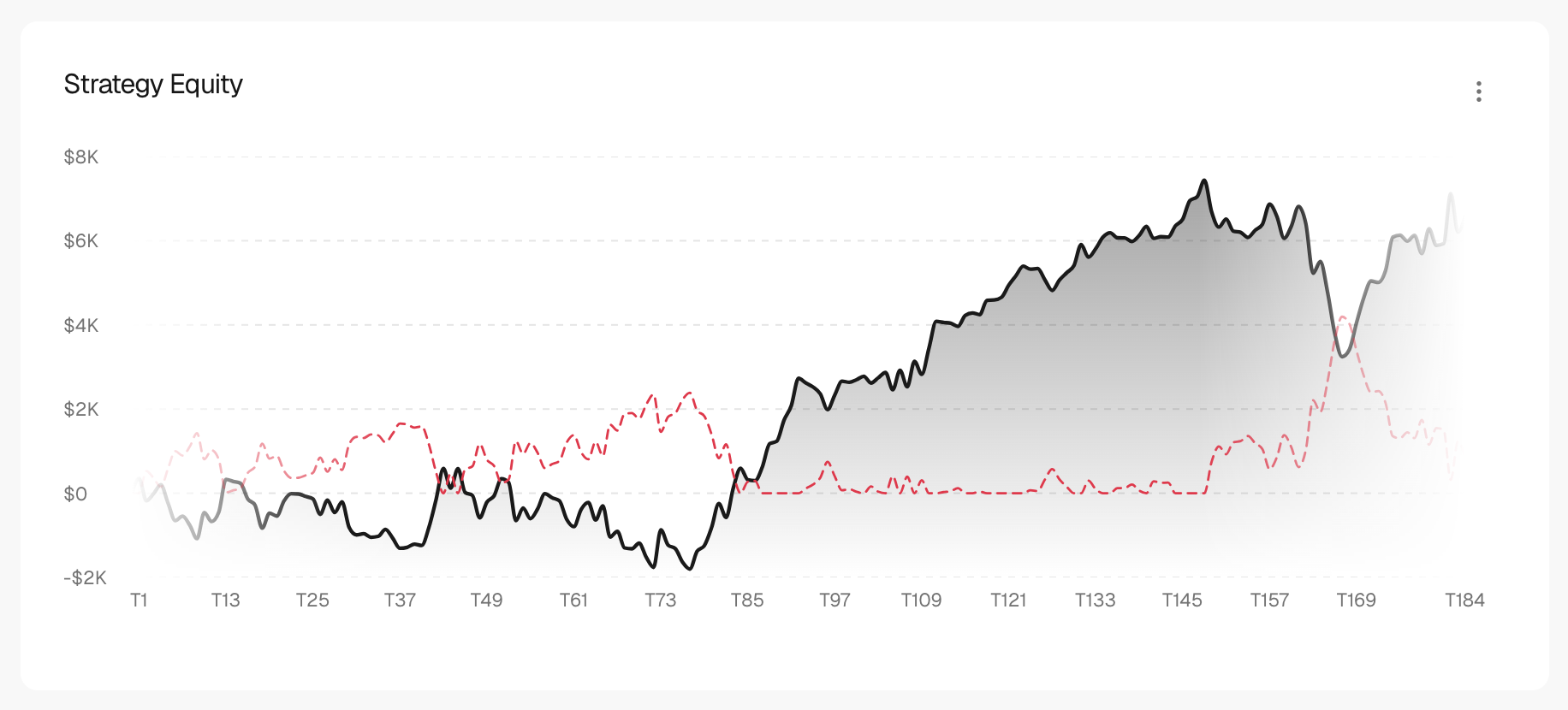
- Strategy Equity: the running result and the drawdown (drop from the last peak).
- R Distribution: how your trade results spread, in R.
FAQ
What does Profit factor mean here?
Profit factor is total profit divided by total loss, in money. Above 1 means the strategy makes more than it loses.
Why do some cards only appear in R?
Actionable Insights and the execution diagnosis need R. Switch to R to see them.
Related
Did this answer your question?