
Auto-sync with Rithmic
Connect your Rithmic login so trades from Rithmic and the prop firms that use it import automatically.
Updated 2 min read
Where: Accounts → Connect account → Rithmic
Connect Rithmic
- Click Accounts in the left rail, then Connect account.
- Search your prop firm and pick its «- Rithmic» option (for example Apex Trader Funding - Rithmic), or click Rithmic under Main brokers.
- Click Auto-sync, then enter your Rithmic Username and Password.
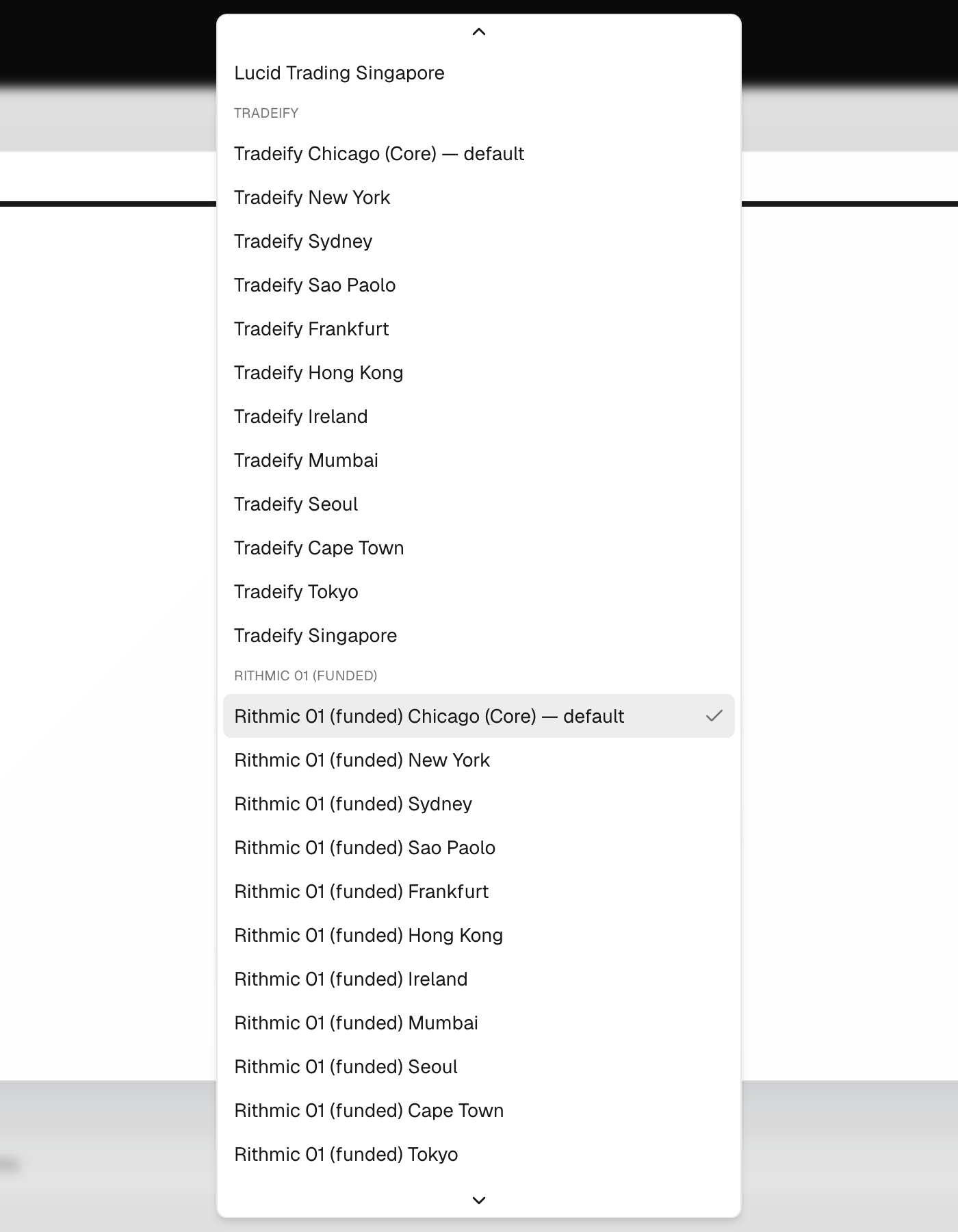
- Check the Server. It is preset for your firm; change it only if your firm gave you another one.
- Optional: pick a date in Import history from, then click Validate connection.
Link the accounts
- Tick the accounts you want from the list.
- Click Link (the button shows how many, for example Link 2 accounts).
Rithmic firms include Apex, Tradeify, Lucid, Elite Trader Funding, Take Profit Trader, Bulenox and OneUp Trader.
What's on the screen
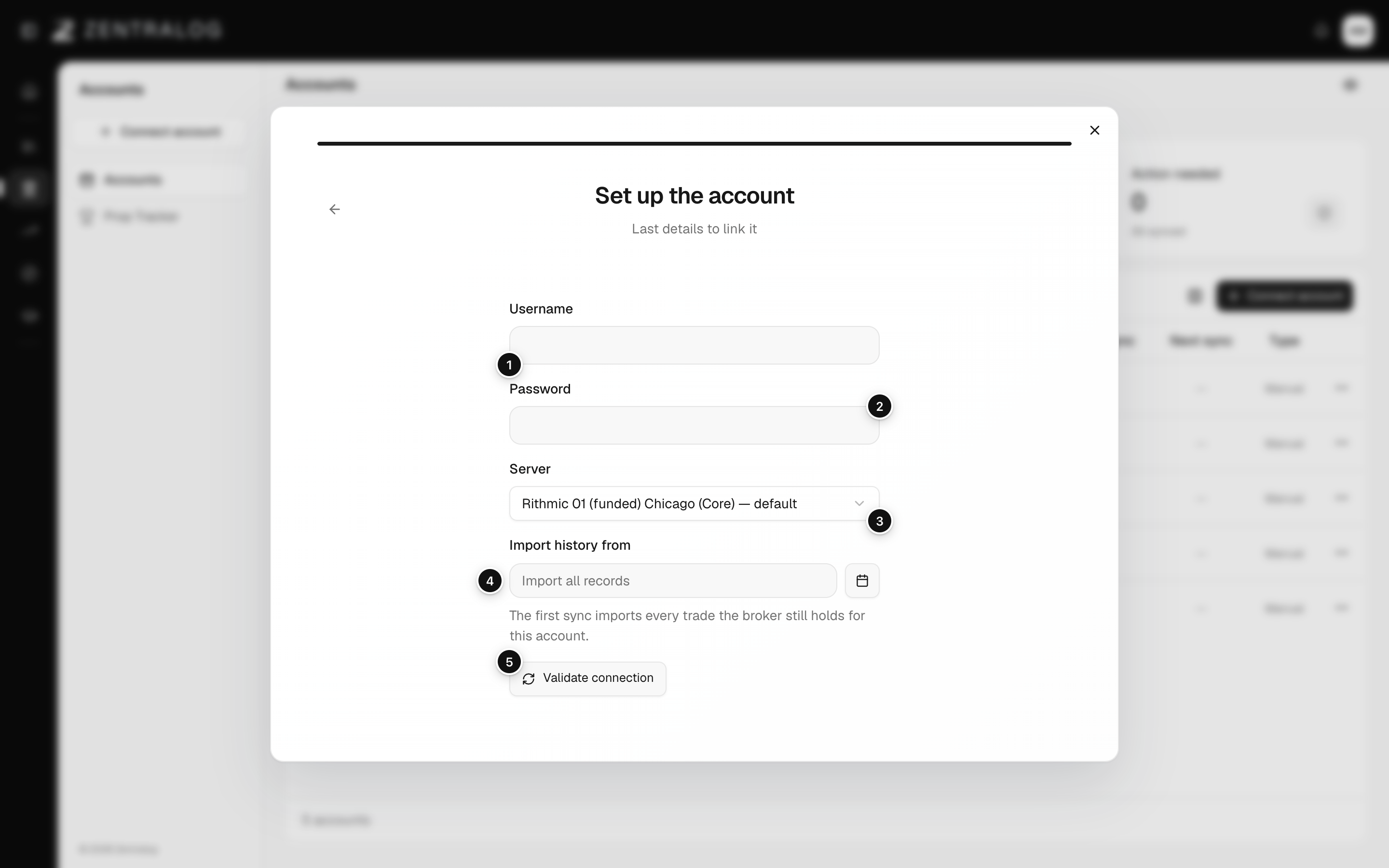
- Username: your Rithmic username.
- Password: your Rithmic password.
- Server: the one your prop firm uses.
- Import history from: optional start date for your history.
- Validate connection: checks the login and lists your accounts.
Rithmic doesn't send commissions with your trades. Add them in Costs and commissions so your net P&L is right.
FAQ
It says «Too many attempts». What now?
Rithmic limits login attempts. Wait the seconds shown, then try again.
Rithmic didn't accept the server. What do I do?
Pick another server for the same firm, or try again in a few minutes.
My totals show «Waiting for broker P&L». Is something wrong?
No. Rithmic sends the P&L a little later. The figures fill in when it arrives.
Related
Did this answer your question?