
Edit an account and its balance
Rename an account, mark it personal or prop, and record deposits, withdrawals or your real balance.
Updated 2 min read
Where: Accounts → ⋮ → Edit / Edit balance
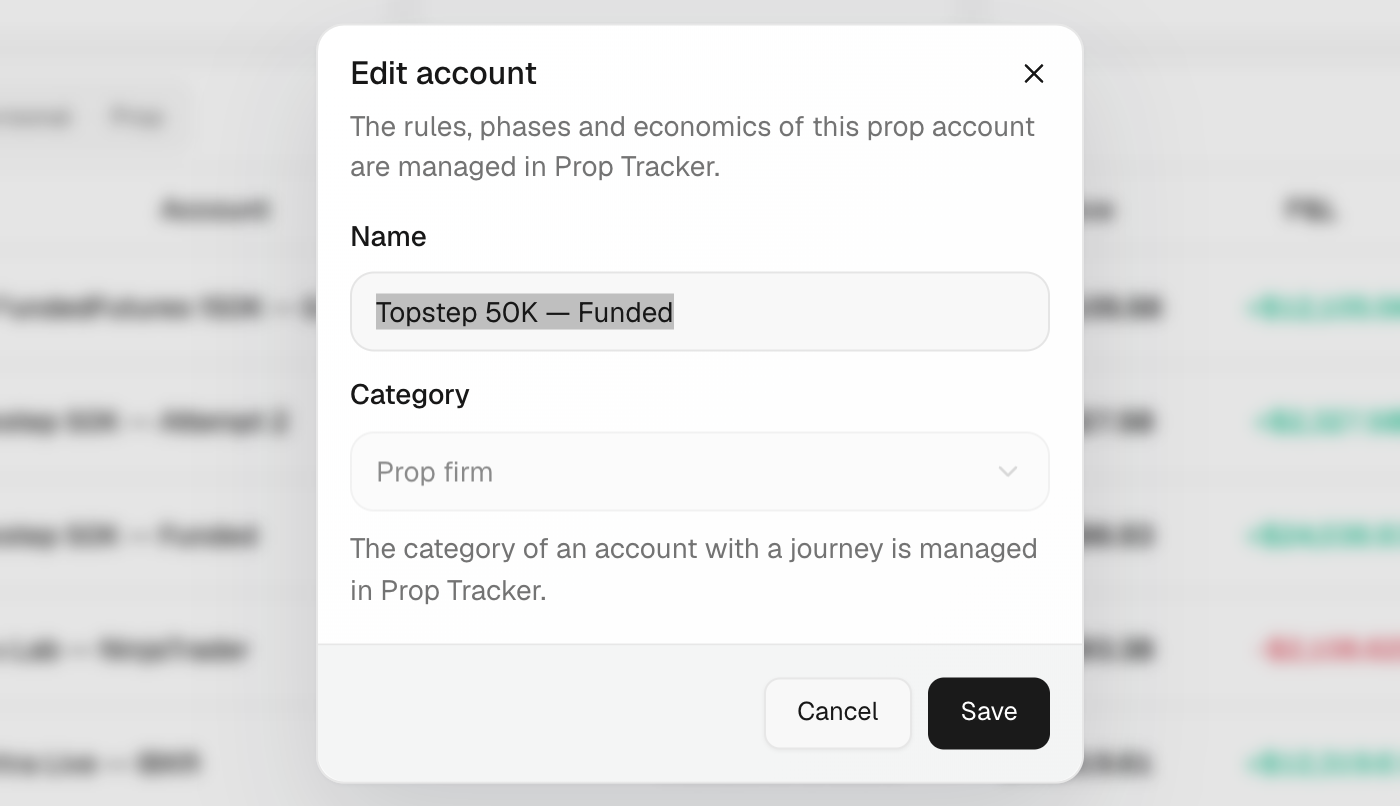
Rename the account
- Click Accounts in the left rail.
- Click ⋮ on the account and choose Edit.
- Change the Name.
- Pick the Category: Personal or Prop firm. For a prop account, choose the firm, or Other and type the Firm name.
- Click Save.
Set your real balance
- Click ⋮ → Edit balance.
- Click Set current balance.
- Type the Balance today and the Date of the movement.
- Click Record adjustment. The difference is saved as a deposit or a withdrawal.
Add a deposit or withdrawal
- In Edit balance, click Add movement.
- Pick the Type: Deposit or Withdrawal. Fill in Date, Amount and, if you like, Notes.
- Click Add.
What's on the screen
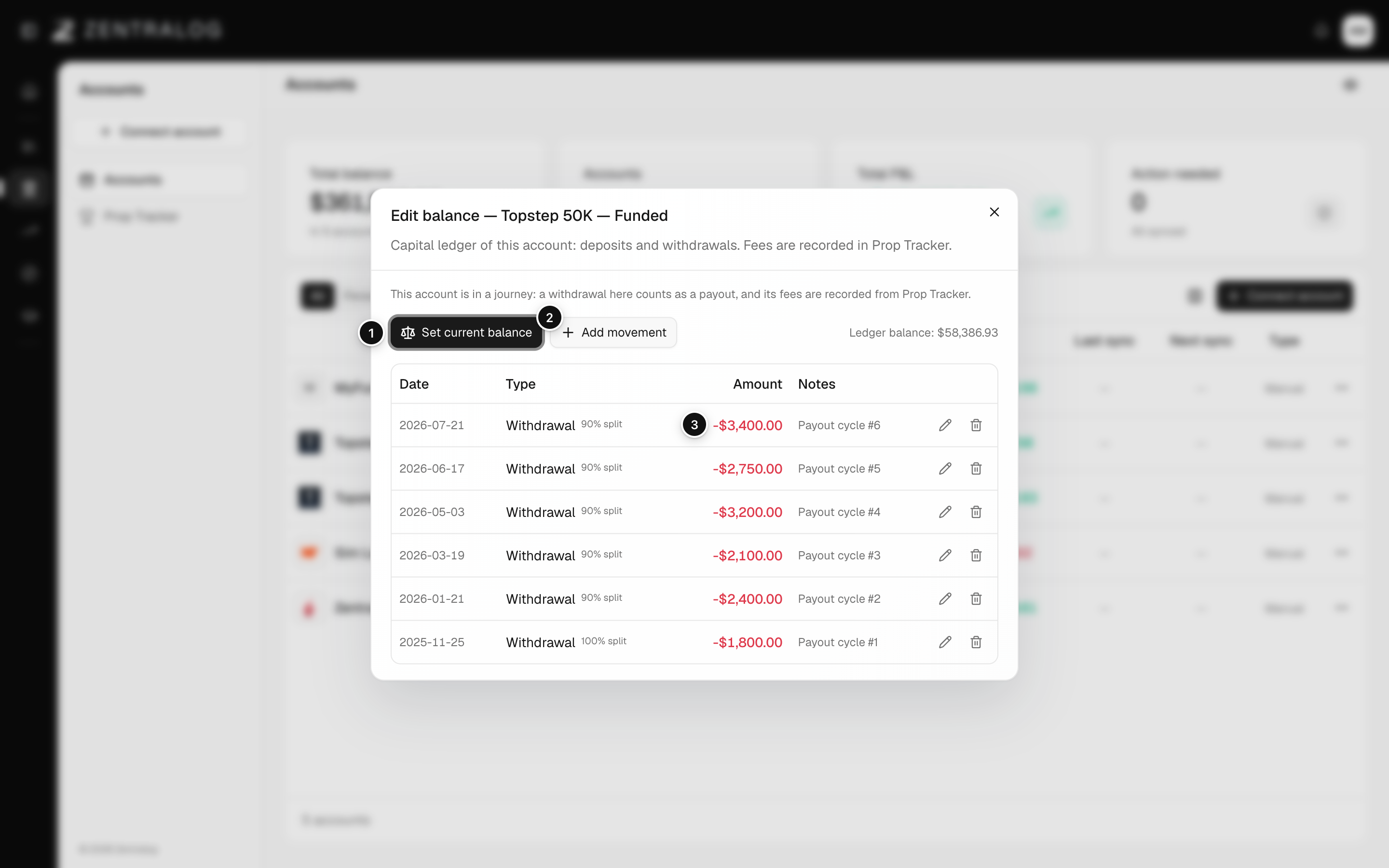
- Set current balance: enter today's balance; the difference is recorded for you.
- Add movement: add a deposit or a withdrawal.
- Movement row: each balance change, by date. Use its icons to edit or delete it.
- Suggestion: the balance your broker reports; click Apply to use it.
If the account is in a prop journey, a withdrawal here counts as a payout. Fees are recorded in Prop Tracker.
FAQ
Why can't I change the category?
The account is in a journey. Its category is managed in Prop Tracker.
Does changing the balance change my trades?
No. Movements only change the balance. Your trades and their P&L stay the same.
Related
Did this answer your question?