
Prop Tracker alerts
Warnings that appear on the Prop Tracker Dashboard only when a risky habit shows up in your accounts right now.
Updated 2 min read
Where: Accounts → Prop Tracker → Dashboard → Alerts
Check your alerts
- In Prop Tracker, stay on the Dashboard tab.
- Scroll to Alerts, at the bottom.
- Wait a moment while it shows Checking your trades….
- Read each alert: a title with your numbers and one line on why it matters.
- If it says Nothing to watch right now, no alert applies today.
The four alerts
- Hot rebuy: «3 purchases the same day or the day after breaching an account». You bought 3 or more evaluations right after breaking an account, and they pass less often than your other purchases.
- Microscalping: «Account: 15% of trades lasting 5 s or less». An active funded account with 10 or more closed trades where over 10% of its last 30 lasted 5 seconds or less. Many firms can void a payout for it.
- Strategy streak: «Strategy: 6 of 20 in this block». A strategy with 50 or more past trades whose last 20 trades are unusually bad for its normal hit rate.
- Concentration: «5 of your 6 active accounts are with Firm». You have 4 or more active accounts and 75% or more are with one firm.
What's on the screen
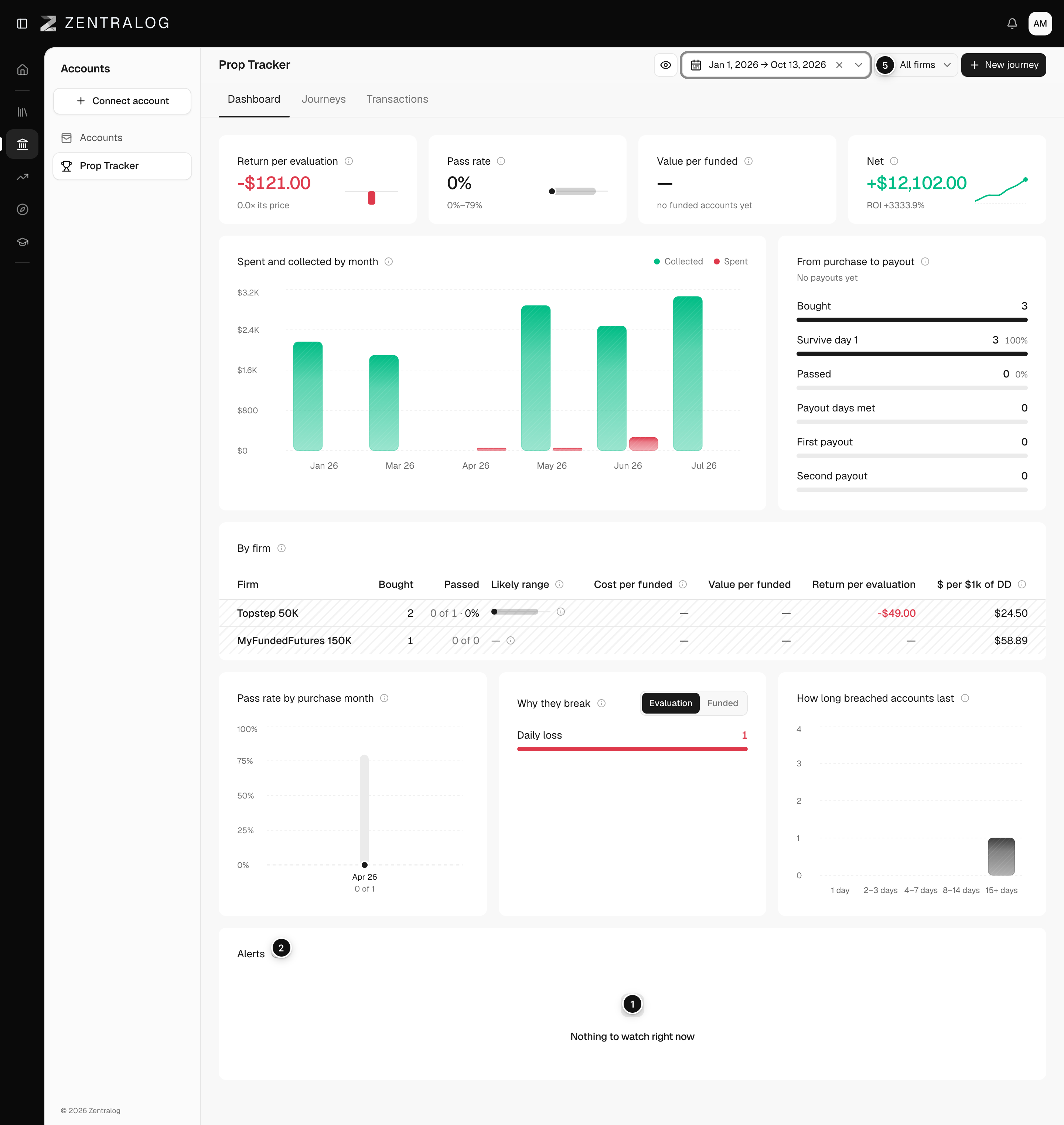
- Alerts: only the warnings that apply now.
- Info: hover to read how alerts work.
- Alert title: what happened, with your numbers.
- Why it matters: one line with the context.
- All firms: the concentration alert only shows with no firm picked.
FAQ
Why don't I see the concentration alert?
It only shows when All firms is selected at the top. With one firm picked, it stays hidden.
Do alerts follow the date range?
Partly. The hot rebuy alert looks at evaluations started in the range. The concentration alert always looks at all your active accounts.
Related
Did this answer your question?