
Prop Tracker
A dashboard for the money side of your prop firm accounts, from fees paid to payouts received.
Where: Accounts → Prop Tracker
A prop firm lends you its money after you pass a paid test, the evaluation. In Prop Tracker, each test you buy is a journey: the account, its phases, its rules and its money.
Read the dashboard
- Click Accounts in the left rail, then Prop Tracker.
- Stay on the Dashboard tab.
- Read the four numbers at the top: Return per evaluation, Pass rate, Value per funded and Net.
- Scroll down to Spent and collected by month, From purchase to payout and By firm.
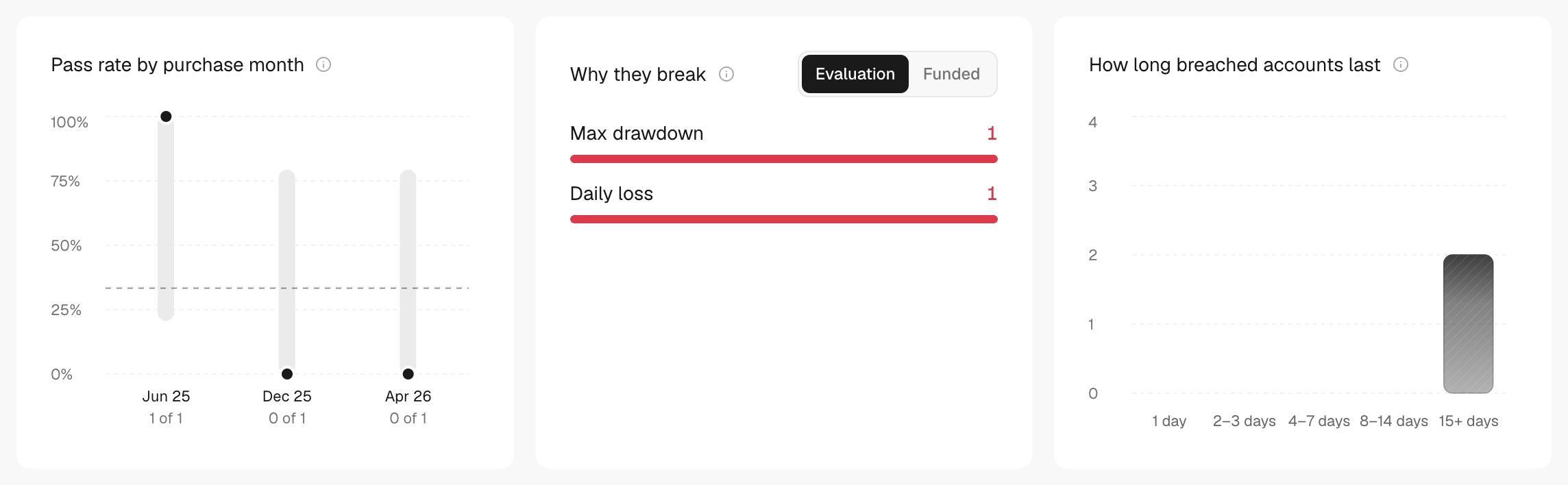
- Keep scrolling: Pass rate by purchase month, Why they break, How long breached accounts last and Alerts.
Narrow it down
- Click All firms at the top and pick one firm to focus on it.
- Change the date range at the top. It filters Dashboard and Transactions.
- Switch to the Journeys or Transactions tab to see each journey or each fee and payout.
What's on the screen
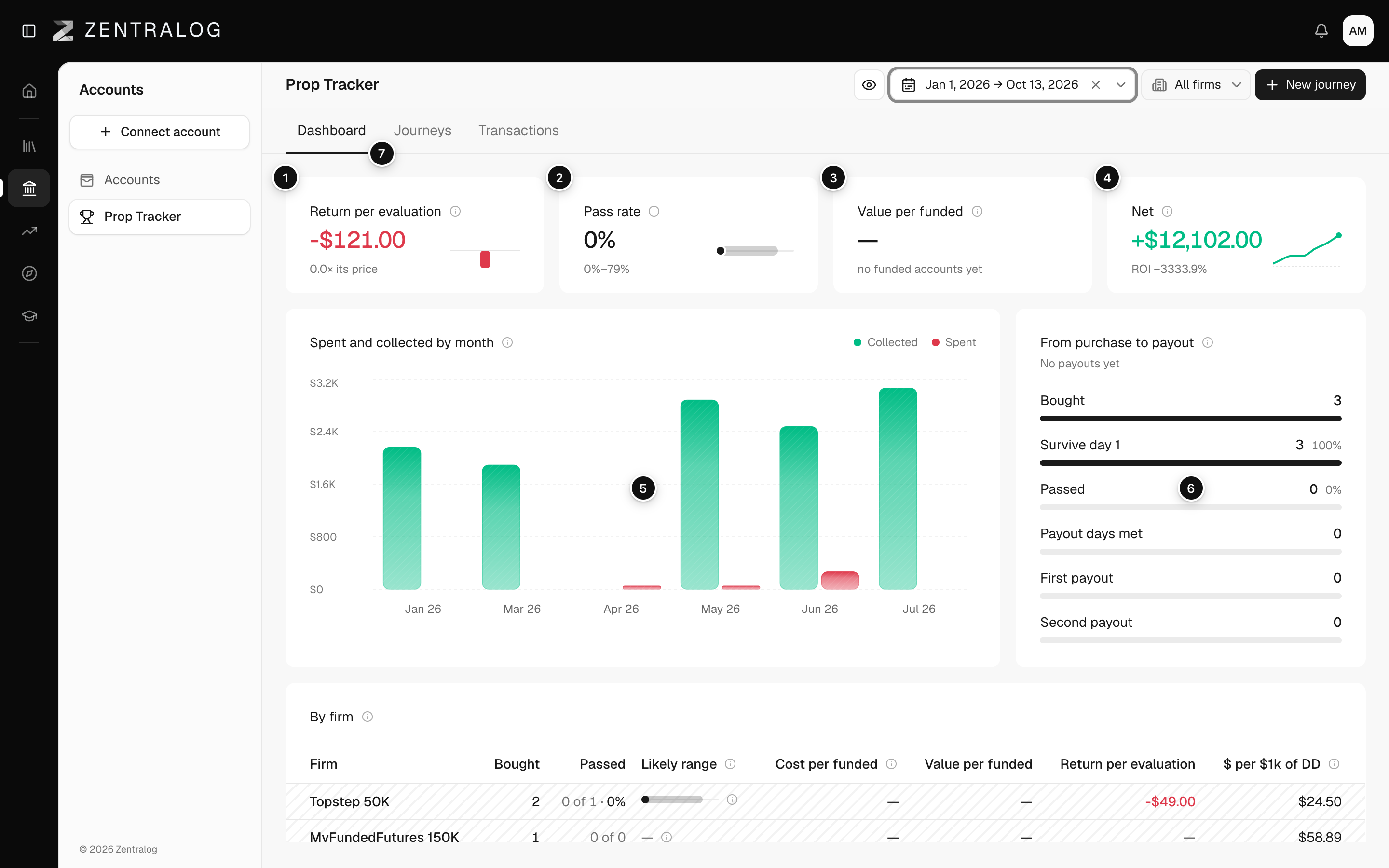
- Return per evaluation: what each evaluation you buy leaves you on average, after its cost.
- Pass rate: the share of finished evaluations you passed, with its likely range.
- Value per funded: what each funded account paid you on average, against what it cost you.
- Net: payouts minus fees in the range, with its ROI.
- Spent and collected by month: fees and payouts per month.
- From purchase to payout: how many evaluations reach each step, from bought to second payout.
- Tabs: Dashboard, Journeys and Transactions.
See how Prop Tracker numbers are calculated.
Prop Tracker starts empty. Create a journey to see your numbers.
FAQ
Which evaluations does the date range count?
An evaluation counts if its phase 1 started in the range. Its payouts are looked up over your whole history. Only Net and Spent and collected by month use the fees and payouts dated in the range.
Why do some numbers show a dash?
You have no finished evaluations yet, no fees recorded, or only instant funded accounts, which skip the evaluation.
Where do I record a payout?
In the Transactions tab, with Log payout. See Fees and payouts.
Related
Did this answer your question?