
Session and Close in My Day
Jot what happens while you trade, then review the day's numbers, trades and mood when you finish.
Updated 2 min read
Where: Today → Plan the day → 2 Session / 3 Close
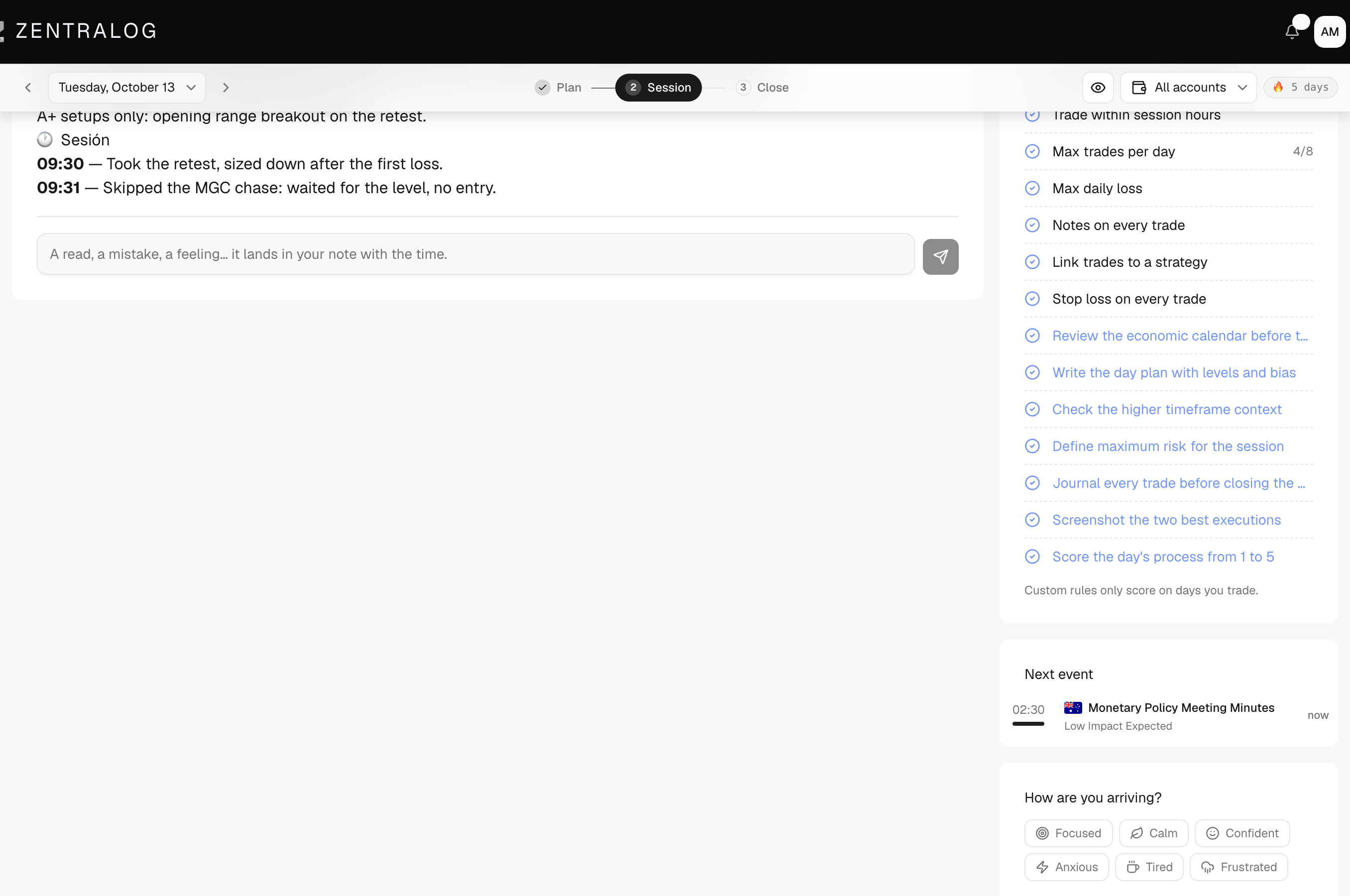
Jot during the session
- In My Day, click 2 Session.
- Type a line in the box: a read, a mistake, a feeling.
- Click Add jot or press ⌘+Enter (Ctrl+Enter on Windows).
- The line lands in your day note with the time in front, like «10:42 — your text».
- Check Next event for a countdown to the next economic event.
Close the day
- Click 3 Close once you stop trading.
- Read the numbers at the top and the Day curve.
- Click a row in the trades table to open that trade.
- Under How are you finishing?, pick one or more moods.
- Write your reflection at the end of the day note.
What's on the screen
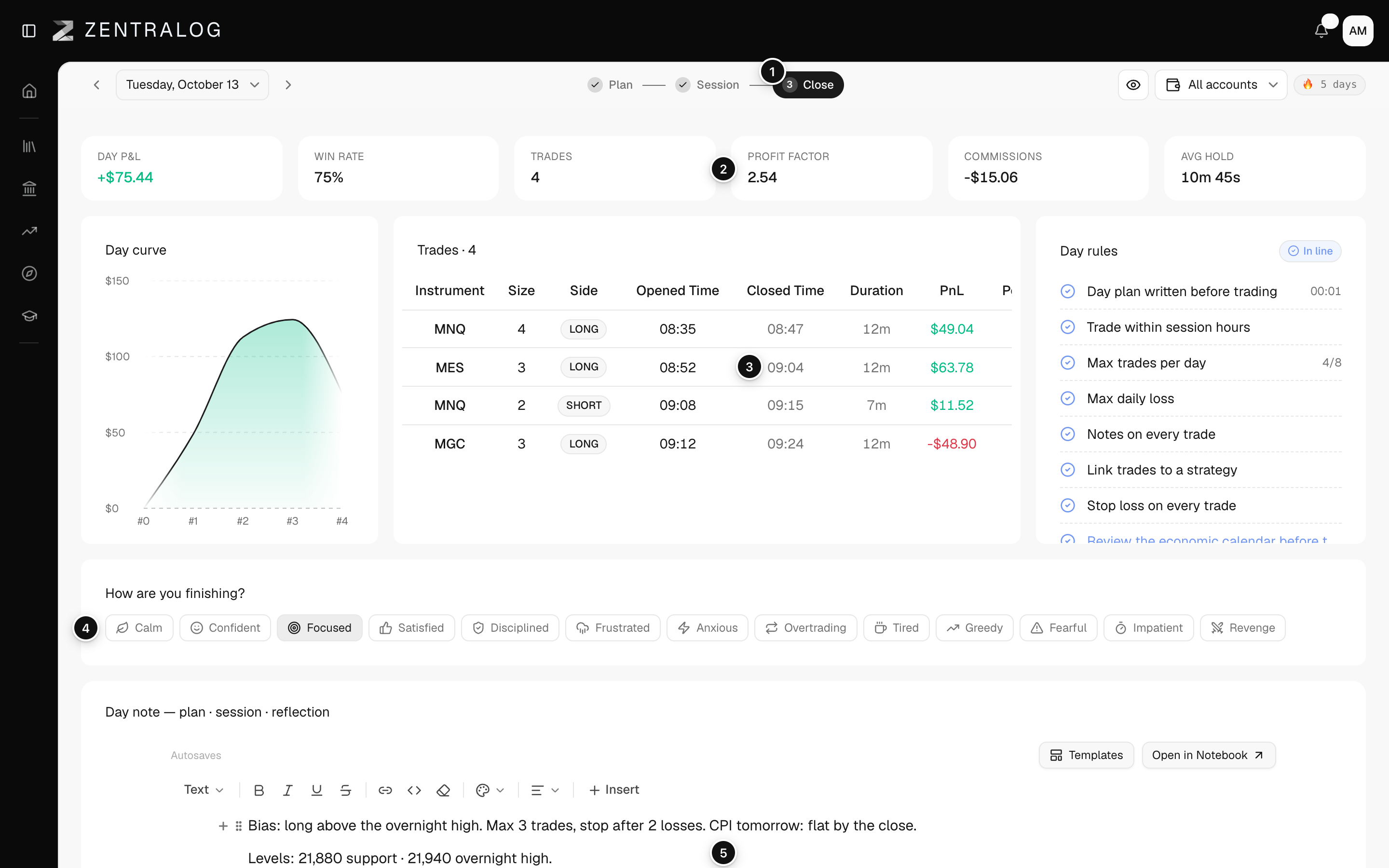
- 3 Close: the review view for when trading is done.
- Day numbers: Day P&L (net P&L, what you made or lost after costs), Win rate (share of winning trades), Trades, Profit factor, Commissions and Avg hold.
- Trades: every trade you took that day.
- Close mood: how you're finishing the day. You can pick several.
- Full day note: plan, session jots and reflection in one note.
FAQ
Why are Session and Close greyed out?
You are on a future day. Only 1 Plan works until that day arrives.
My trades don't show in Close yet. Why?
Trades appear once they reach Zentralog, by sync or import. If your account is connected, wait for the next sync or sync it by hand.
Related
Did this answer your question?