
Add a trade manually
Type the buys and sells of a trade yourself and Zentralog builds the trade from them.
Where: Journal → New trade → Manual entry
Enter the executions
- Click New trade in the Journal panel, then Manual entry.
- Choose the account in Account.
- In the first row, set Date & Time, Instrument, BUY or SELL, Qty and Price. Add Comm and Fee if you know them.
- Fill a second row for the exit. Click Add execution for partial exits or scale-ins.
- Click Continue.
Each row is one execution. Zentralog groups them into trades for you, and you can mix several instruments.
Review and save
- Check the trades listed under Review your trades: side, size, entry, exit and P&L.
- Optional: turn on Replicate to other accounts, pick the accounts and a multiplier to copy the trade to them.
- Click Save trade.
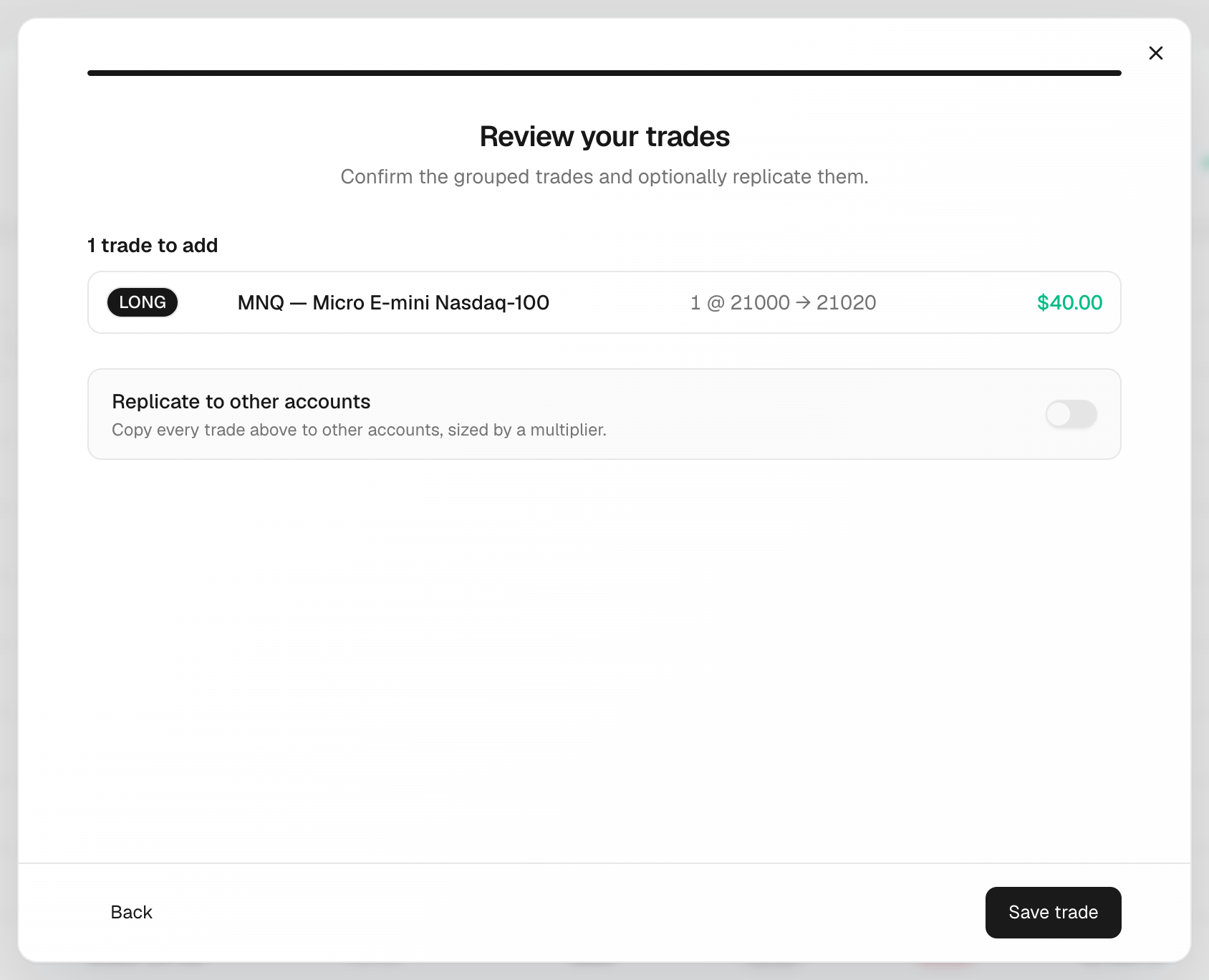
Strategy, mistakes, stop, target and notes are not part of this form. Add them afterwards in the trade detail.
What's on the screen
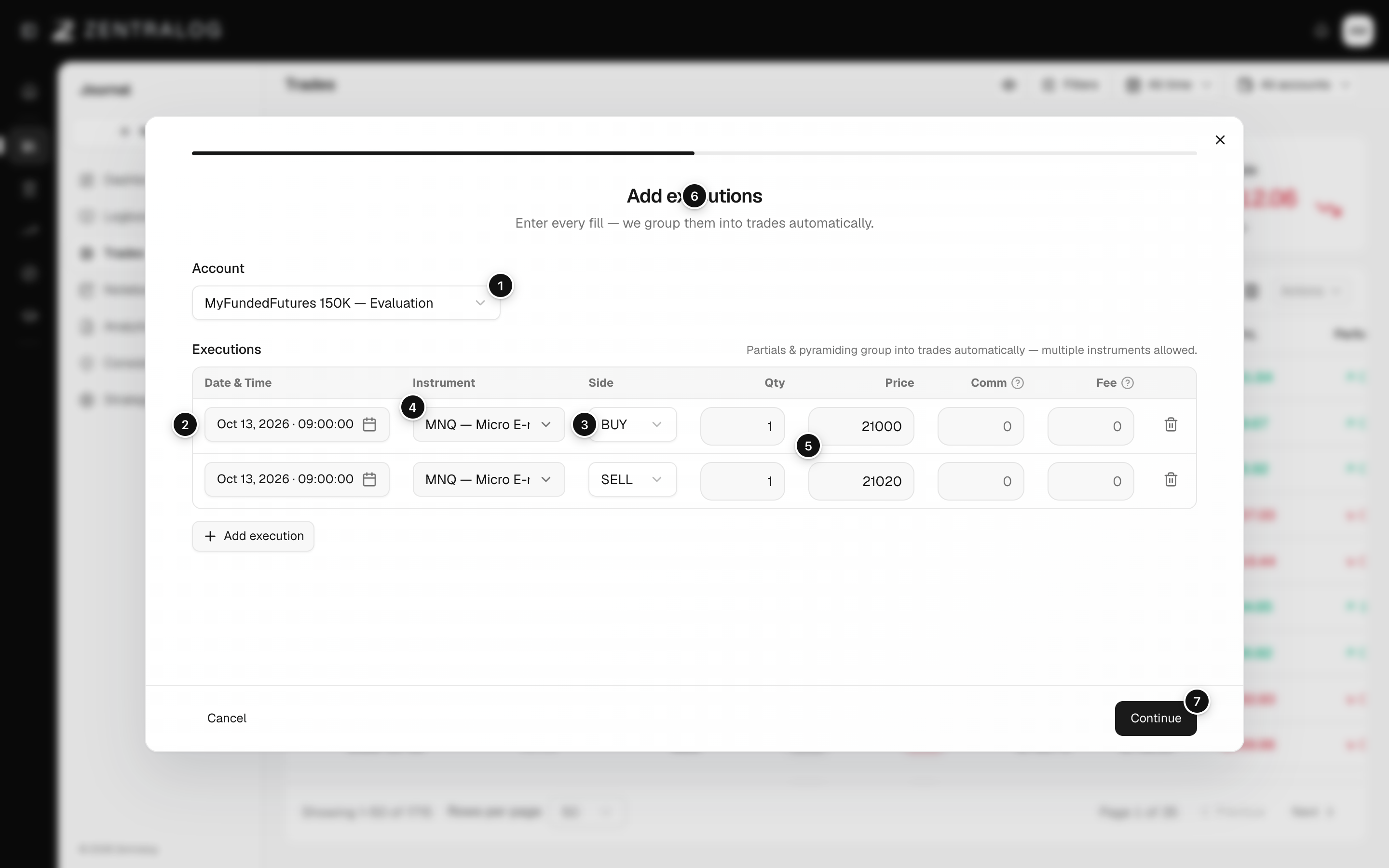
- Account: the account the trade belongs to.
- Date & Time: when each fill happened.
- Instrument: what you traded.
- Side: BUY or SELL for each execution.
- Price: fill price; quantity sits to its left.
- Add execution: add partials or scale-ins as extra rows.
- Continue: review the grouped trades before saving.
If buys and sells don't balance, the trade stays open. Zentralog asks before saving: choose Go back and fix or Save anyway. Open trades stay out of your stats until you add the closing execution.
FAQ
Can I fix a trade after saving it?
Yes. Open the trade, go to the Executions tab and click Edit. See Executions and replicas.
What is the difference between Comm and Fee?
Comm is what your broker charges. Fee is exchange, clearing and regulatory charges. Both are subtracted to get net P&L.
Related
Did this answer your question?