
Body widgets
The large charts, calendars and lists below the KPI row, grouped by category.
Updated 2 min read
Where: Journal → Dashboard → below the KPI row
Use a body widget
- Scroll below the KPI row.
- Hover a chart to read the value of a day, hour or bar.
- In Recent Trades, click a trade to open it. Load more shows older ones.
- If a widget shows No data, widen the date range or the accounts.
Add a body widget
- Open the templates menu and click the pencil of your template.
- Click Click to add widget.
- Search, or browse the categories.
- If the widget offers it, pick a width: 1/3 or 2/3.
- Click the widget, then Done.
The catalog groups the widgets like this:
- Performance: Daily Cumulative P&L, Net Daily P&L, Time Heatmap, Account Balance (balance curve against the money you put in), Edge by Session (average trade in Asia, London, NY AM and NY PM), Instrument Share (trades per symbol) and P&L by Weekday.
- Risk: Drawdown and Zen Score.
- Trades: Recent Trades, Trade Frequency & Win Rate (trades and win rate per hour), Trade Time Performance (P&L in 30-minute slots of entry time) and Duration–Return Scatter (one dot per trade: minutes held against result).
- Calendar: the four P&L calendars and Economic Calendar (upcoming macro events, filtered by impact or currency).
- Other: Compliance History (about three months of daily rule compliance).
What's on the screen
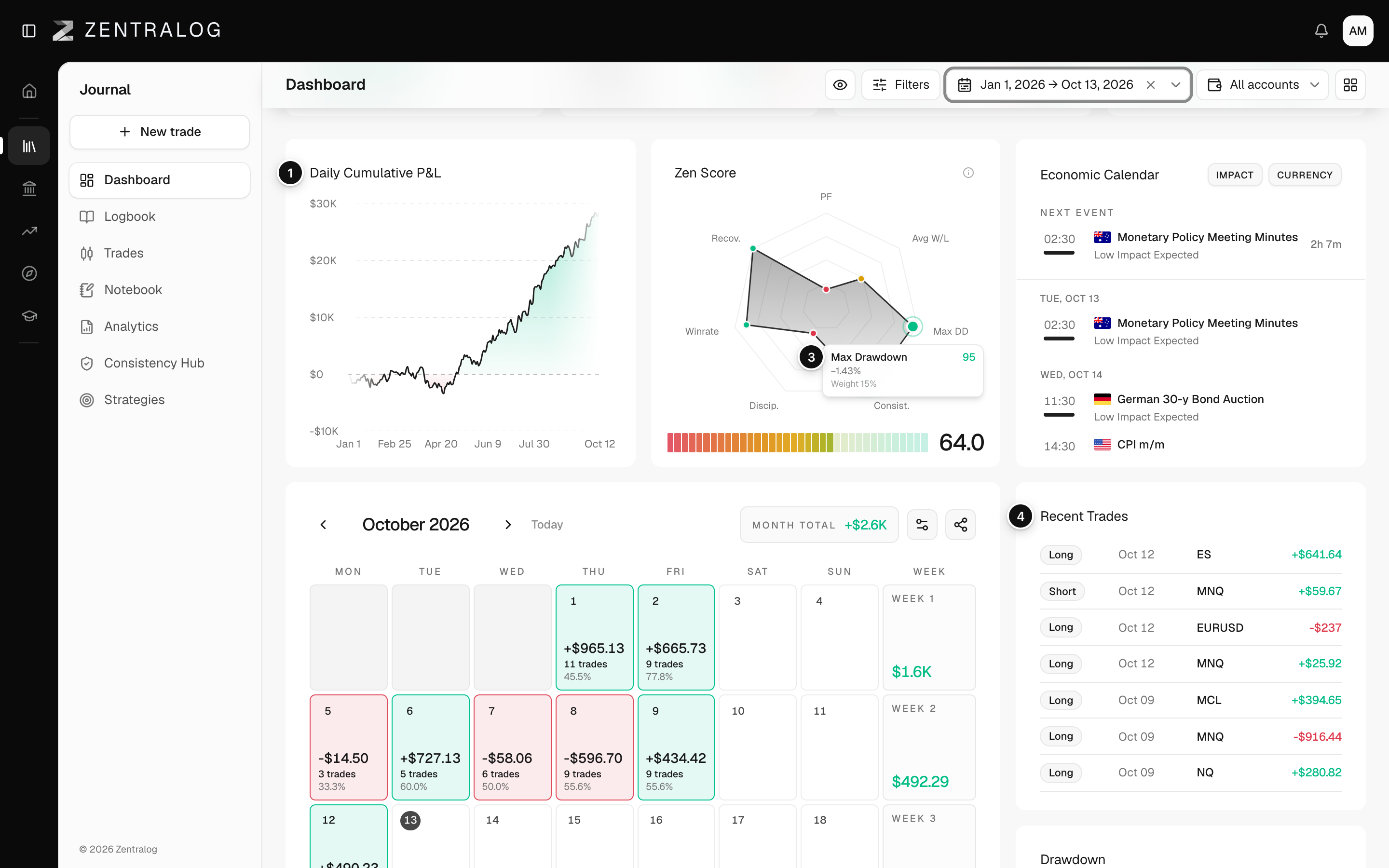
- Daily Cumulative P&L: your running P&L, day by day.
- Net Daily P&L: each day's net result as a green or red bar.
- Drawdown: how far you were below your peak. See drawdown.
- Recent Trades: your latest trades; click one to open it.
- Time Heatmap: results by weekday and hour.
FAQ
Can I add the same widget twice?
No. The catalog hides widgets already on the layout. When all are placed, it says All widgets already added.
Why does a widget say No trades for selected range?
No closed trades match the date range, accounts and filters in the top bar. Widen them to fill the widget.
Related
Did this answer your question?