
Create a manual account
An account you fill in yourself, by hand or from a CSV file, for any broker without auto-sync.
Updated 2 min read
Where: Accounts → Connect account
Create the account
- Click Accounts in the left rail, then Connect account.
- Search your broker. If it isn't there, click Can't find your broker or prop firm?.
- If you picked a broker that offers auto-sync, choose Manual / CSV.
- For a broker that isn't listed, fill in Broker / firm and choose the Account type: Personal or Prop firm.
- Type an Account name and the Initial balance.
- Click Link account.
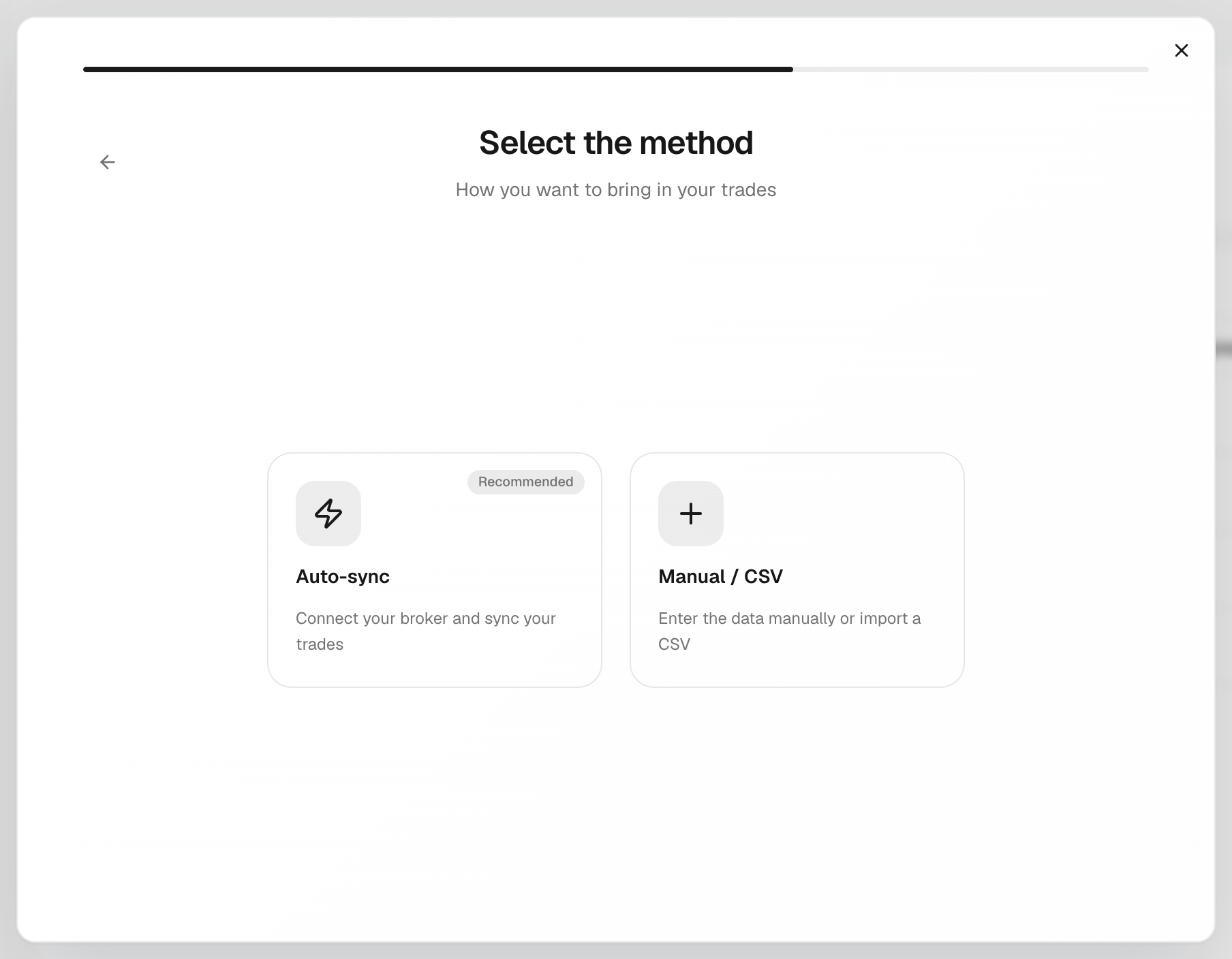
The initial balance is saved as the account's first deposit, dated today.
Add your trades
- Log a trade by hand from Journal → New trade. See Add a trade manually.
- Or import your broker's export from Journal → New trade → CSV import. See Import a CSV.
What's on the screen
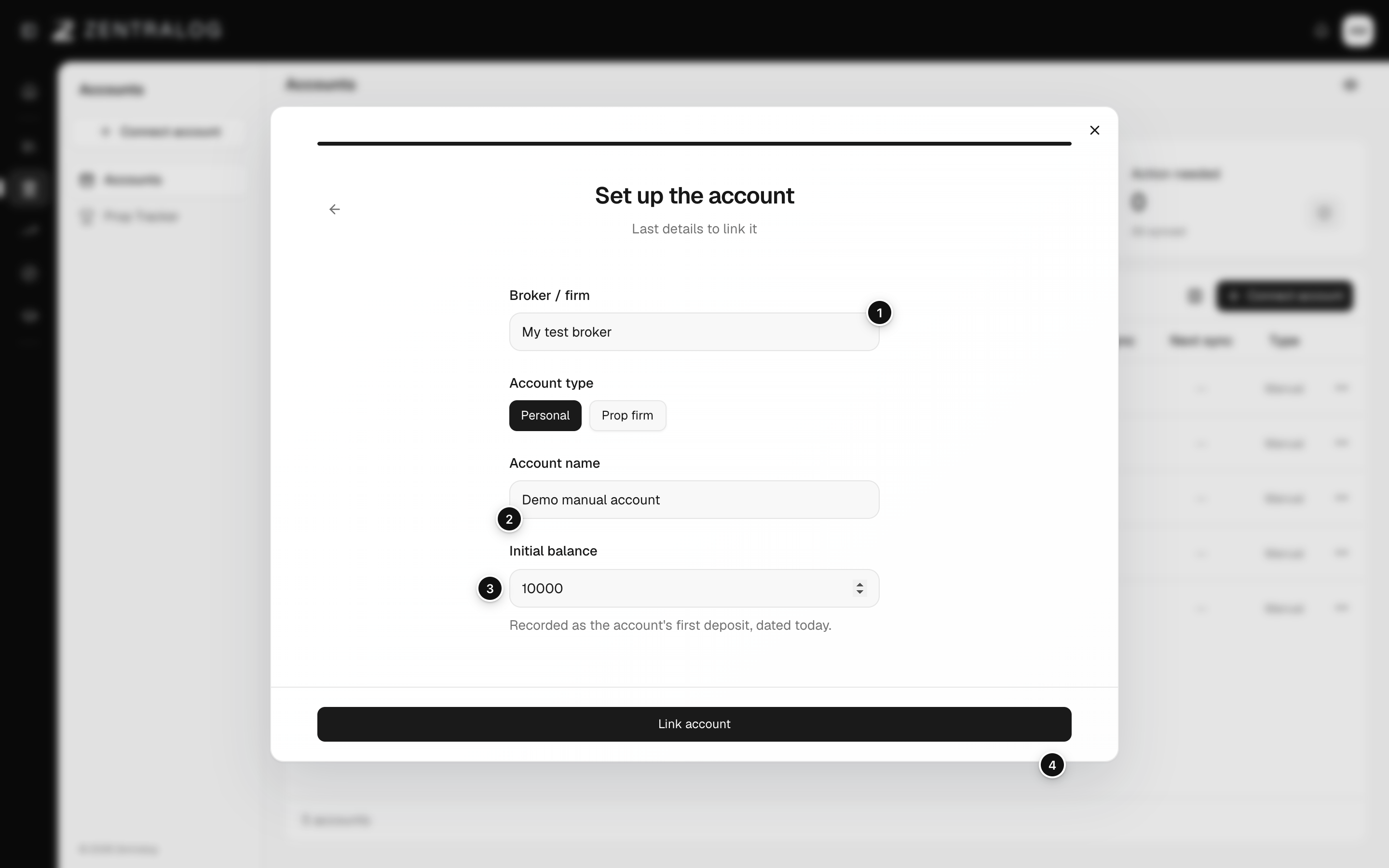
- Broker / firm: the name of your broker or firm.
- Account name: a name you will recognise.
- Initial balance: your starting money, saved as the first deposit.
- Link account: creates the account.
For a prop firm account, the phase, rules and fees are set up later in Prop Tracker.
FAQ
What's the difference between Personal and Prop firm?
Personal is your own money. Prop firm is an account a prop firm gives you; you follow it in Prop Tracker.
Can I change the name or balance later?
Yes. Open the account's ⋮ menu and choose Edit or Edit balance. See Edit an account and its balance.
Related
Did this answer your question?